
The Block Box
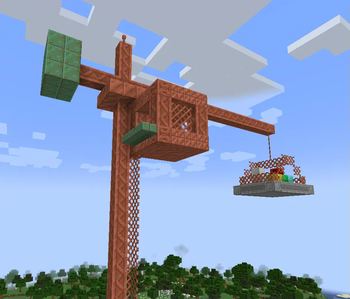
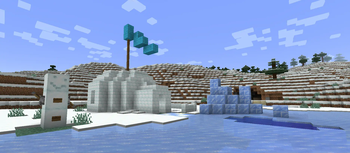
A collection of building blocks, furniture and decorations!
Screenshots
About this Mod

The Block Box is exactly what the name says - a box full of blocks!
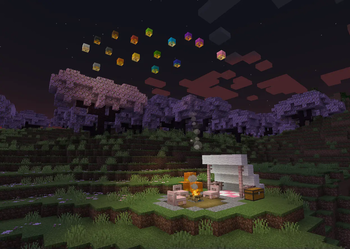
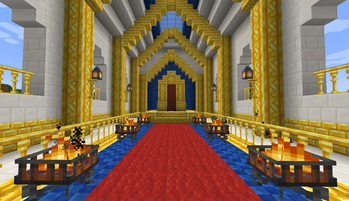
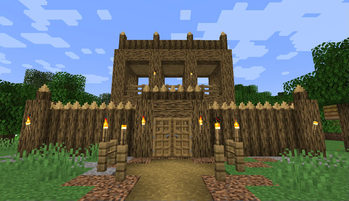
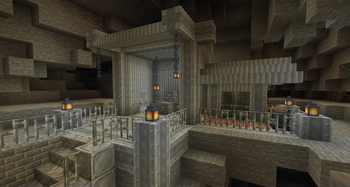
Here you'll find a variety of block sets, decorations, light sources and furniture. Ever wanted to build an opulent mansion with gold? How about an industrial complex with iron and copper? Or maybe you just want to sit down in a chair and watch the sky lanterns fly? This mod has got you covered!
The Block Box aims to extend the block palette of Minecraft wherever it makes sense, adding blocks for themes and use cases that aren't well-covered by existing blocks.
Also, the mod does not generate anything in your world - you can just drop it in at any time!
Take a look around and see if anything fits your next build!
Frequently Asked Questions
Q. Can I use this mod into my modpack?
A. Yes! Feel free to feature The Block Box in your modpack, and customize it as you see fit for the experience you're crafting. Just keep in mind:
Make sure to credit, and don't claim The Block Box as your own creation;
Always read the changelogs! Minor and major versions can sometimes have breaking changes, which will be explained there.
Q. Which versions of Minecraft will you support?
A. Currently, The Block Box is only available for Minecraft 1.21.1, but I might backport it to 1.20.1 once I have time. No promises!
Q. Do you have a Patreon, or similar means of supporting your work?
A. Not currently, but thanks for your consideration! Although I am currently unemployed, the money I earn from my projects is enough to sustain me in the meantime.
Available Versions
How to Install The Block Box on Your Server
Order Server
Order a Minecraft Java server with at least 3 GB RAM (4 GB recommended).
Set neoforge Loader
In the panel under "Egg", select the neoforge loader and matching Minecraft version (26.1.2).
Install Mod
Open the mod browser in the dashboard and search for "The Block Box". Click "Install" – done! Alternatively, upload the .jar via SFTP to the /mods folder.
Compatibility
Mod Loaders
Minecraft Versions
26.1.2, 26.1.1, 26.1 (+1 more)
Server-side
✓ RequiredRecommended RAM
4 GB(min. 3 GB)Frequently Asked Questions
The Block Box server crashes on startup – what to do?
Most common cause: wrong neoforge version or insufficient RAM. Check the server log (latest.log) for "OutOfMemoryError" or "Mixin" errors. With Mado Hosting: ensure at least 3 GB RAM is allocated and the loader matches the mod version (26.1.2). You can switch loaders with one click in the panel.
Is The Block Box compatible with neoforge?
The Block Box officially supports neoforge for Minecraft 26.1.2, 26.1.1, 26.1. The Mado dashboard automatically detects incompatible loader combinations.
Server lagging with The Block Box – how to optimize performance?
Recommended RAM: 4 GB (per 8 players). Use /spark profiler to check if The Block Box consumes the most tick time. Common fixes: reduce server view-distance to 8-10, install "performant" or "starlight" as supplementary mods on Forge. With Mado Hosting, your server runs on NVMe SSDs with dedicated CPU cores for minimal latency.
Similar Mods

![[ETF] Entity Texture Features](https://cdn.modrinth.com/data/BVzZfTc1/af683d206d50b05258d865b0d6e4aa2f2cee12f2_96.webp)
![[EMF] Entity Model Features](https://cdn.modrinth.com/data/4I1XuqiY/6e5bbd0d06b1741bfdab6c0cfab6de8fdaf0064c_96.webp)



Rent Modded Server
Install The Block Box with just one click on your server.