
The Clock of No Time
A minigame-esque mod that adds the challenge of surviving periodic events during your playthrough.
Screenshots
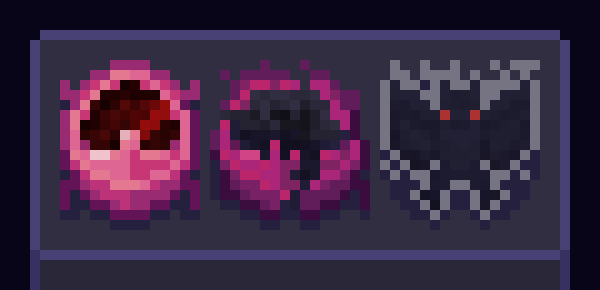
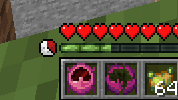
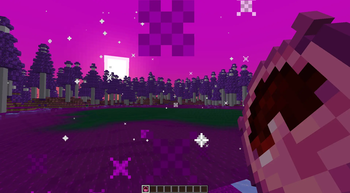
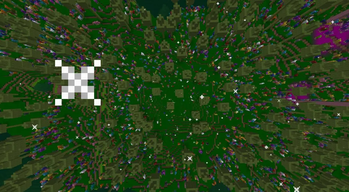
About this Mod

The Clock of No Time
...is a mod based around the clock's challenge: Survive waves of events, whether they be beneficial or cataclysmic. The goal of this mod is to add a layer of difficulty to a survival playthrough and make getting to the end much more harder.
How to play
Craft the clock itself by reforging a destroyed timepiece in a form of soul fire (which is obtained by blasting a regular clock).
...or enable the clock constantly within the mod's server-side config, wherein you can decide other variables within the challenge.
Commands
Initiate Event - /tcontevent
Event Index
Spoiler
1 - Summon vexes around player.
2 - Summon a dragon fireball above player.
3 - Tax the player by taking 5 XP levels, saturation, and item in their mainhand.
4 - Lowers the gravity of the player temporarily.
5 - Restores player health.
6 - Doubles the player's size temporarily.
7 - Halves the player's size temporaily.
8 - Grants the player a blessing.
9 - Set the player on fire.
10 - Sends the player somewhere happy.
11 - Places a bomb in the player.
12 - Strikes the player with lightning.
13 - Spawns an angry iron golem on the player.
14 - Resets all players' spawn points to the target player's location.
15 - Deletes the region the player is in.
16 - Takes 8 items out of the player's inventory.
17 - Increases the player's gravity temporarily.
18 - Places a spikefall below the player.
19 - Places the player within a variant maze tower.
20 - Fills the player's inventory with poisonous potatoes.
21 - Teleports the player to the top of a stone pillar at world height.
22 - Turns the player into a vampire, blood sucking and all.
23 - Gives the player extreme speed and jump boost.
24 - Makes the player extremely sick.
25 - Invokes a cataclysm.
Available Versions
How to Install The Clock of No Time on Your Server
Order Server
Order a Minecraft Java server with at least 3 GB RAM (4 GB recommended).
Set neoforge Loader
In the panel under "Egg", select the neoforge loader and matching Minecraft version (1.21.1).
Install Mod
Open the mod browser in the dashboard and search for "The Clock of No Time". Click "Install" – done! Alternatively, upload the .jar via SFTP to the /mods folder.
Compatibility
Mod Loaders
Minecraft Versions
1.21.1
Server-side
✓ RequiredRecommended RAM
4 GB(min. 3 GB)Frequently Asked Questions
The Clock of No Time server crashes on startup – what to do?
Most common cause: wrong neoforge version or insufficient RAM. Check the server log (latest.log) for "OutOfMemoryError" or "Mixin" errors. With Mado Hosting: ensure at least 3 GB RAM is allocated and the loader matches the mod version (1.21.1). You can switch loaders with one click in the panel.
Is The Clock of No Time compatible with neoforge?
The Clock of No Time officially supports neoforge for Minecraft 1.21.1. The Mado dashboard automatically detects incompatible loader combinations.
Server lagging with The Clock of No Time – how to optimize performance?
Recommended RAM: 4 GB (per 8 players). Use /spark profiler to check if The Clock of No Time consumes the most tick time. Common fixes: reduce server view-distance to 8-10, install "performant" or "starlight" as supplementary mods on Forge. With Mado Hosting, your server runs on NVMe SSDs with dedicated CPU cores for minimal latency.
Similar Mods




Rent Modded Server
Install The Clock of No Time with just one click on your server.