
Zer0's XP Mod
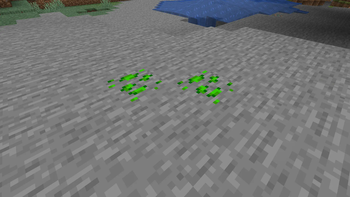
A mod that adds XP related features, right now there is currently an XP ore, when mined, it drops XP.
Screenshots
About this Mod
Deluxe's XP Mod
A New Way to Experience XP!
Tired of XP being just for enchanting and repairing? Deluxe's XP Mod expands how XP is used, earned, and stored in Minecraft! This mod introduces new mechanics that make XP more valuable and integrated into gameplay.
✨ Features:
✔️ XP Ore – A brand-new ore found underground that drops XP when mined! A more direct way to gather experience without grinding mobs.
✔️ XP Infusion System – Convert Netherite tools and armor into XP-Infused Gear, unlocking new possibilities for XP-based mechanics.
✔️ Custom XP Conversion – Use the XP Converter block to transform items into valuable experience.
✔️ Survival Friendly – Designed to blend naturally with vanilla gameplay while adding exciting new mechanics.
⚠ Beta Disclaimer
🚧 This mod is still in early development! Expect occasional bugs, balance changes, and new features in future updates. If you encounter any issues, feel free to report them!
💡 Have suggestions? I’d love to hear ideas for improving and expanding the mod.
📥 Installation Guide
🔹 Modrinth App (Easiest Method)
1️⃣ Download and install the Modrinth App.
2️⃣ Create a new 1.19.2 Forge instance.
3️⃣ Search for "Deluxe's XP Mod", and click Install.
4️⃣ Launch Minecraft and enjoy the mod!
🔹 Manual Installation (Standalone Minecraft Launcher)
1️⃣ Install Forge (ensure it matches the mod version).
2️⃣ Download Deluxe's XP Mod from Modrinth.
3️⃣ Place the .jar file in your mods folder (.minecraft/mods).
4️⃣ Start Minecraft with the correct Forge profile.
📜 Compatibility
🔹 Works with most mods, but balancing may be adjusted in future updates.
🔹 If using with JEI, support for XP-related recipes is planned in a future version.
🌟 Future Plans
🚀 Upcoming Features:
- More XP-based tools and mechanics
- XP-powered machines
- Additional ways to store and use XP
This is just the beginning—expect more updates soon!
Enjoying the mod? Leave a review and share your thoughts! 😃
Available Versions
How to Install Zer0's XP Mod on Your Server
Order Server
Order a Minecraft Java server with at least 3 GB RAM (4 GB recommended).
Set forge Loader
In the panel under "Egg", select the forge loader and matching Minecraft version (1.19.2).
Install Mod
Open the mod browser in the dashboard and search for "Zer0's XP Mod". Click "Install" – done! Alternatively, upload the .jar via SFTP to the /mods folder.
Compatibility
Mod Loaders
Minecraft Versions
1.19.2
Server-side
✓ RequiredRecommended RAM
4 GB(min. 3 GB)Frequently Asked Questions
Zer0's XP Mod server crashes on startup – what to do?
Most common cause: wrong forge version or insufficient RAM. Check the server log (latest.log) for "OutOfMemoryError" or "Mixin" errors. With Mado Hosting: ensure at least 3 GB RAM is allocated and the loader matches the mod version (1.19.2). You can switch loaders with one click in the panel.
Is Zer0's XP Mod compatible with forge?
Zer0's XP Mod officially supports forge for Minecraft 1.19.2. The Mado dashboard automatically detects incompatible loader combinations.
Server lagging with Zer0's XP Mod – how to optimize performance?
Recommended RAM: 4 GB (per 8 players). Use /spark profiler to check if Zer0's XP Mod consumes the most tick time. Common fixes: reduce server view-distance to 8-10, install "performant" or "starlight" as supplementary mods on Forge. With Mado Hosting, your server runs on NVMe SSDs with dedicated CPU cores for minimal latency.
Similar Mods




Rent Modded Server
Install Zer0's XP Mod with just one click on your server.