
Thnder's Quality of Life Enhancements
Thnder's Quality of Life Enhancements adds gameplay improvements to inventory(sorting, open shulker box) and hotbar (no looping).
Screenshots
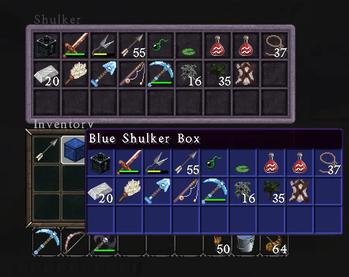
About this Mod
Thnder's Quality of Life Enhancements adds practical gameplay improvements built for Fabric 1.21.11, focused on reducing friction and making common tasks smoother while preserving the core vanilla experience.
Note: Primarily developed and tested in singleplayer / LAN. Dedicated server compatibility has not been fully tested.
Current features include middle-click inventory sorting for faster organization, protected hotbar slot handling to keep important tools in place while sorting, CTRL+SHIFT+MiddleClick to move all like items between inventory and containers, CTRL+ALT+MiddleClick to move all Tools or armor or weapons between inventory and containers, non-looping hotbar scroll behavior for more controlled slot selection, right-click shulker box access without placing it, shulker box preview support for quick contents viewing, and general inventory interaction improvements designed to save time during normal play. The mod is built with a modular structure, allowing additional quality of life systems to be added over time without unnecessary bloat.
Oh, and yes, ESC brings you to the previous inventory or chest screen (as it should) after opening the shulker box, while E will close it all.
Ideal for players who enjoy vanilla Minecraft but want smarter inventory management, cleaner interactions, and everyday convenience upgrades.
All enhancements are fully toggleable in settings.
ESC and click the button (ModMenu optional) to enter settings.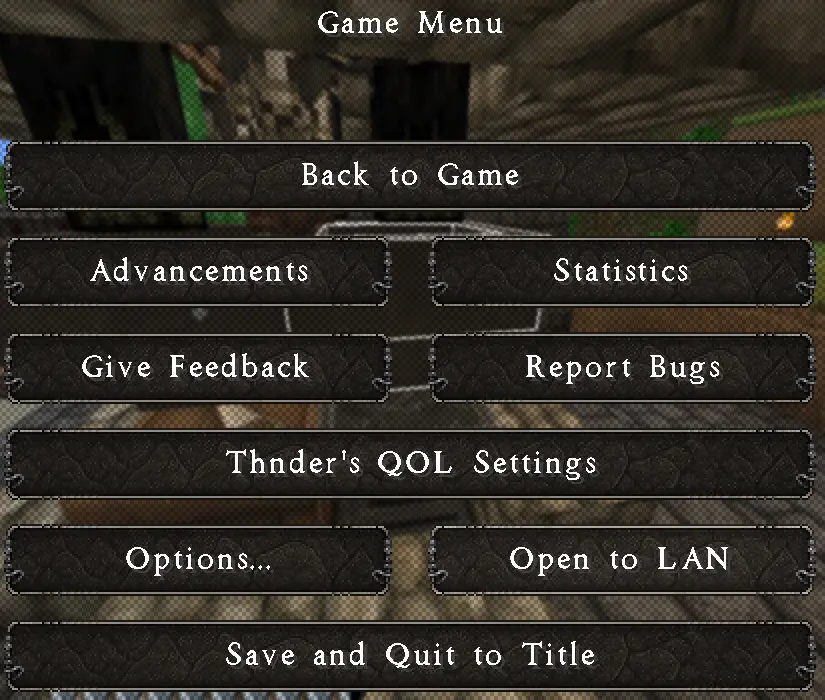
CTRL O to can also access settings.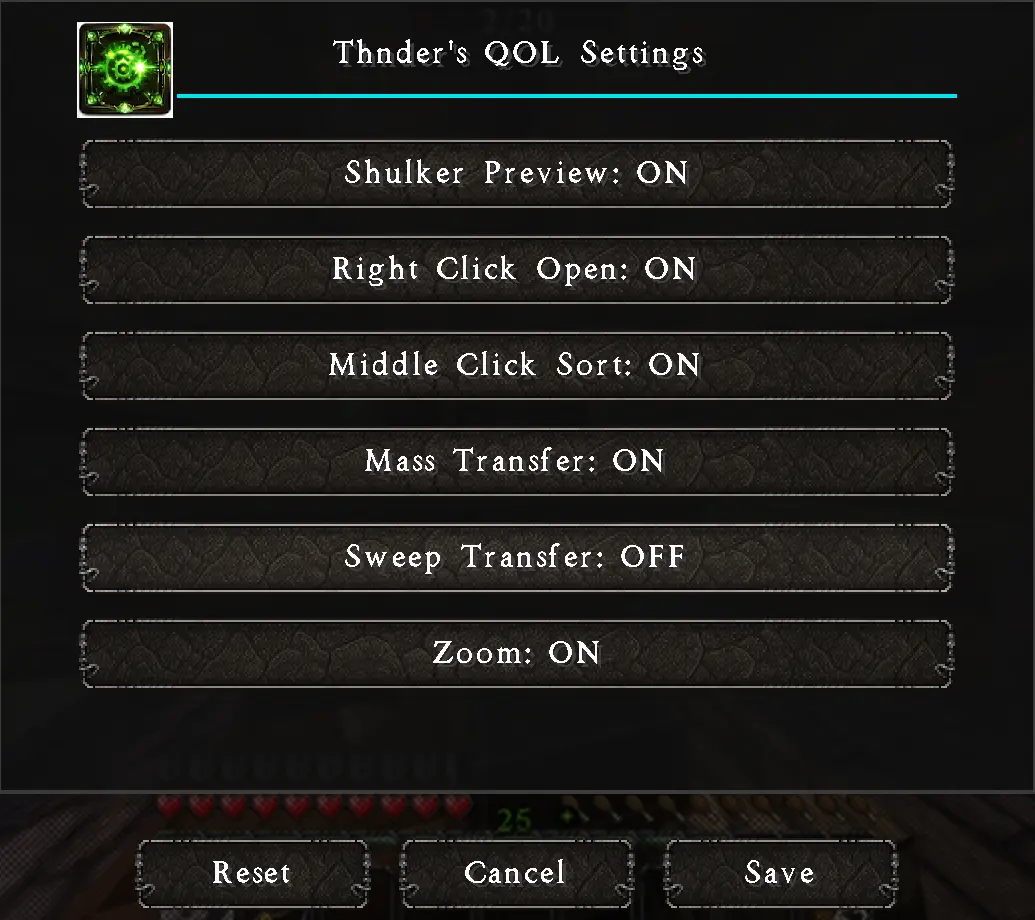
Shulker preview on mouseover. You will need to move the mouse to see the preview, if the shulker box is in your first inventory slot. Unlike some other mods, I found the immediate preview to be annoying, so mine does not allow it.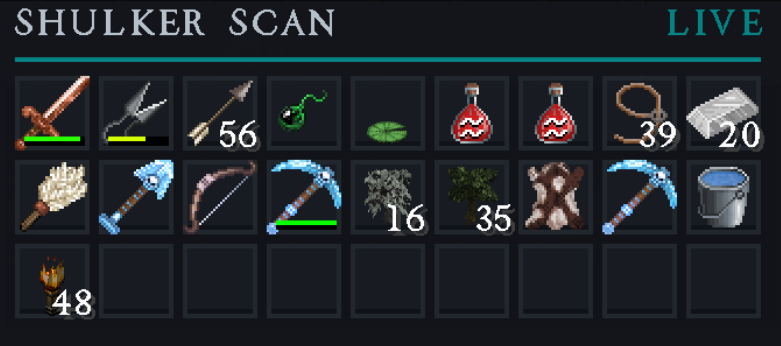
Available Versions
How to Install Thnder's Quality of Life Enhancements on Your Server
Order Server
Order a Minecraft Java server with at least 3 GB RAM (4 GB recommended).
Set fabric Loader
In the panel under "Egg", select the fabric loader and matching Minecraft version (1.21.11).
Install Mod
Open the mod browser in the dashboard and search for "Thnder's Quality of Life Enhancements". Click "Install" – done! Alternatively, upload the .jar via SFTP to the /mods folder.
Compatibility
Mod Loaders
Minecraft Versions
1.21.11
Server-side
✓ RequiredRecommended RAM
4 GB(min. 3 GB)Frequently Asked Questions
Thnder's Quality of Life Enhancements server crashes on startup – what to do?
Most common cause: wrong fabric version or insufficient RAM. Check the server log (latest.log) for "OutOfMemoryError" or "Mixin" errors. With Mado Hosting: ensure at least 3 GB RAM is allocated and the loader matches the mod version (1.21.11). You can switch loaders with one click in the panel.
Is Thnder's Quality of Life Enhancements compatible with fabric?
Thnder's Quality of Life Enhancements officially supports fabric for Minecraft 1.21.11. The Mado dashboard automatically detects incompatible loader combinations.
Server lagging with Thnder's Quality of Life Enhancements – how to optimize performance?
Recommended RAM: 4 GB (per 8 players). Use /spark profiler to check if Thnder's Quality of Life Enhancements consumes the most tick time. Common fixes: reduce server view-distance to 8-10, install "performant" or "starlight" as supplementary mods on Forge. With Mado Hosting, your server runs on NVMe SSDs with dedicated CPU cores for minimal latency.
Similar Mods




Rent Modded Server
Install Thnder's Quality of Life Enhancements with just one click on your server.