
Tinkers Bounce Pad
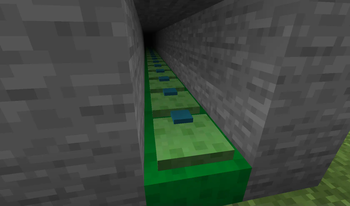
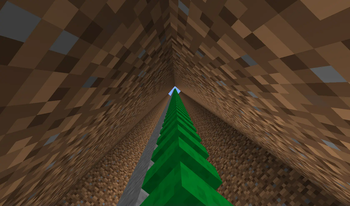
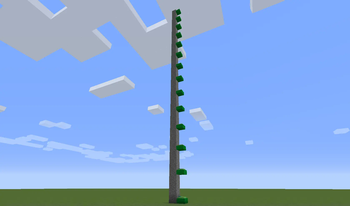
This mod adds an updated version of the Bounce Pad from Tinkers' Construct 1.6.4
Screenshots
About this Mod




📘 Description
This mod adds an updated version of the Bounce Pad from Tinkers' Construct 1.6.4
Tinkers Construct is not required
Requires Fzzy Config, Fabric API is also required for the Fabric version
📜 Terms of Use
You may
✅ Use this mod as a reference to understand and or create something of your own, as long as it is not a copy or recreation
✅ Use this mod in modpacks with credit and one or more links to any of the project pages*
✅ Edit for personal use
✅ Use this mod for/in YouTube videos with credit and one or more links to any of the project pages*
✅ Create resource packs, data packs, and addon mods for this mod
You may not
❌ Reupload/publish this mod to any website without explicit permission from me and one or more links
to any of the project pages*
❌ Redistibute edited or unedited assets** from this mod without permission from me and credit
* Project pages include CurseForge, Modrinth, Planet Minecraft, GitHub
** Assets include logos, banners, textures, models etc

💬 Translations
Feel free to translate this mod into any language or update existing translations. To get your translation into the mod, make a pull request on GitHub with the translated language file
All translators are credited in the list below
- Russian: kazmurenko
Want to play with your friends on a server? Get 15% off your first month with code einstein.
Click or on the banner below to get started!
Available Versions
How to Install Tinkers Bounce Pad on Your Server
Order Server
Order a Minecraft Java server with at least 3 GB RAM (4 GB recommended).
Set fabric Loader
In the panel under "Egg", select the fabric loader and matching Minecraft version (1.21.3).
Install Mod
Open the mod browser in the dashboard and search for "Tinkers Bounce Pad". Click "Install" – done! Alternatively, upload the .jar via SFTP to the /mods folder.
Compatibility
Mod Loaders
Minecraft Versions
1.21.3, 1.21.1, 1.21 (+8 more)
Server-side
✓ RequiredRecommended RAM
4 GB(min. 3 GB)Frequently Asked Questions
Tinkers Bounce Pad server crashes on startup – what to do?
Most common cause: wrong fabric version or insufficient RAM. Check the server log (latest.log) for "OutOfMemoryError" or "Mixin" errors. With Mado Hosting: ensure at least 3 GB RAM is allocated and the loader matches the mod version (1.21.3). You can switch loaders with one click in the panel.
Is Tinkers Bounce Pad compatible with fabric and forge and neoforge?
Tinkers Bounce Pad officially supports fabric, forge, neoforge for Minecraft 1.21.3, 1.21.1, 1.21. Note: Forge and Fabric mods are NOT cross-compatible – pick one loader and stick with it. The Mado dashboard automatically detects incompatible loader combinations.
Server lagging with Tinkers Bounce Pad – how to optimize performance?
Recommended RAM: 4 GB (per 8 players). Use /spark profiler to check if Tinkers Bounce Pad consumes the most tick time. Common fixes: reduce server view-distance to 8-10, install "performant" or "starlight" as supplementary mods on Forge. With Mado Hosting, your server runs on NVMe SSDs with dedicated CPU cores for minimal latency.
Similar Mods




Rent Modded Server
Install Tinkers Bounce Pad with just one click on your server.