
Tiny Dragons
Adopt, tame and explore with your own Tiny Dragons!
Screenshots
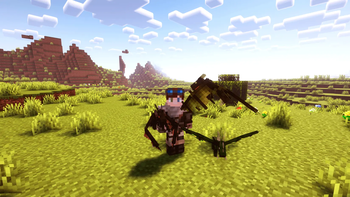
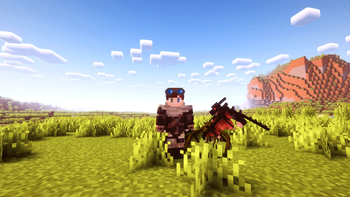
About this Mod
Hatch, tame and explore with Tiny Dragons! Find rare eggs, hatch your dragons with warmth and discover faithful allies who not only protect you but make your journey even more incredible. Download now and have a companion who is pure fire!


Find the Dragon Egg:
Search inside chests in structures such as temples, fortresses, bastions, dungeons, etc.Hatch the egg:
- Place the egg in bonfires, magma blocks, lava cauldrons or directly into lava. The egg needs intense heat and takes about 10 minutes to hatch.
- You will know it is working if the egg starts to shake and emit smoke.

Dragon eggs are ancient relics, petrified by time. Its true origin is a mystery, as no one knows what species it belongs to. When you hatch them, a unique dragon of random breed will be born. Good luck in obtaining a magnificent and rare specimen!
- Tame the Dragon:
- Once hatched, the dragon will be wild. It will not attack, but may try to run away if it is outdoors.
- To tame it, offer raw rabbit meat or raw chicken meat.
- Dragon Skills:
- When tamed, it can give you the Fire Resistance effect when fed raw rabbit or chicken meat.
- The dragon can be set to follow you or roam freely by right-clicking on it.
- In combat, dragons defend their owners with blasts of fire, making them powerful allies!
(poison, ice and lightning attacks planned in the future)
Available Versions
How to Install Tiny Dragons on Your Server
Order Server
Order a Minecraft Java server with at least 3 GB RAM (4 GB recommended).
Set forge Loader
In the panel under "Egg", select the forge loader and matching Minecraft version (1.21.1).
Install Mod
Open the mod browser in the dashboard and search for "Tiny Dragons". Click "Install" – done! Alternatively, upload the .jar via SFTP to the /mods folder.
Compatibility
Mod Loaders
Minecraft Versions
1.21.1, 1.20.1
Server-side
✓ RequiredRecommended RAM
4 GB(min. 3 GB)Frequently Asked Questions
Tiny Dragons server crashes on startup – what to do?
Most common cause: wrong forge version or insufficient RAM. Check the server log (latest.log) for "OutOfMemoryError" or "Mixin" errors. With Mado Hosting: ensure at least 3 GB RAM is allocated and the loader matches the mod version (1.21.1). You can switch loaders with one click in the panel.
Is Tiny Dragons compatible with forge and neoforge?
Tiny Dragons officially supports forge, neoforge for Minecraft 1.21.1, 1.20.1. The Mado dashboard automatically detects incompatible loader combinations.
Server lagging with Tiny Dragons – how to optimize performance?
Recommended RAM: 4 GB (per 8 players). Use /spark profiler to check if Tiny Dragons consumes the most tick time. Common fixes: reduce server view-distance to 8-10, install "performant" or "starlight" as supplementary mods on Forge. With Mado Hosting, your server runs on NVMe SSDs with dedicated CPU cores for minimal latency.
Similar Mods
![[EMF] Entity Model Features](https://cdn.modrinth.com/data/4I1XuqiY/6e5bbd0d06b1741bfdab6c0cfab6de8fdaf0064c_96.webp)


Rent Modded Server
Install Tiny Dragons with just one click on your server.