
TNTimer
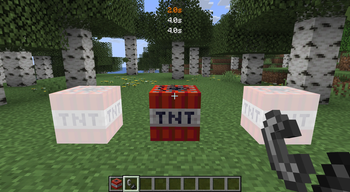
Countdown timer on top of screen to know exactly when that TNT is going to explode without need to see the TNT client-side. Renders a timer over primed TNT (starting from v2.0)
Screenshots
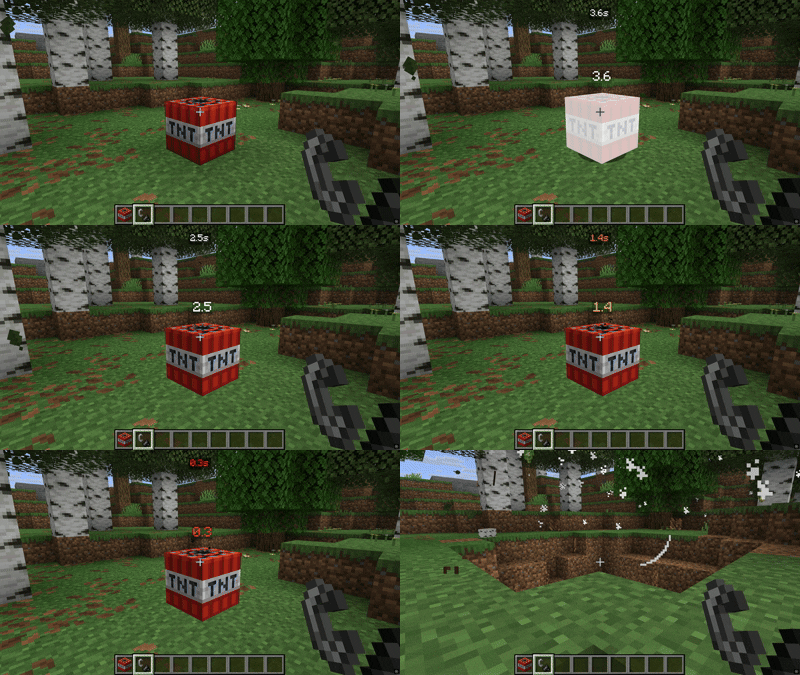

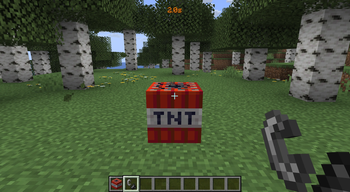
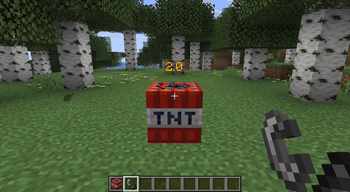
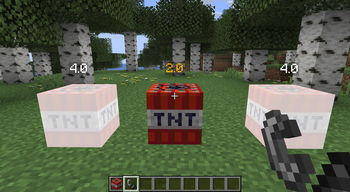
About this Mod


is a client-side mod that displays a precise countdown timer for TNT explosions, helping on explosive timing in Minecraft. For Minigames gameplay, TNT jumps, or just show when a TNT explode.


Features
Dual Display Modes
- HUD Timer - On-screen display with customizable positioning (7 locations: top-left, top-right, bottom-left, bottom-right, top-center, bottom-center, under cursor)
- 3D World Timer - Floating countdown directly above TNT entities (new in v2.0!)
Visual Info
- Color-coded warnings - White (>2s), orange (<2s), red (<1s) for instant visual feedback
- Clean, minimal design - Shows precise time in "3.5s" format
- Optional HUD background - Toggle semi-transparent background for better readability
- Bright 3D colors - Enhanced visibility for world-space timers
Customization
- Multiple TNT tracking - Display up to 10 TNT countdowns simultaneously (configurable 1-10)
- Easy configuration - Access settings through Mod Menu or keybind (default: 'K')
- 18 language translations - Full localization support for global players
Made For
- Minigames - Time TNT jumps perfectly in Bedwars, SkyWars, etc
- Parkour - TNT jumps
- Redstone - Coordinate timed explosions
Dependencies:
- Fabric API (required)
- Cloth Config (optional, for config screen)
- Mod Menu (optional, for in-game config access)
Client-Side - Works on any server without requiring server-side installation. Your timers are visible only to you.
Available Versions
How to Install TNTimer on Your Server
Order Server
Order a Minecraft Java server with at least 3 GB RAM (4 GB recommended).
Set fabric Loader
In the panel under "Egg", select the fabric loader and matching Minecraft version (26.1.2).
Install Mod
Open the mod browser in the dashboard and search for "TNTimer". Click "Install" – done! Alternatively, upload the .jar via SFTP to the /mods folder.
Compatibility
Mod Loaders
Minecraft Versions
26.1.2, 26.1.1, 26.1 (+25 more)
Server-side
✗ UnsupportedRecommended RAM
4 GB(min. 3 GB)Frequently Asked Questions
TNTimer server crashes on startup – what to do?
Most common cause: wrong fabric version or insufficient RAM. Check the server log (latest.log) for "OutOfMemoryError" or "Mixin" errors. With Mado Hosting: ensure at least 3 GB RAM is allocated and the loader matches the mod version (26.1.2). You can switch loaders with one click in the panel.
Is TNTimer compatible with fabric and forge and neoforge and quilt?
TNTimer officially supports fabric, forge, neoforge, quilt for Minecraft 26.1.2, 26.1.1, 26.1. Note: Forge and Fabric mods are NOT cross-compatible – pick one loader and stick with it. The Mado dashboard automatically detects incompatible loader combinations.
Server lagging with TNTimer – how to optimize performance?
Recommended RAM: 4 GB (per 8 players). Use /spark profiler to check if TNTimer consumes the most tick time. Common fixes: reduce server view-distance to 8-10, install "performant" or "starlight" as supplementary mods on Forge. With Mado Hosting, your server runs on NVMe SSDs with dedicated CPU cores for minimal latency.
Similar Mods




Rent Modded Server
Install TNTimer with just one click on your server.