Tough Environment
"One does not simply walk into the mountains and mine iron ore with a stone pickaxe." -Avernite
Screenshots
About this Mod
Tough Environment is a mod that overhauls how most blocks in the world break and how the player interacts with them. Slower early game and a more fletched out progressions of tools in the beginning provide the player with an interesting challenge.
List of Features:
Added:
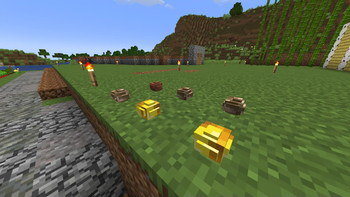
- Copper & Netherite Nuggets!
- Stone Brick Item
- Block of Clay (because the vanilla clay block has been changed)
- Chisel Items
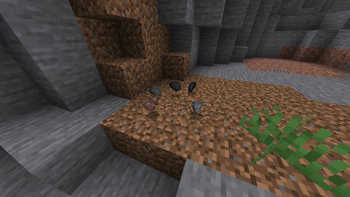
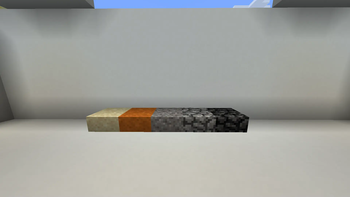
- Loose Blocks variants for most stone blocks & Loose Dirt. Slab block variants for those blocks as well
- Placeable raw ore items as blocks
- Mortaring mechanic for loose stone type blocks
- Sound cues when breaking certain blocks for more immersion
Configuration Settings in Mod Menu for:
- Hardcore Mining Speed (slower overall speed)
- Block Breaking Restrictions - Makes blocks unbreakable if the player is not using the correct tool
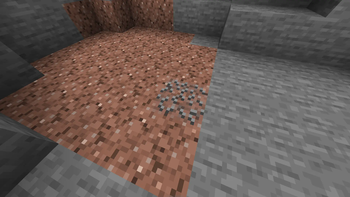
- Stratification Toughness - Makes some blocks that are considered higher strata than stone level blocks require higher level pickaxes to mine effectively
Changed:
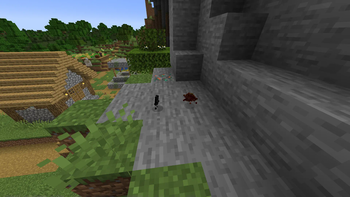
- Most blocks in the world drop lesser loot instead of full blocks when harvested with an improper tool
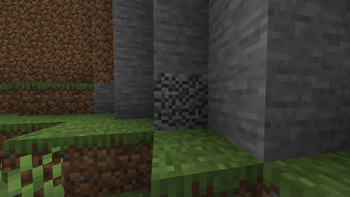
- Stone Blocks in the world break in layers when mined with a primitive tool
- Primitive tools (stone & wooden types) have reduced durability
- Changed Clay block generation with a new custom "Dirt Clay" block
- Flint and Steel, Compass & Bucket's recipes now require nuggets instead of ingots
- Clock recipe changed to require gold nuggets instead of ingots & quartz instead of redstone
Acknowledgement:
This mod is a substantial adaptation and ports functionality from the original BTW Mod, which was created by FlowerChild and is currently maintained by the CE Team. Link to the original mod -> here
Available Versions
How to Install Tough Environment on Your Server
Order Server
Order a Minecraft Java server with at least 3 GB RAM (4 GB recommended).
Set fabric Loader
In the panel under "Egg", select the fabric loader and matching Minecraft version (1.21.1).
Install Mod
Open the mod browser in the dashboard and search for "Tough Environment". Click "Install" – done! Alternatively, upload the .jar via SFTP to the /mods folder.
Compatibility
Mod Loaders
Minecraft Versions
1.21.1, 1.20.1
Server-side
✓ RequiredRecommended RAM
4 GB(min. 3 GB)Frequently Asked Questions
Tough Environment server crashes on startup – what to do?
Most common cause: wrong fabric version or insufficient RAM. Check the server log (latest.log) for "OutOfMemoryError" or "Mixin" errors. With Mado Hosting: ensure at least 3 GB RAM is allocated and the loader matches the mod version (1.21.1). You can switch loaders with one click in the panel.
Is Tough Environment compatible with fabric?
Tough Environment officially supports fabric for Minecraft 1.21.1, 1.20.1. The Mado dashboard automatically detects incompatible loader combinations.
Server lagging with Tough Environment – how to optimize performance?
Recommended RAM: 4 GB (per 8 players). Use /spark profiler to check if Tough Environment consumes the most tick time. Common fixes: reduce server view-distance to 8-10, install "performant" or "starlight" as supplementary mods on Forge. With Mado Hosting, your server runs on NVMe SSDs with dedicated CPU cores for minimal latency.
Similar Mods

![[ETF] Entity Texture Features](https://cdn.modrinth.com/data/BVzZfTc1/af683d206d50b05258d865b0d6e4aa2f2cee12f2_96.webp)
![[EMF] Entity Model Features](https://cdn.modrinth.com/data/4I1XuqiY/6e5bbd0d06b1741bfdab6c0cfab6de8fdaf0064c_96.webp)



Rent Modded Server
Install Tough Environment with just one click on your server.