Trace Bullet
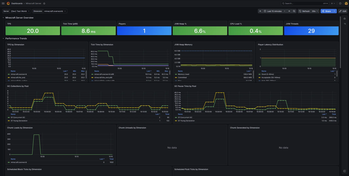
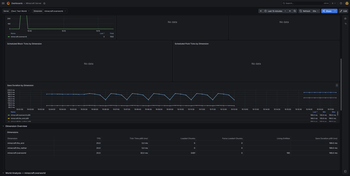
Export Minecraft server metrics — TPS, player count, chunk count, and entity count — to any OTLP-compatible observability backend via OpenTelemetry.
Screenshots
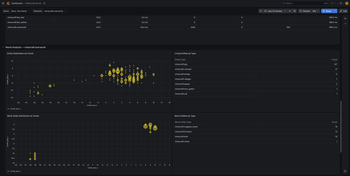
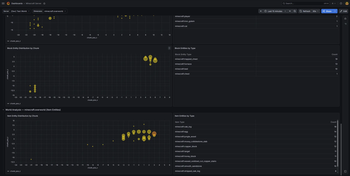
About this Mod

Instrument your Minecraft server with OpenTelemetry and export real-time metrics to any OTLP-compatible observability platform.
What It Does
TraceBullet runs alongside your server and continuously collects performance and gameplay metrics, exporting them via OTLP so you can visualize trends, set up alerts, and catch problems before your players notice.
Metrics Collected
| Metric | Description |
|---|---|
| TPS | Tick time histogram — see how your server performs across the full distribution, not just the average |
| Player Count | Online player count over time |
| Chunk Count | Loaded chunk count per dimension |
| Entity Count | Entity count per dimension |
| World Save Duration | Histogram of how long each world save takes per dimension |
| Scheduled Tick Queue | Pending block and fluid tick queue size per dimension — a leading indicator of lag |
| Chunk Generation | Count of newly generated chunks per dimension, distinguishing expensive generation from cheap disk loads |
Setup
- Drop the mod JAR into your
mods/folder (no other mods required — OpenTelemetry is bundled) - Start the server once to generate the config file
- Set your OTLP endpoint URL and service name in the config
- Point your observability stack at the endpoint and start collecting
A **Grafana dashboard** is included in each release for a ready-to-use starting point.
Configuration
All options are available in the NeoForge mod config (tracebullet-common.toml):
- OTLP endpoint URL
- Service name
- Custom resource attributes
- Per-metric enable/disable toggles
- Thread pool sizing
Wiki
Find a getting start guide, a list of all metrics and configuration on the wiki:
https://github.com/korti11/tracebullet/wiki
Available Versions
How to Install Trace Bullet on Your Server
Order Server
Order a Minecraft Java server with at least 3 GB RAM (4 GB recommended).
Set neoforge Loader
In the panel under "Egg", select the neoforge loader and matching Minecraft version (26.1.2).
Install Mod
Open the mod browser in the dashboard and search for "Trace Bullet". Click "Install" – done! Alternatively, upload the .jar via SFTP to the /mods folder.
Compatibility
Mod Loaders
Minecraft Versions
26.1.2
Server-side
✓ RequiredRecommended RAM
4 GB(min. 3 GB)Frequently Asked Questions
Trace Bullet server crashes on startup – what to do?
Most common cause: wrong neoforge version or insufficient RAM. Check the server log (latest.log) for "OutOfMemoryError" or "Mixin" errors. With Mado Hosting: ensure at least 3 GB RAM is allocated and the loader matches the mod version (26.1.2). You can switch loaders with one click in the panel.
Is Trace Bullet compatible with neoforge?
Trace Bullet officially supports neoforge for Minecraft 26.1.2. The Mado dashboard automatically detects incompatible loader combinations.
Server lagging with Trace Bullet – how to optimize performance?
Recommended RAM: 4 GB (per 8 players). Use /spark profiler to check if Trace Bullet consumes the most tick time. Common fixes: reduce server view-distance to 8-10, install "performant" or "starlight" as supplementary mods on Forge. With Mado Hosting, your server runs on NVMe SSDs with dedicated CPU cores for minimal latency.
Similar Mods




![[ETF] Entity Texture Features](https://cdn.modrinth.com/data/BVzZfTc1/af683d206d50b05258d865b0d6e4aa2f2cee12f2_96.webp)

Rent Modded Server
Install Trace Bullet with just one click on your server.