
TrackView
Trackview is a Cactus addon that adds a clean media preview HUD element to your game.
Screenshots
About this Mod
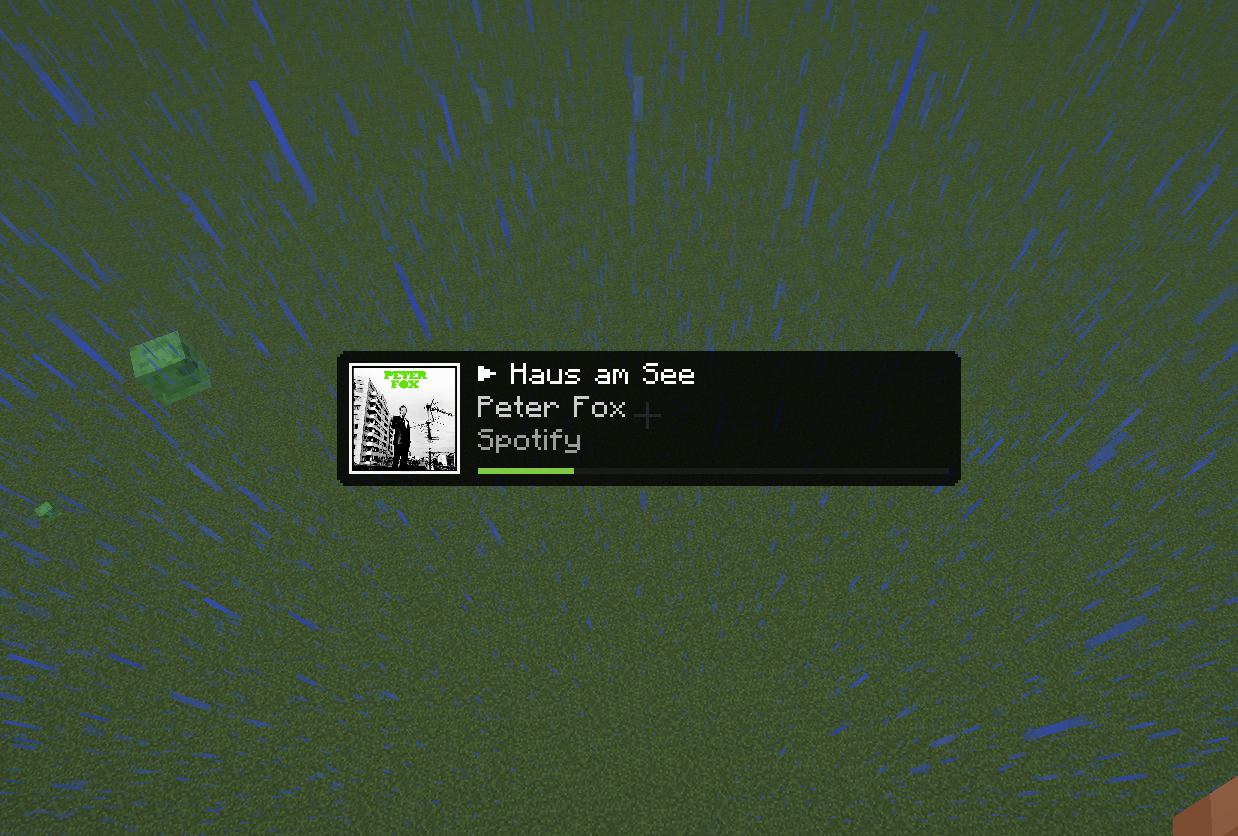
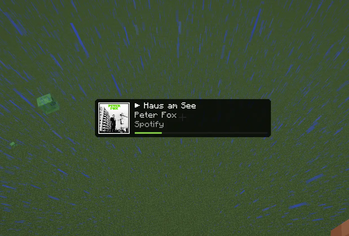
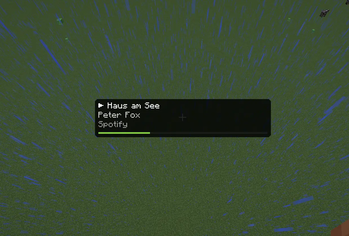
TrackView is a clean and polished Cactus addon for the Minecraft client. It adds a native-feeling Now Playing HUD element that displays media information from your operating system, including Spotify, browser media sessions, and other supported media providers.
Unlike simple overlay mods, TrackView is built directly as a Cactus HUD element. This means it can be positioned, resized, and configured inside the Cactus HUD editor like your other HUD components.
TrackView focuses on doing one thing well: showing what is currently playing without getting in the way of the game.


📥 Installation Guide
TrackView requires Fabric Loader and Cactus.
Once you have installed Fabric Loader, install Cactus and place the TrackView .jar file into your mods folder like any other Fabric mod.
After launching Minecraft, open the Cactus HUD editor and add the Track View element to your HUD.
If the mod is installed correctly, Track View will appear as an available HUD element in Cactus.
✨ Features
TrackView adds a configurable media HUD with support for:
- Current track title
- Artist name
- Source application
- Playback state indicator
- Album art or media thumbnail
- Optional progress bar
- Resizable HUD layout
- Adjustable image size
- Compact mode
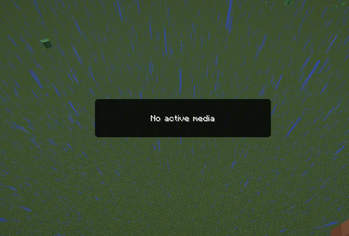
- Fallback display when no media session is active
Album art and thumbnails are decoded asynchronously and cached, helping the HUD stay smooth while media information changes.
⚙️ Configuration
TrackView can be configured directly through the Cactus HUD editor.
Available options include:
Show Thumbnail
Shows or hides album art and media thumbnails.Image Size
Changes the size of the thumbnail.Show Source App
Shows the application providing the media session.Show Progress Bar
Displays playback progress when both duration and position are available.Hide Without Media
Hides the HUD element when no active media session exists.Compact Mode
Uses a smaller layout for limited HUD space.
Most users should not need to configure anything manually. The default layout is designed to work well for normal gameplay.
✅ Compatibility
TrackView is a client-side Cactus addon.
It does not change gameplay, does not affect multiplayer behavior, and does not provide any competitive advantage. It only displays media-session information that is already available locally on your system.
TrackView is intended for use with:
- Minecraft
- Fabric Loader
- Java
- Cactus
Exact supported versions are listed on the version page.
Media information depends on your operating system and the media player you are using. Some players, browser tabs, or websites may not expose full metadata, artwork, duration, or playback progress.
🔒 Privacy
TrackView reads locally available media-session information from your operating system.
TrackView does not upload track data, media metadata, artwork, or usage information to any external server.
🐛 How to Report Issues
Please use the issue tracker linked at the top of the page to report bugs, crashes, or incorrect behavior.
When reporting an issue, include:
- Minecraft version
- Fabric Loader version
- Cactus version
- TrackView version
- Operating system
- Media player or browser being used
- Relevant crash reports or log files
This makes it easier to reproduce and fix the problem.
❓ Notes
TrackView depends on media-session integration provided by your operating system.
This means that behavior may vary between Windows, Linux, macOS, desktop environments, browsers, and media players. Some applications may expose complete metadata, while others may only expose partial information or none at all.
If artwork or progress is missing, the media player most likely does not provide that information through the system media session.
Legal
TrackView is an independent addon and is not affiliated with Modrinth, Mojang, Microsoft, Spotify, Fabric, or Cactus.
Minecraft is a trademark of Mojang Studios. Other mentioned names and trademarks belong to their respective owners.
Available Versions
How to Install TrackView on Your Server
Order Server
Order a Minecraft Java server with at least 3 GB RAM (4 GB recommended).
Set fabric Loader
In the panel under "Egg", select the fabric loader and matching Minecraft version (26.1.2).
Install Mod
Open the mod browser in the dashboard and search for "TrackView". Click "Install" – done! Alternatively, upload the .jar via SFTP to the /mods folder.
Compatibility
Mod Loaders
Minecraft Versions
26.1.2, 26.1.1, 26.1 (+1 more)
Server-side
✗ UnsupportedRecommended RAM
4 GB(min. 3 GB)Frequently Asked Questions
TrackView server crashes on startup – what to do?
Most common cause: wrong fabric version or insufficient RAM. Check the server log (latest.log) for "OutOfMemoryError" or "Mixin" errors. With Mado Hosting: ensure at least 3 GB RAM is allocated and the loader matches the mod version (26.1.2). You can switch loaders with one click in the panel.
Is TrackView compatible with fabric?
TrackView officially supports fabric for Minecraft 26.1.2, 26.1.1, 26.1. The Mado dashboard automatically detects incompatible loader combinations.
Server lagging with TrackView – how to optimize performance?
Recommended RAM: 4 GB (per 8 players). Use /spark profiler to check if TrackView consumes the most tick time. Common fixes: reduce server view-distance to 8-10, install "performant" or "starlight" as supplementary mods on Forge. With Mado Hosting, your server runs on NVMe SSDs with dedicated CPU cores for minimal latency.
Similar Mods




![[ETF] Entity Texture Features](https://cdn.modrinth.com/data/BVzZfTc1/af683d206d50b05258d865b0d6e4aa2f2cee12f2_96.webp)
![[EMF] Entity Model Features](https://cdn.modrinth.com/data/4I1XuqiY/6e5bbd0d06b1741bfdab6c0cfab6de8fdaf0064c_96.webp)
Rent Modded Server
Install TrackView with just one click on your server.