
Cobblemon Trainer Pass
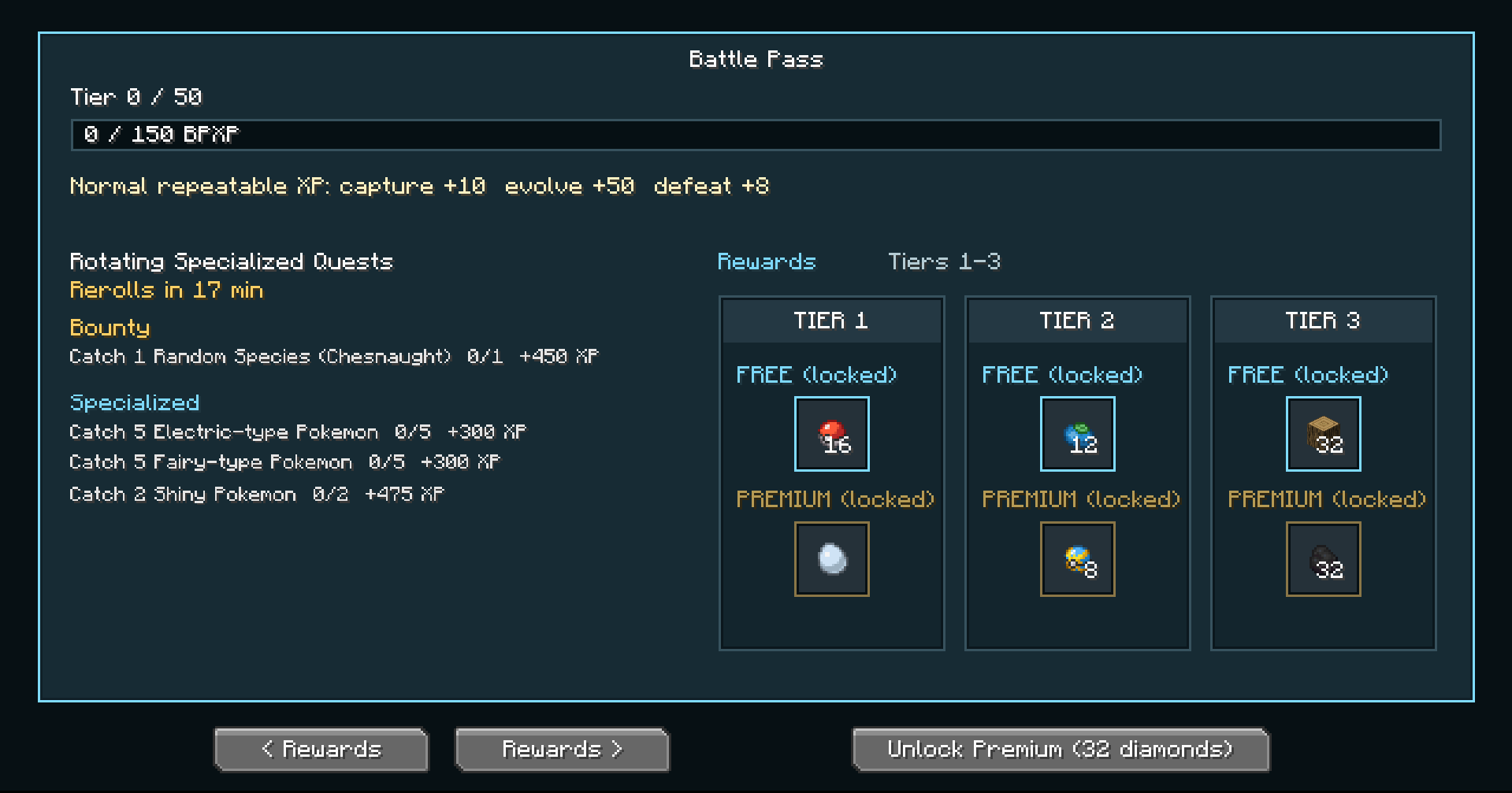
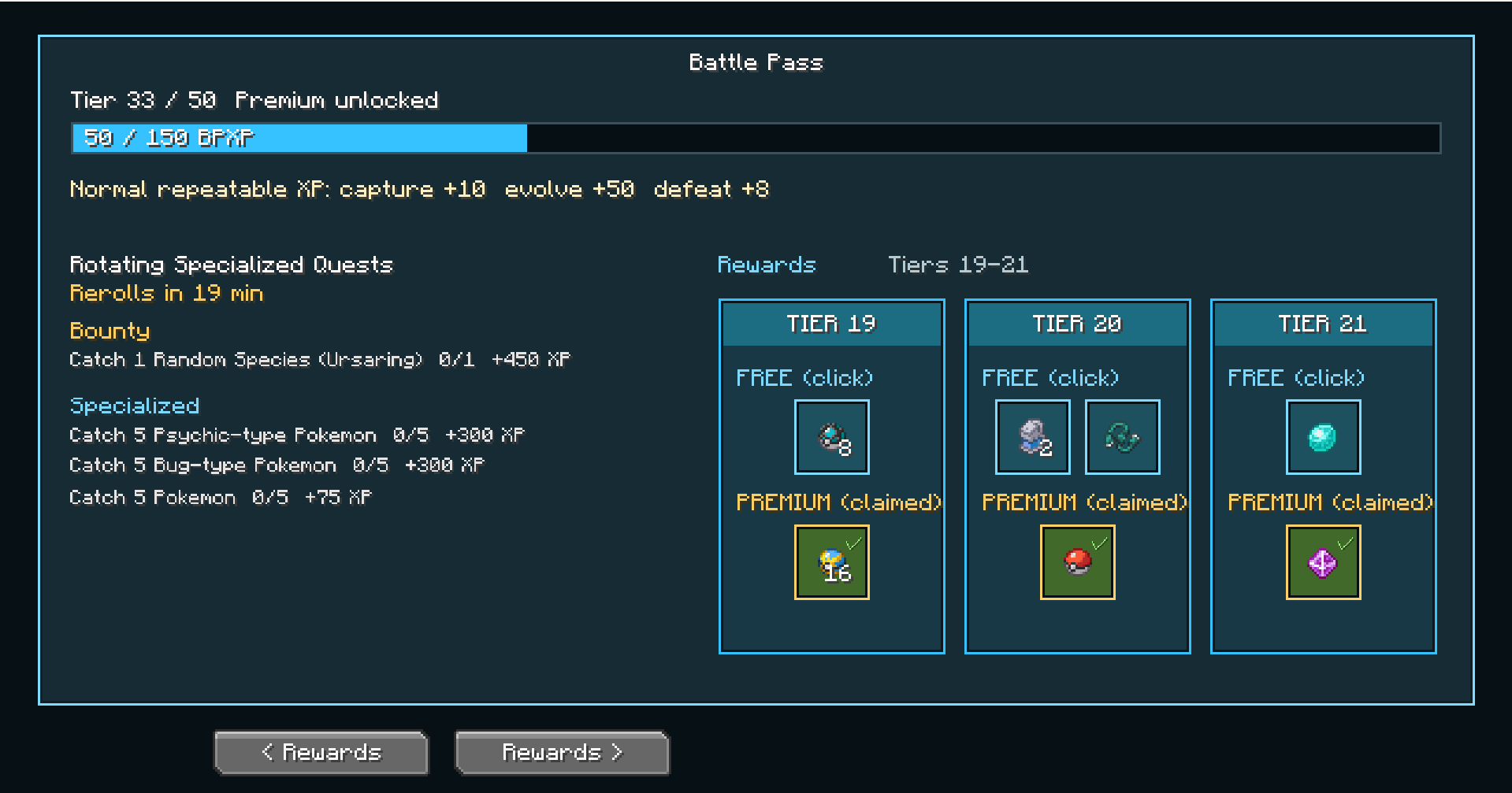
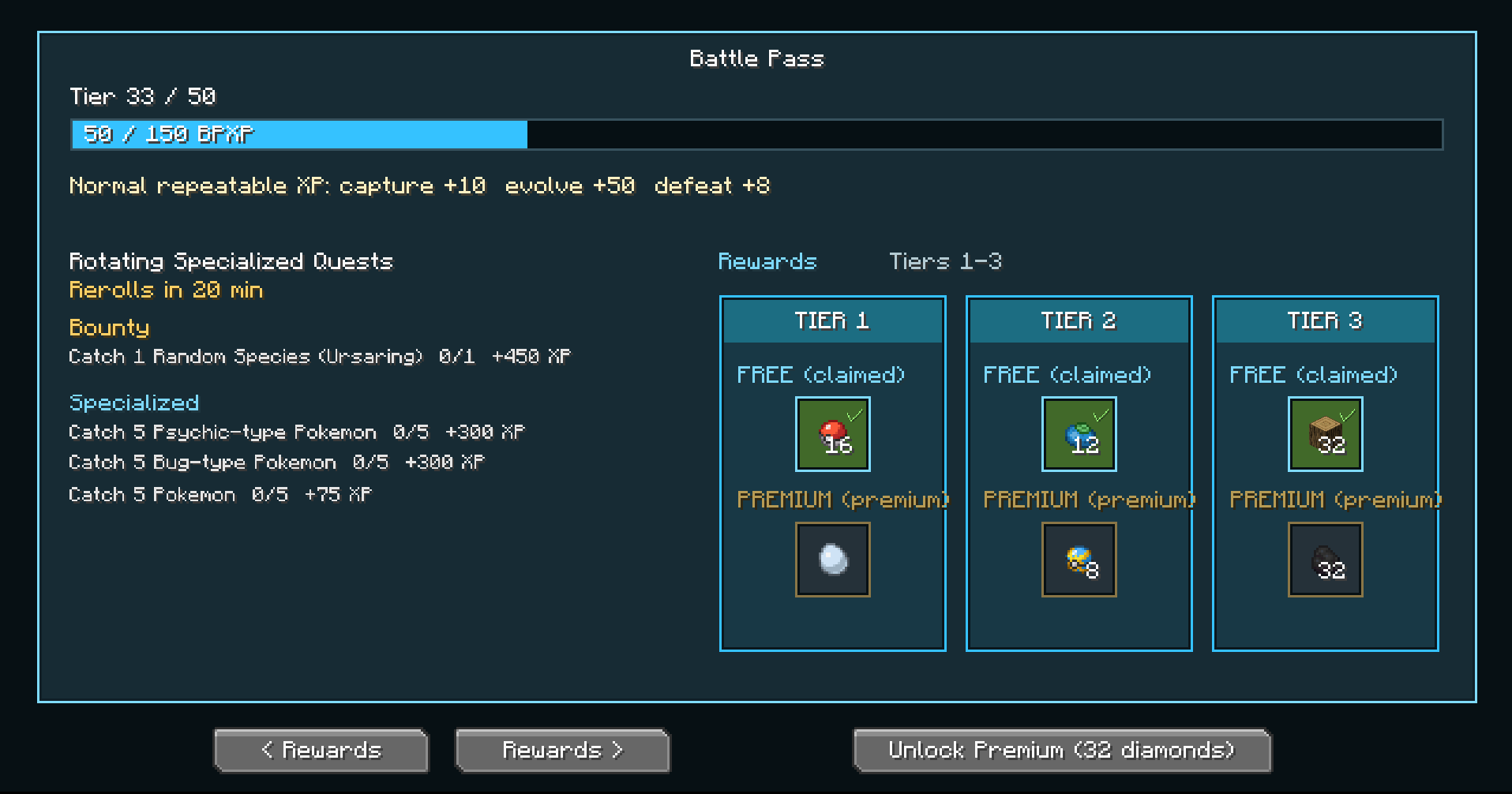
Trainer Pass adds a fully configurable Battle Pass system built for Cobblemon-focused playthroughs. Complete Pokémon-related tasks, earn Battle Pass XP, unlock tier rewards, and progress through free and premium reward tracks
Screenshots
About this Mod
Trainer Pass adds a fully configurable Battle Pass system built for Cobblemon-focused playthroughs. Complete Pokémon-related tasks, earn Battle Pass XP, unlock tier rewards, and progress through free and premium reward tracks without pulling players away from the Cobblemon experience.
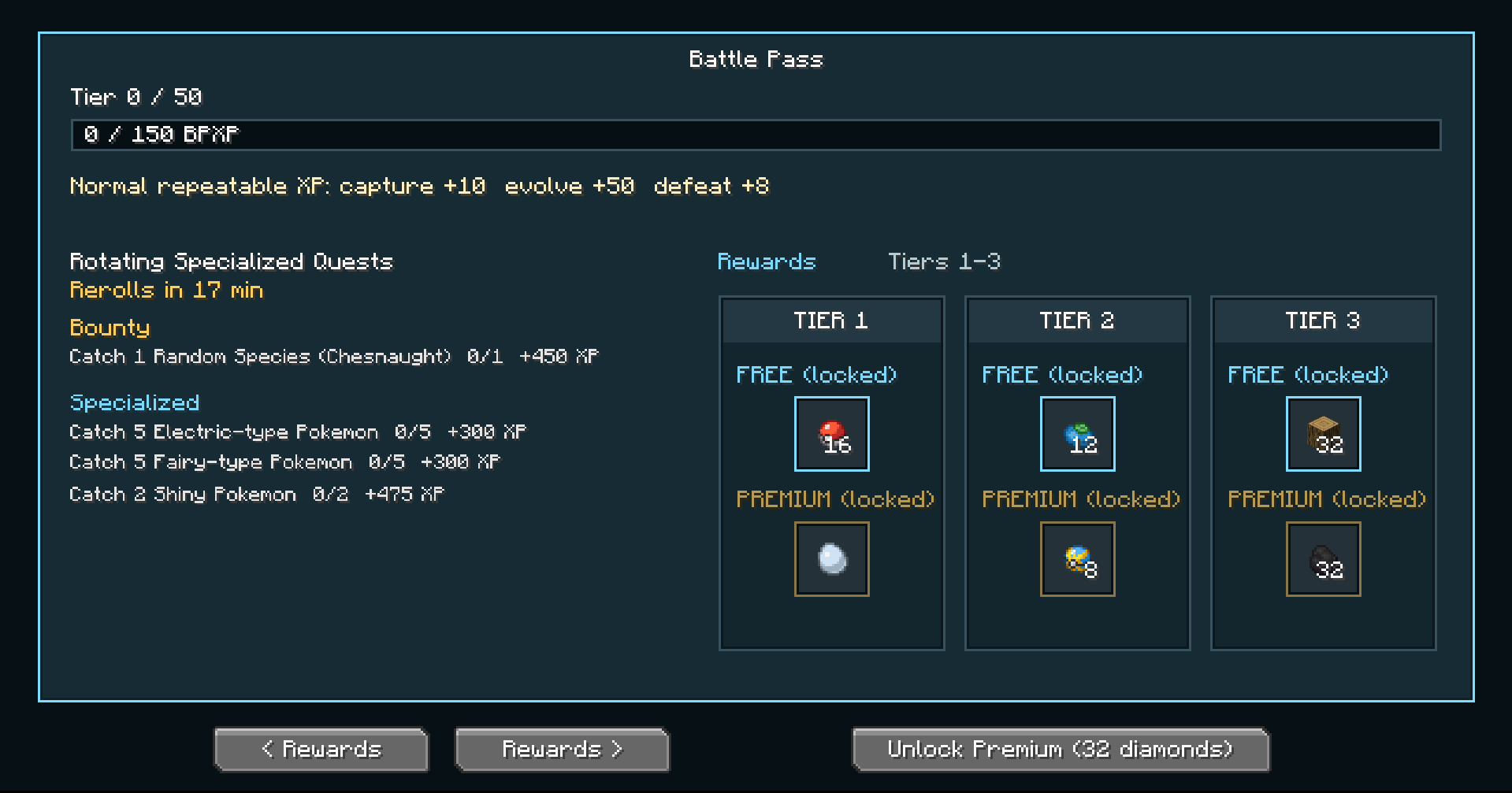
Battle Pass Progression
- Free and premium reward tracks
- 100-tier progression support by default
- Configurable tier count
- Flat/configurable XP per tier
- Premium track can be enabled or disabled
- Premium unlock using diamonds or optional CobbleDollars support
- In-game Battle Pass GUI
- Keybind support, defaulted to TAB
/bpcommand to open the pass- Server-side player progress saving
- Claimable rewards per tier
- Individual reward-slot claiming
- Free and premium rewards can be claimed independently
- Premium rewards from earlier tiers can still be claimed after unlocking premium later
Quest System
- Repeatable normal XP rewards for catching Pokémon
- Repeatable normal XP rewards for defeating Pokémon
- Repeatable normal XP rewards for evolving Pokémon
- Dedicated bounty quest slot
- Three additional rotating specialized quests
- Optional per-player bounty quests
- Optional per-player rotating quests
- In-game timer for quest rerolls
- Timer uses in-game time, so pausing the world pauses the timer
- Bounty spawn notifications in chat
- Configurable bounty species pool
- Empty bounty pool allows any Cobblemon species
Supported Quest Types
- Catch X Pokémon
- Defeat X Pokémon
- Evolve X Pokémon
- Fish up X Pokémon
- Defeat X trainers
- Defeat a Kanto Gym Leader
- Catch a random species
- Catch starter Pokémon
- Catch shiny Pokémon
- Catch rare Pokémon
- Catch ultra rare Pokémon
- Catch legendary Pokémon
- Defeat legendary Pokémon
- Catch Pokémon by type
- Defeat Pokémon by type
- Catch Pokémon during the day
- Catch Pokémon at night
- Catch Pokémon in a specific biome
- Catch Pokémon with a specific Poké Ball
- Catch fully evolved Pokémon
- Catch regional form Pokémon
- Obtain specific items
- Obtain a Master Ball
- Obtain a random Cobblemon loot item
Reward System
- Vanilla item rewards
- Cobblemon item rewards
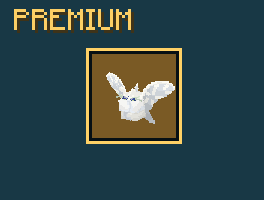
- Pokémon rewards
- Shiny Pokémon rewards
- Quantity-based rewards
- Separate free and premium rewards per tier
- Click-to-claim individual reward slots
- Reward tooltips and item icons in the GUI
- Pokémon rewards are spawned through Cobblemon commands
- Supports better late-game rewards across higher tiers
Configuration
- Uses split config files for easier editing
settings.jsonquests.jsonrewards.json- Configurable tier count
- Configurable XP required per tier
- Premium enabled/disabled toggle
- Premium unlock currency
- Premium unlock cost
- Normal task XP
- Specialized quest pool
- Quest rotation time
- Active quest count
- Per-player bounties
- Per-player rotating quests
- Bounty spawn notifications
- Bounty species pool
- Free track rewards
- Premium track rewards
- Pokémon reward species, level, and shiny status
Optional Integrations
- CobbleDollars support for premium pass unlocks using CobbleDollars instead of diamonds
use COBBLE_DOLLARS in config - Radical Cobblemon Trainers support for trainer quests and Kanto Gym Leader quests
- Fzzy Config support for an optional in-game config screen
- Mod Menu support for opening the config screen when Fzzy Config is installed
Commands
/bpopens the Battle Pass/bp giveXPgives Battle Pass XP/bp resetresets player progress/bp reloadreloads config and rerolls quests/bp booststarts a BPXP boost event/bp debugstatshelps inspect tracked stats/bp config getshows current config/bp config setedits supported settings
Why Use Trainer Pass?
- Makes Cobblemon progression feel more rewarding
- Encourages natural Pokémon gameplay
- Avoids forcing players into unrelated Minecraft grinding
- Rewards catching, battling, evolving, fishing, trainer battles, rare encounters, and exploration
- Focuses rewards on useful Cobblemon progression items like Poké Balls, candies, evolution stones, mints, held items, ability items, Master Balls, and Pokémon rewards
Recommended For
- Cobblemon survival servers
- Adventure packs
- Progression-based modpacks
- Multiplayer Cobblemon worlds
- Seasonal events
- Quest-focused Pokémon servers
- Cobblemon RPG-style servers
Future Updates
- More quests are planned
- More integrations are planned
- More Battle Pass features are planned
- Feedback and suggestions are welcome~~~~
Available Versions
How to Install Cobblemon Trainer Pass on Your Server
Order Server
Order a Minecraft Java server with at least 3 GB RAM (4 GB recommended).
Set fabric Loader
In the panel under "Egg", select the fabric loader and matching Minecraft version (1.21.1).
Install Mod
Open the mod browser in the dashboard and search for "Cobblemon Trainer Pass". Click "Install" – done! Alternatively, upload the .jar via SFTP to the /mods folder.
Compatibility
Mod Loaders
Minecraft Versions
1.21.1
Server-side
✓ RequiredRecommended RAM
4 GB(min. 3 GB)Frequently Asked Questions
Cobblemon Trainer Pass server crashes on startup – what to do?
Most common cause: wrong fabric version or insufficient RAM. Check the server log (latest.log) for "OutOfMemoryError" or "Mixin" errors. With Mado Hosting: ensure at least 3 GB RAM is allocated and the loader matches the mod version (1.21.1). You can switch loaders with one click in the panel.
Is Cobblemon Trainer Pass compatible with fabric?
Cobblemon Trainer Pass officially supports fabric for Minecraft 1.21.1. The Mado dashboard automatically detects incompatible loader combinations.
Server lagging with Cobblemon Trainer Pass – how to optimize performance?
Recommended RAM: 4 GB (per 8 players). Use /spark profiler to check if Cobblemon Trainer Pass consumes the most tick time. Common fixes: reduce server view-distance to 8-10, install "performant" or "starlight" as supplementary mods on Forge. With Mado Hosting, your server runs on NVMe SSDs with dedicated CPU cores for minimal latency.
Similar Mods




Rent Modded Server
Install Cobblemon Trainer Pass with just one click on your server.