
T's Craft Fixes
Fixes odd math in Minecraft's recipes to reduce grinding while keeping balance.
Screenshots
About this Mod
T's Craft Fixes
A data pack made by T to fix Minecraft's odd math for some recipes and help reduce game grinding.
Custom crafts version for items featured in the We Are The Boredom Minecraft server is only available for 1.21.4 or earlier. Custom items require the T's Custom Textures resource pack and are available there for post 1.21.4 versions.
List of all craft fixes (Latest version)
| Minecraft Item | Change/status |
|---|---|
| All Buttons | Now give 16 |
| All Signs | Now give 12 |
| All Doors | Now give 8 |
| Stick | Now give 8 |
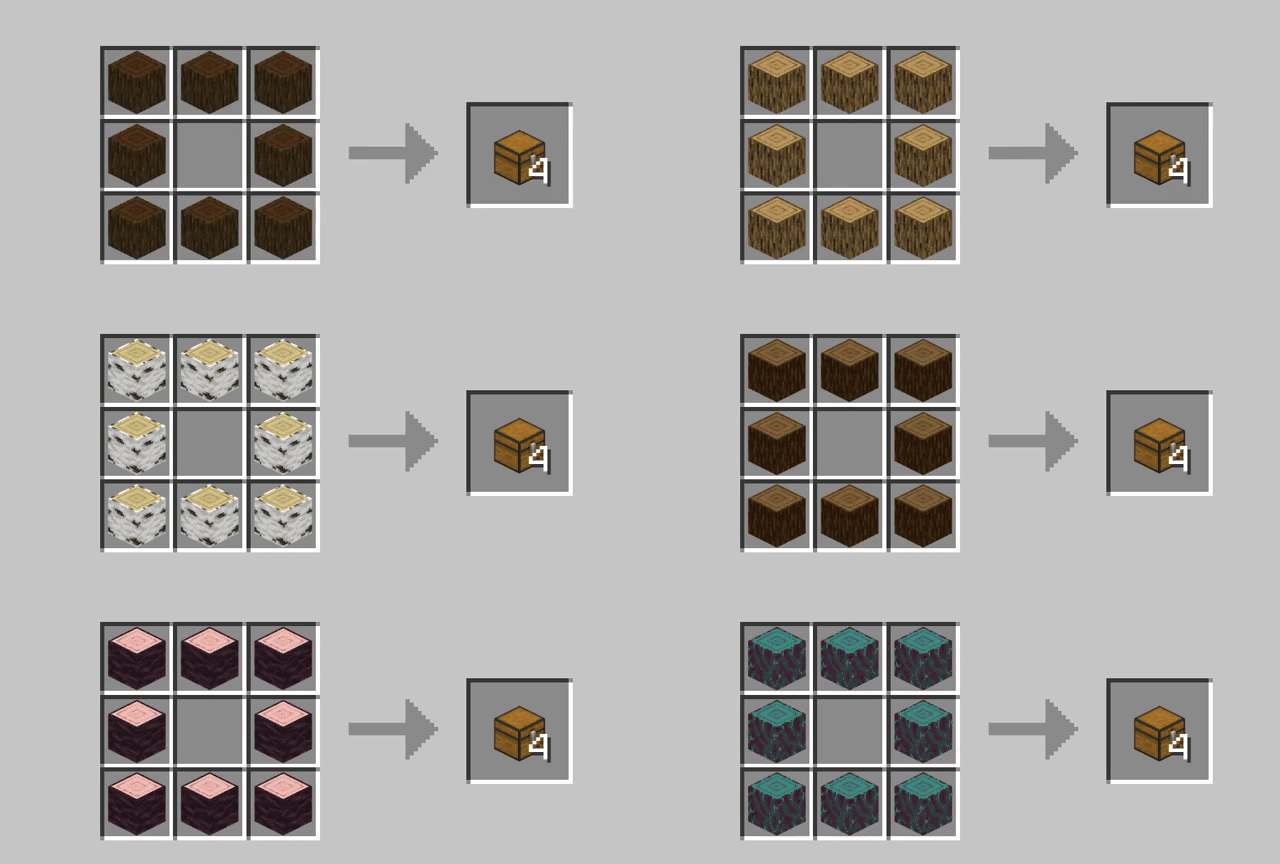
| Chest | Option to craft with logs |
| All Fences | Now give 16 |
| All Walls | Now give 12 (Still WIP) |
| All Fence Gates | Now give 8 |
| All Pressure Plates | Now give 8 |
| All Walls (Stonecutting) | Now give 2 |
Using Vanilla Tweaks is highly recommended as well!
All gallary images use Complementary Shaders, rotorBLOCKS, and T's Custom Textures. More to come in the future!
Available Versions
How to Install T's Craft Fixes on Your Server
Order Server
Order a Minecraft Java server with at least 3 GB RAM (4 GB recommended).
Set datapack Loader
In the panel under "Egg", select the datapack loader and matching Minecraft version (1.21.8).
Install Mod
Open the mod browser in the dashboard and search for "T's Craft Fixes". Click "Install" – done! Alternatively, upload the .jar via SFTP to the /mods folder.
Compatibility
Mod Loaders
Minecraft Versions
1.21.8, 1.21.7, 1.21.6 (+3 more)
Server-side
✓ RequiredRecommended RAM
4 GB(min. 3 GB)Frequently Asked Questions
T's Craft Fixes server crashes on startup – what to do?
Most common cause: wrong datapack version or insufficient RAM. Check the server log (latest.log) for "OutOfMemoryError" or "Mixin" errors. With Mado Hosting: ensure at least 3 GB RAM is allocated and the loader matches the mod version (1.21.8). You can switch loaders with one click in the panel.
Is T's Craft Fixes compatible with datapack and fabric and forge and neoforge and quilt?
T's Craft Fixes officially supports datapack, fabric, forge, neoforge, quilt for Minecraft 1.21.8, 1.21.7, 1.21.6. Note: Forge and Fabric mods are NOT cross-compatible – pick one loader and stick with it. The Mado dashboard automatically detects incompatible loader combinations.
Server lagging with T's Craft Fixes – how to optimize performance?
Recommended RAM: 4 GB (per 8 players). Use /spark profiler to check if T's Craft Fixes consumes the most tick time. Common fixes: reduce server view-distance to 8-10, install "performant" or "starlight" as supplementary mods on Forge. With Mado Hosting, your server runs on NVMe SSDs with dedicated CPU cores for minimal latency.
Similar Mods




Rent Modded Server
Install T's Craft Fixes with just one click on your server.
Details
- License
- Creative Commons Attribution Non Commercial Share Alike 4.0 International
- Server-side
- Required