
UI Keybinds
Adds shortcuts to navigate the UI buttons — without a mouse!
Screenshots

About this Mod
The killer feature is the ability to use the UI with keyboard only, with no pain.
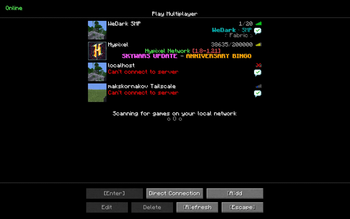
E.g. MM on Title Screen joins the first server in your multiplayer list.
Keybinds
There are currently the following keybinds:
- Main Menu
Sto open the World Selection ScreenMto open the Server Selection ScreenMMto join the first server in your server list
- World Selection Screen
- Searchbox is automatically selected when opening screen so you can start typing immidiately
Enterto join the top-most world on the search list
- Server Selection Screen
Mto join the first server in the server listAto add new serverDto open the direct connect screen (not implemented yet)1-9to join the corresponding server in the server list
- Server Disconnect Screen
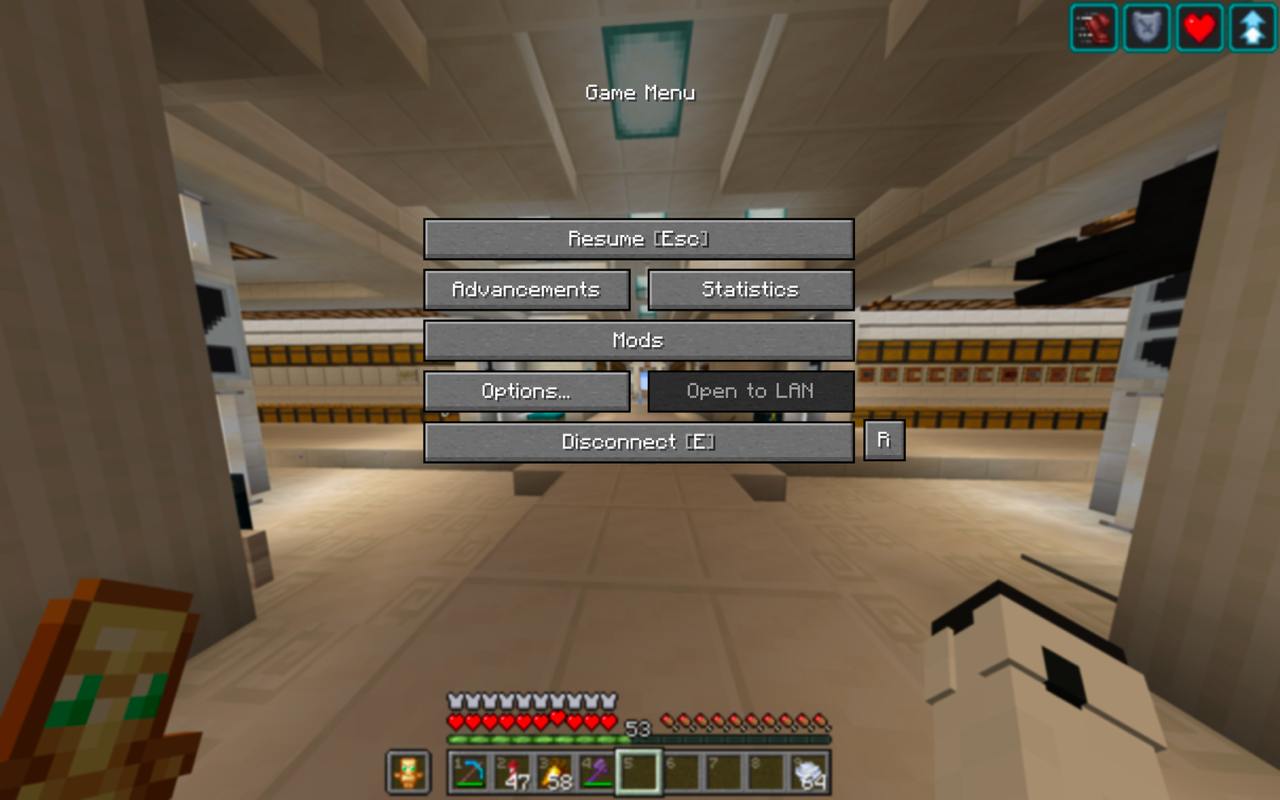
ESCto return to Server Selection ScreenRto reconnect to the server
- Creative Menu
Tabto automatically switch to the search page and automatically select textboxTabwhen you have the textbox selected to clear it
Im open to suggestions for more keybinds!
Resource Pack
This mod comes with a built-in resource pack that shows keybinds in the UI
Why can't I rebind these keys in controls?
This mod does not use the minecraft keybinding system, so as to prevent conflicts (ex. S to open world selection screen would block movement backwards).
You can code a ModMenu integration for user config — I'll accept PRs for that as soon as possible.
Contributing
I'm open to suggestions for more keybinds!
If you are a developer wanting to contribute, or you've found a bug — please open an issue here
Feel free to open Pull Requests!
This is an updated fork of https://modrinth.com/mod/better-ui-keybinds
Available Versions
How to Install UI Keybinds on Your Server
Order Server
Order a Minecraft Java server with at least 3 GB RAM (4 GB recommended).
Set fabric Loader
In the panel under "Egg", select the fabric loader and matching Minecraft version (1.21.11).
Install Mod
Open the mod browser in the dashboard and search for "UI Keybinds". Click "Install" – done! Alternatively, upload the .jar via SFTP to the /mods folder.
Compatibility
Mod Loaders
Minecraft Versions
1.21.11, 1.21.10, 1.21.9 (+6 more)
Server-side
✗ UnsupportedRecommended RAM
4 GB(min. 3 GB)Frequently Asked Questions
UI Keybinds server crashes on startup – what to do?
Most common cause: wrong fabric version or insufficient RAM. Check the server log (latest.log) for "OutOfMemoryError" or "Mixin" errors. With Mado Hosting: ensure at least 3 GB RAM is allocated and the loader matches the mod version (1.21.11). You can switch loaders with one click in the panel.
Is UI Keybinds compatible with fabric?
UI Keybinds officially supports fabric for Minecraft 1.21.11, 1.21.10, 1.21.9. The Mado dashboard automatically detects incompatible loader combinations.
Server lagging with UI Keybinds – how to optimize performance?
Recommended RAM: 4 GB (per 8 players). Use /spark profiler to check if UI Keybinds consumes the most tick time. Common fixes: reduce server view-distance to 8-10, install "performant" or "starlight" as supplementary mods on Forge. With Mado Hosting, your server runs on NVMe SSDs with dedicated CPU cores for minimal latency.
Similar Mods




![[ETF] Entity Texture Features](https://cdn.modrinth.com/data/BVzZfTc1/af683d206d50b05258d865b0d6e4aa2f2cee12f2_96.webp)
![[EMF] Entity Model Features](https://cdn.modrinth.com/data/4I1XuqiY/6e5bbd0d06b1741bfdab6c0cfab6de8fdaf0064c_96.webp)
Rent Modded Server
Install UI Keybinds with just one click on your server.