
Ultimate Battle Music
Adds Battle music to the game!
Screenshots
About this Mod
IMPORTANT
Due to copyrights, I had to change the included music in this Mod.
I highly recommend you customise it by adding your own.
This Mod provides default music. You can replace them with your own by overwriting the songs with a Resource Pack!
🟡 OPTIONAL RESOURCE PACK: Ultimate Music Pack
⚙️ CONFIGURATION
This Mod is highly customisable to your taste:
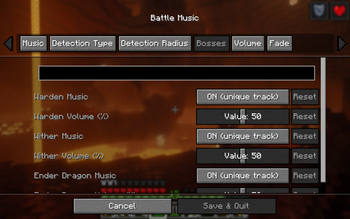
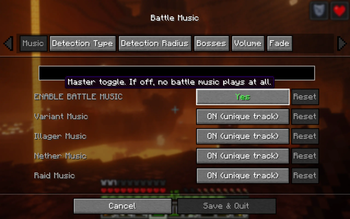
- 🎶 DIFFERENT SONGS: Add a single song or many! You can have a unique Battle music for Illagers, the Nether, and mob variants (such as Husk and Stray). Finally, you can have a unique musique for each vanilla Boss, and for Raids! Each of those can be disabled or play the normal Battle music instead.
- 🔊 VOLUME: Set the volume of each unique song to your taste. There is also an Underwater Pitch modifier to add variation, that you can switch off.
- 🔉 FADE: Add Fade in/out to the Battle music!
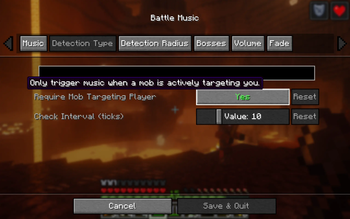
- 📡 DETECTION SYSTEM: Pick between "Targetting Player" and Radius. The first one will play Battle music whenever a monster is actively chasing you. The second will play it if you're within a monster's radius.
- ⭕ RADIUS: When Detection is by Radius, decide how big the Radius is for each Monster type.
NOTE: By default, Creepers only play music within a small Radius, to keep the vanilla element of surprise!
🎵 ALL BATTLE MUSIC TYPES:
These are ordered by priority. The higher priority will always play and force a fade-out on the others. For example, if you're fighting spiders and a Pillager Patrol spawns, the music will fade into the Illagers theme song!
This Mod provides default music. You can replace them with your own by overwriting the songs with a Resource Pack! The path for each file is as follows: assets\ultimate_battle_music\sounds\
- Bosses: battle_enderdragon.ogg | battle_wither.ogg | battle_warden.ogg
- Raid: battle_raid.ogg
- Illagers: battle_illager.ogg
- Nether: battle_nether.ogg
- Normal & Variant: battle_music.ogg | battle_variant.ogg
It's fully client-side, no dependencies. Have fun!
Available Versions
How to Install Ultimate Battle Music on Your Server
Order Server
Order a Minecraft Java server with at least 3 GB RAM (4 GB recommended).
Set fabric Loader
In the panel under "Egg", select the fabric loader and matching Minecraft version (26.1.2).
Install Mod
Open the mod browser in the dashboard and search for "Ultimate Battle Music". Click "Install" – done! Alternatively, upload the .jar via SFTP to the /mods folder.
Compatibility
Mod Loaders
Minecraft Versions
26.1.2, 26.1.1, 26.1
Server-side
✗ UnsupportedRecommended RAM
4 GB(min. 3 GB)Frequently Asked Questions
Ultimate Battle Music server crashes on startup – what to do?
Most common cause: wrong fabric version or insufficient RAM. Check the server log (latest.log) for "OutOfMemoryError" or "Mixin" errors. With Mado Hosting: ensure at least 3 GB RAM is allocated and the loader matches the mod version (26.1.2). You can switch loaders with one click in the panel.
Is Ultimate Battle Music compatible with fabric?
Ultimate Battle Music officially supports fabric for Minecraft 26.1.2, 26.1.1, 26.1. The Mado dashboard automatically detects incompatible loader combinations.
Server lagging with Ultimate Battle Music – how to optimize performance?
Recommended RAM: 4 GB (per 8 players). Use /spark profiler to check if Ultimate Battle Music consumes the most tick time. Common fixes: reduce server view-distance to 8-10, install "performant" or "starlight" as supplementary mods on Forge. With Mado Hosting, your server runs on NVMe SSDs with dedicated CPU cores for minimal latency.
Similar Mods




Rent Modded Server
Install Ultimate Battle Music with just one click on your server.