
Undo Craft
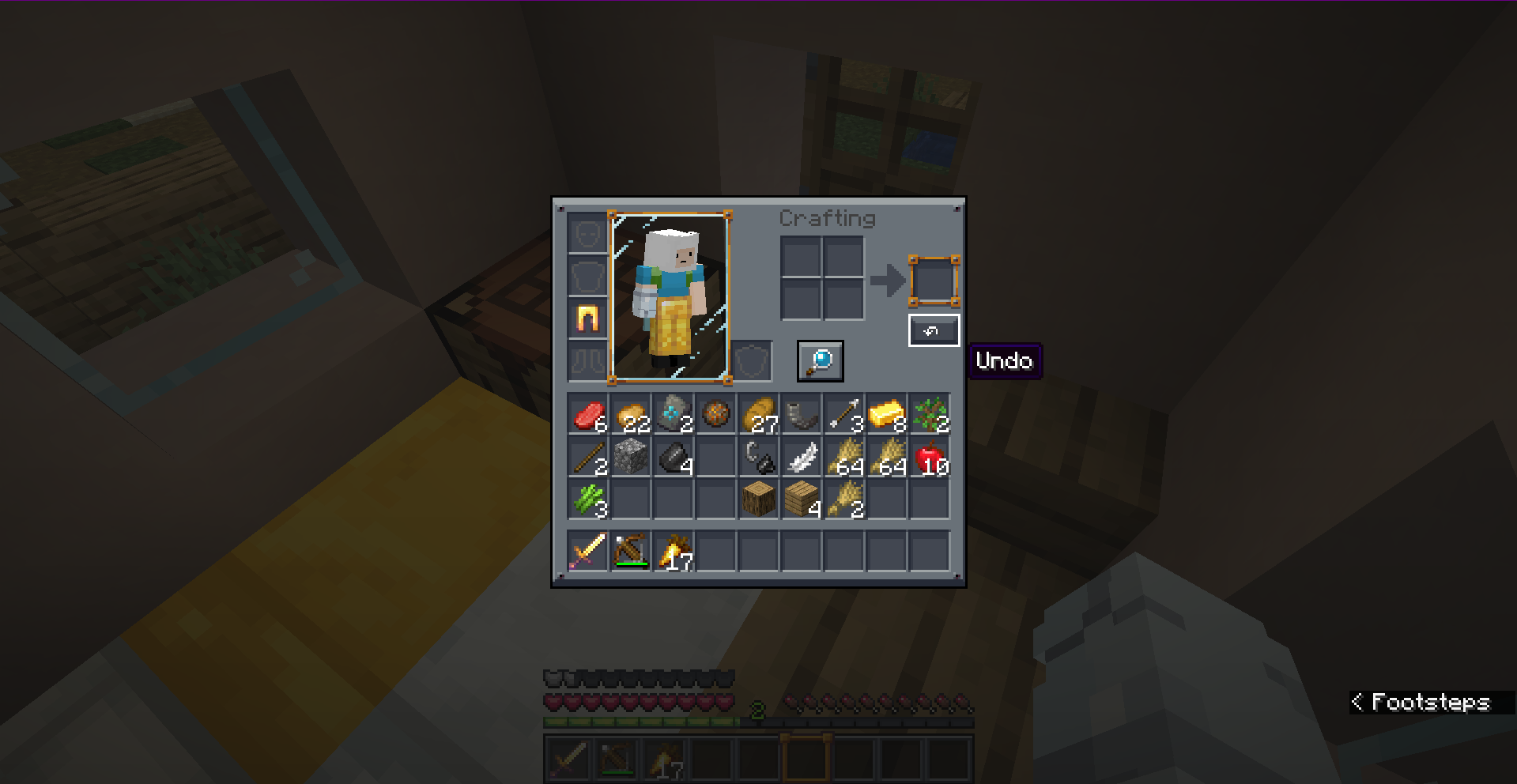
Accidentally crafted the wrong item? Instantly undo your last crafting action with CTRL+Z or an in-game button. Supports Fabric, Forge, and NeoForge with a full drag-and-drop config editor!
About this Mod
🔄 Undo Craft
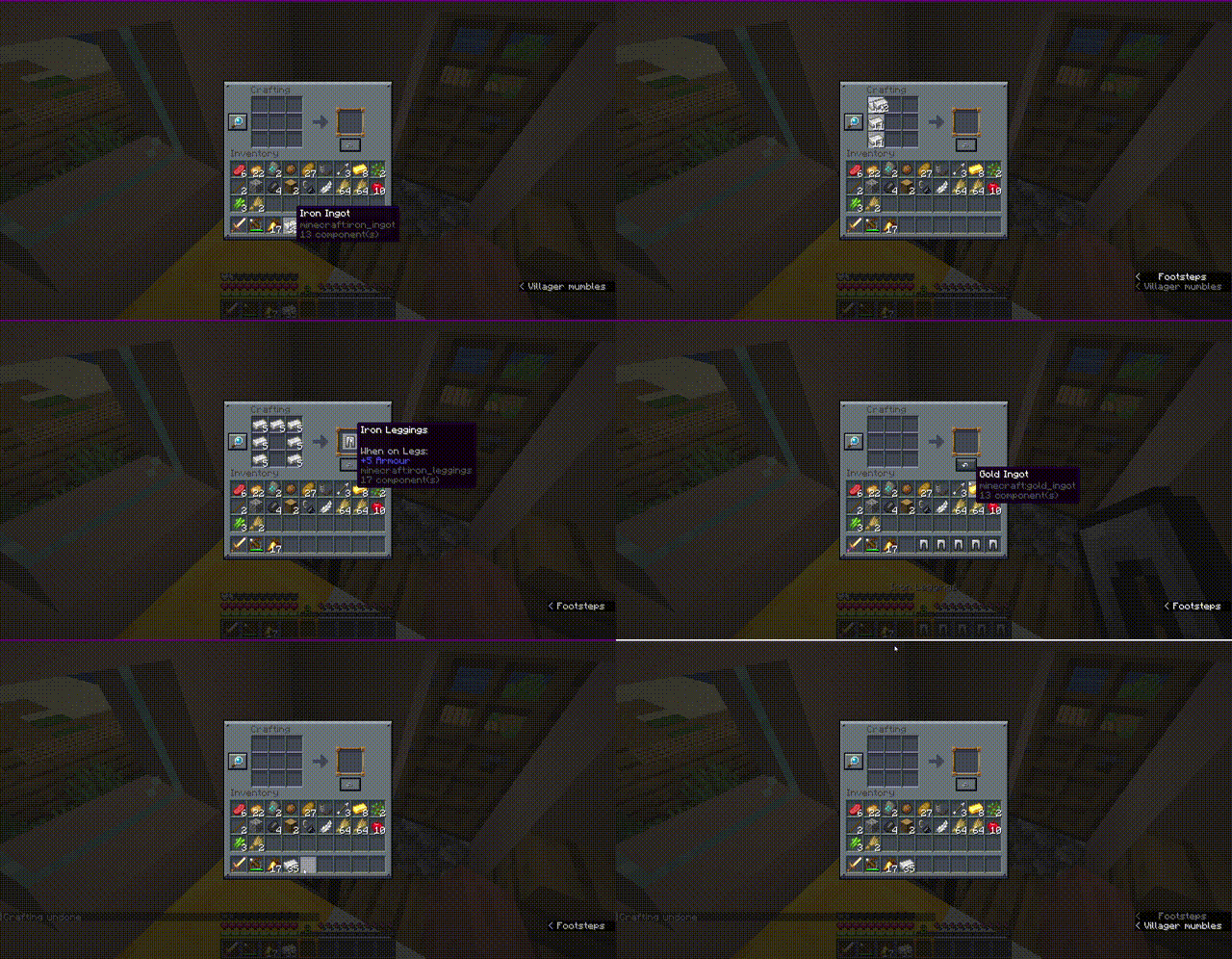
Have you ever accidentally crafted a stack of the wrong item or wasted valuable resources by misclicking at the crafting table? Undo Craft is here to save your day!
With this client-side utility mod, you can instantly undo your last crafting action, recover all your ingredients completely, and keep your inventory perfectly organized.
✨ Features
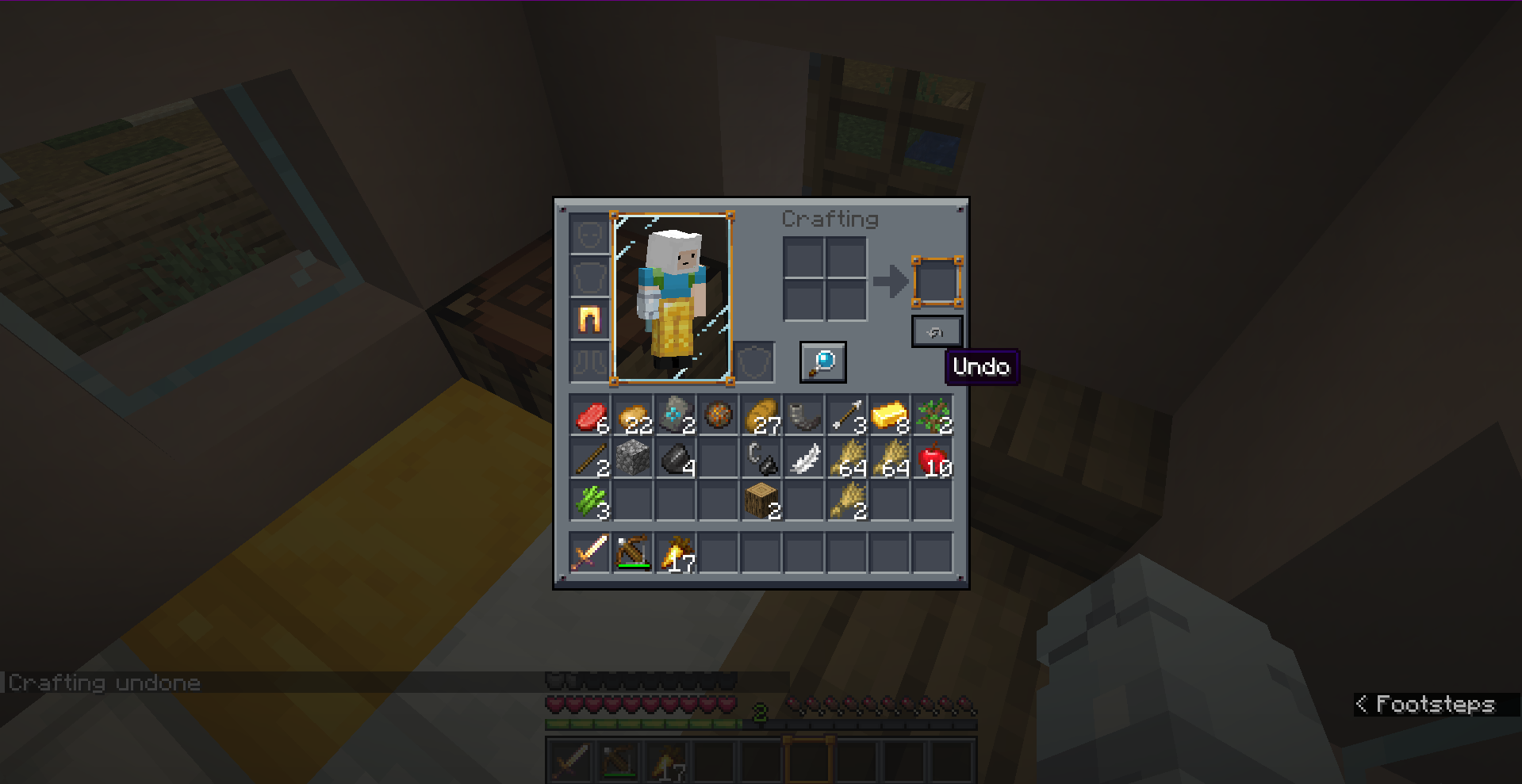
- Accidental Craft Recovery: Reverts the most recent crafting action (single crafts or full shift-clicked/quick-move stacks) instantly.
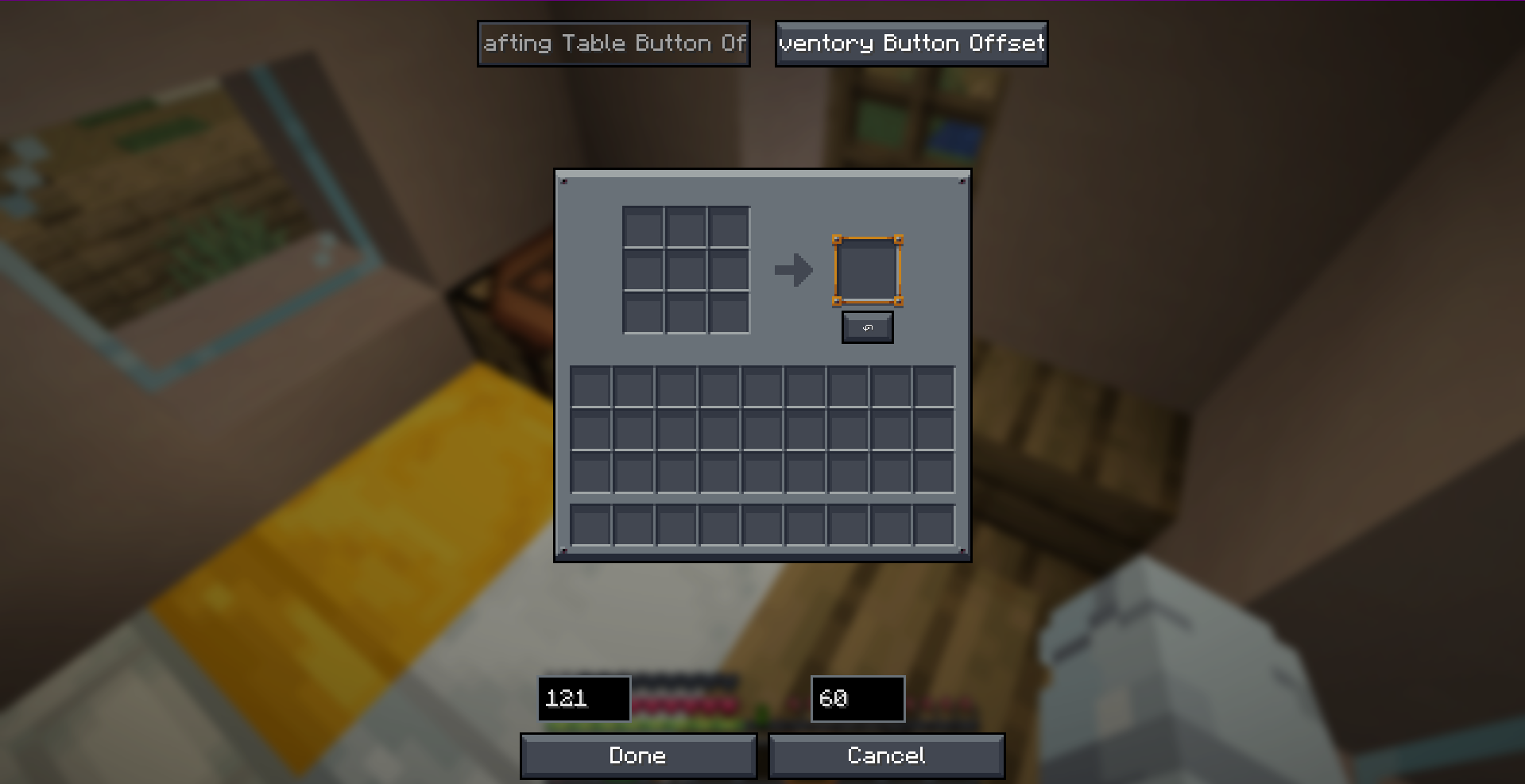
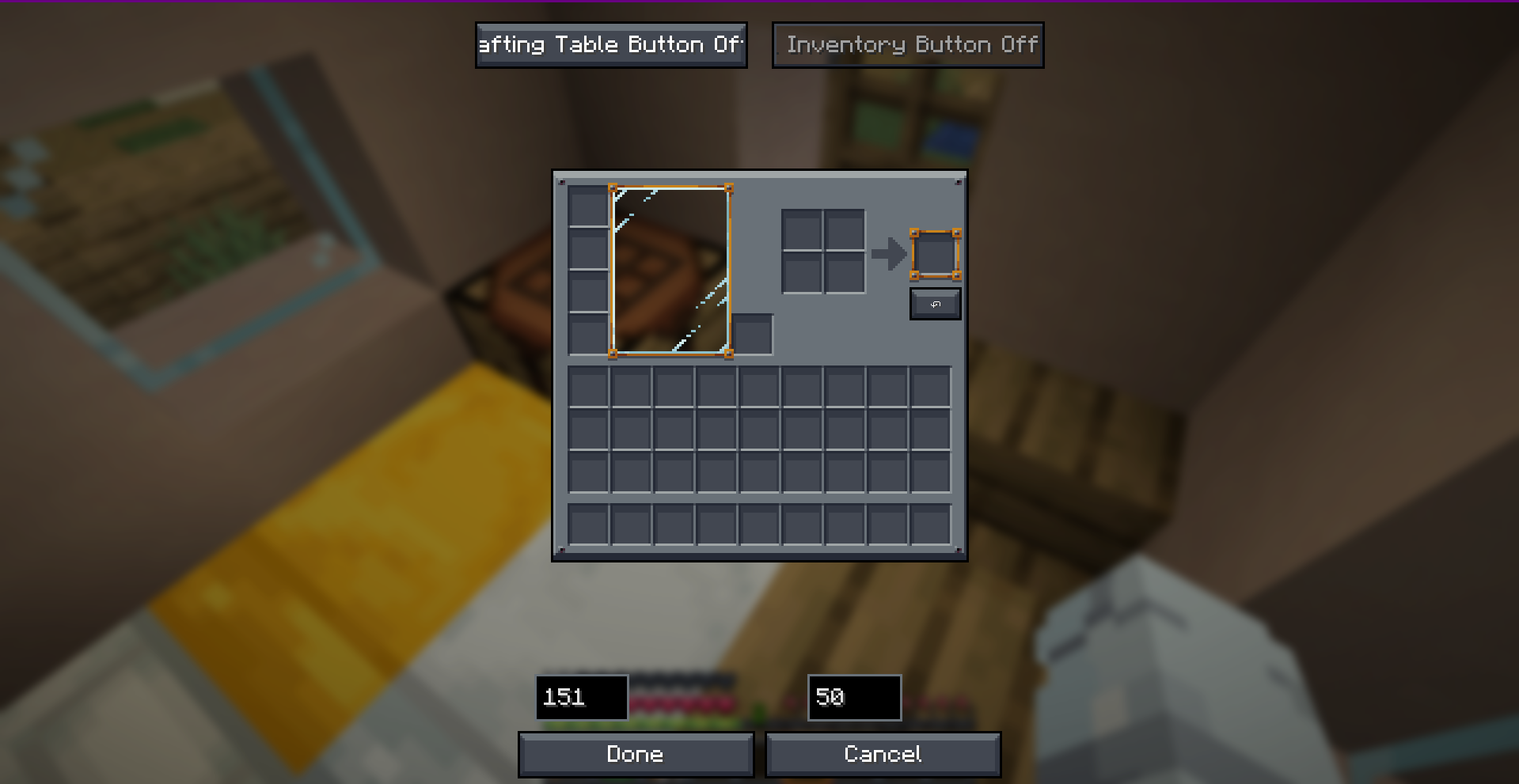
- Visual Position Editor: Features a fully interactive, tabbed drag-and-drop config screen. Easily place the Undo button exactly where you want it.
- Dual-Screen Settings: Set independent button coordinates for the 3x3 Crafting Table and the 2x2 Survival Inventory.
- Highly Custom Keybind: Press
CTRL + Zto trigger the undo action without even clicking the button! - 100% Client-Side: Safe to use on any server! Positioning, UI widgets, and validation are handled locally without requiring server-side installation.
- Multi-Version & Multi-Loader Support: Fully natively optimized for Fabric, Forge, and NeoForge across multiple versions.
📸 Screenshots
🎮 How to Use
- Open any Crafting Table or your Survival Inventory.
- Perform a crafting action.
- Click the ↶ (Undo) button on the screen, or simply press
CTRL + Z. - Get all your original crafting ingredients refunded instantly!
Note: The undo history only stores the very last crafting action. Opening a new crafting session, closing the screen, or performing another craft will reset the undo buffer.
🛠️ Configuration
You can fully customize the button offsets in real-time! Access the visual positioning editor through:
- Fabric: Configure button inside ModMenu.
- Forge / NeoForge: Access the client config editor directly.
- Alternatively, configure coordinates manually in
config/undo-craft.json.
📥 Loader & Version Compatibility
| Minecraft Version | Fabric | Forge | NeoForge |
|---|---|---|---|
| 1.20.1 | ✅ | ✅ | ❌ |
| 1.21.4 | ✅ | ✅ | ✅ |
| 26.1.2+ | ✅ | ✅ | ✅ |
Developer: Musa
Available Versions
How to Install Undo Craft on Your Server
Order Server
Order a Minecraft Java server with at least 3 GB RAM (4 GB recommended).
Set fabric Loader
In the panel under "Egg", select the fabric loader and matching Minecraft version (26.1.2).
Install Mod
Open the mod browser in the dashboard and search for "Undo Craft". Click "Install" – done! Alternatively, upload the .jar via SFTP to the /mods folder.
Compatibility
Mod Loaders
Minecraft Versions
26.1.2, 26.1.1, 26.1 (+2 more)
Server-side
✓ RequiredRecommended RAM
4 GB(min. 3 GB)Frequently Asked Questions
Undo Craft server crashes on startup – what to do?
Most common cause: wrong fabric version or insufficient RAM. Check the server log (latest.log) for "OutOfMemoryError" or "Mixin" errors. With Mado Hosting: ensure at least 3 GB RAM is allocated and the loader matches the mod version (26.1.2). You can switch loaders with one click in the panel.
Is Undo Craft compatible with fabric and forge and neoforge?
Undo Craft officially supports fabric, forge, neoforge for Minecraft 26.1.2, 26.1.1, 26.1. Note: Forge and Fabric mods are NOT cross-compatible – pick one loader and stick with it. The Mado dashboard automatically detects incompatible loader combinations.
Server lagging with Undo Craft – how to optimize performance?
Recommended RAM: 4 GB (per 8 players). Use /spark profiler to check if Undo Craft consumes the most tick time. Common fixes: reduce server view-distance to 8-10, install "performant" or "starlight" as supplementary mods on Forge. With Mado Hosting, your server runs on NVMe SSDs with dedicated CPU cores for minimal latency.
Similar Mods




Rent Modded Server
Install Undo Craft with just one click on your server.