
Unfinite Freecam
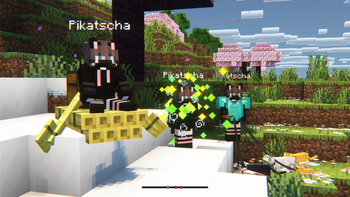
Spectator Freecam with accurate player figures! ✨ (v2: Now with mannequins)
Screenshots



About this Mod
What makes this freecam datapack special?
- A replica player figure spawns while using the Freecam
- v1: Nearly accurate figures with capes. Made out of item displays. Details below
- v2: Using the new Mannequin Entity
- ✔ Survival friendly and works without "Commands" enabled
- ✔ Multiplayer friendly (Must be installed on the server)
- ✔ No resourcepacks, plugins or mods are needed
- ✔ Can be installed as a mod [1.21.9+] (v2.0.1+)
v2 Rework: Mannequins and external support! [1.21.9+]
- Mannequins replicate: Pose/Effects/Attributes/Vehicles/Leashes etc.
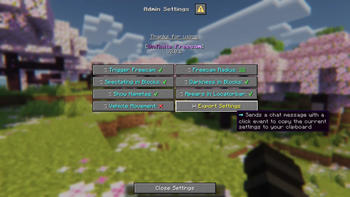
- Better Admin Settings Menu with export button
- External Use: Dis- and Reconnecting players from mannequins

How to use
- Install (Datapack/Mod) on the Serverside (In Singleplayer your World/Instance is the Server)
- (Enable and reload)
- By default, every player can use:
/trigger unfinite-freecamto enter/exit freecam (No /op needed)
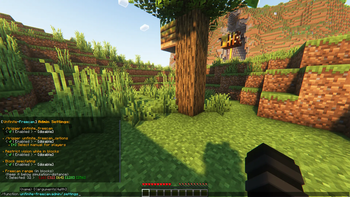
- Admin settings via
/function unfinite-freecam:admin/.settingsand more admin options under admin/...
This project started even before mannequins existed...
More Information on the old version [v1]
- Player figures are display entity based and made out of custom player heads
- These figures are generated with the bdengine.app
- All default skins available as player body + own skins addable!
- Multiple capes selectable
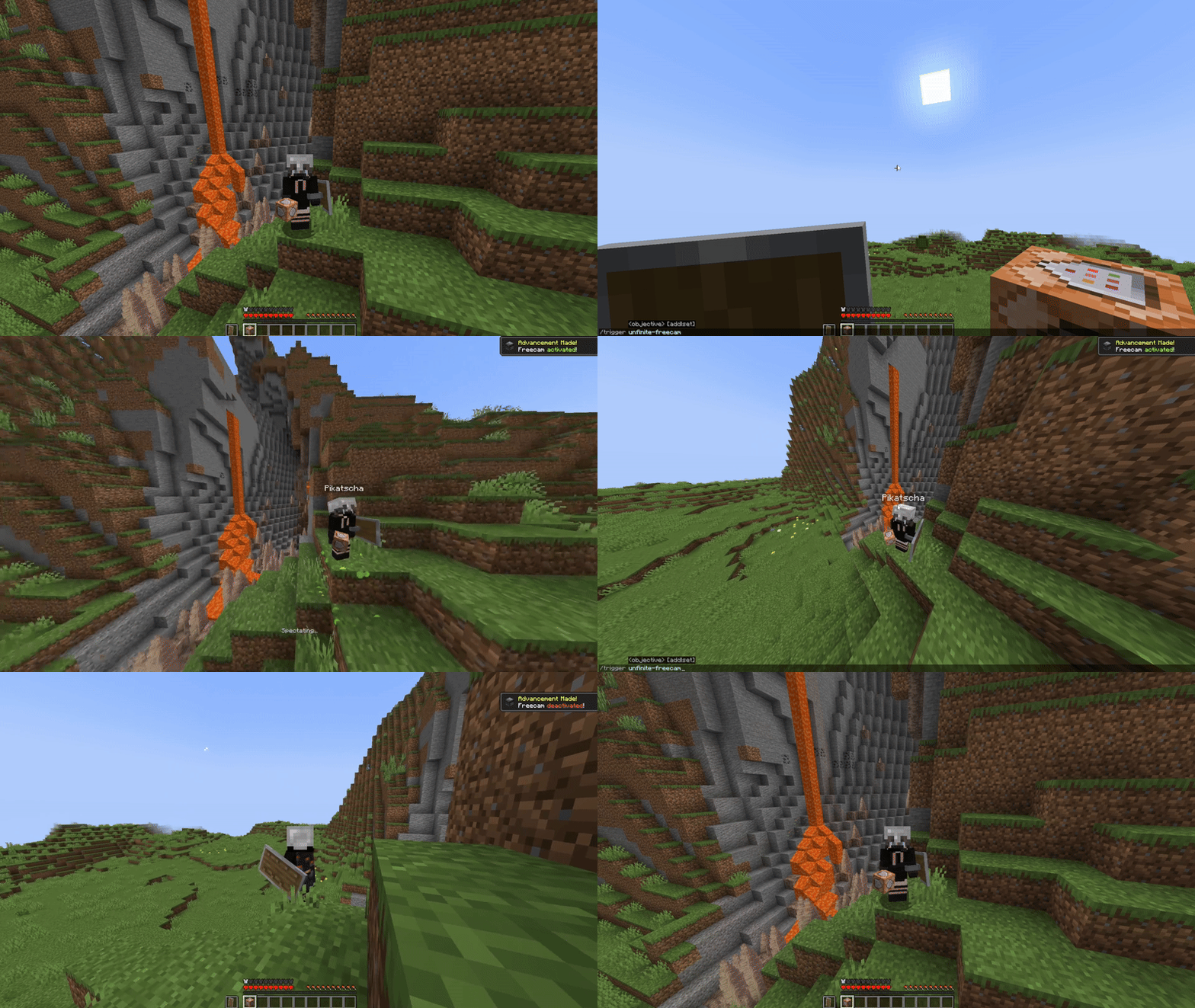
How to use
Enable and reload the datapack
By default, every player can use:
/trigger unfinite-freecamto enter/exit freecam/trigger unfinite-freecam-optionsto select a skin and cape [v1 only]
Admin settings via
/function unfinite-freecam:admin/settings:- Enable/disable freecam permission
- Enable/disable skin/cape selection
- Manually select skin and cape for an online(!) player [v1 only]
- Enable/disable limited vision underground
- Enable/disable spectating through blocks
- Select freecam range (default: 32 blocks)
Add own skins into the datapack: [v1 only]
Creating the player figure
- YouTube Tutorial:
- Make Player Statues in Vanilla Minecraft – by Sister (Realms creator)
Covers setting up bdengine and creating the player figure
- Make Player Statues in Vanilla Minecraft – by Sister (Realms creator)
- Setup bdengine with a Mineskin Account to auto-generate player heads
- Generate a player figure with your IGN or texture file
- Rotate it 180° and lower it until only the head is above floor level
- For all parts, set additional NBT to:
Tags: ["unfinite_freecam_dummy"] - For the head only, set additional NBT to:
Tags: ["head"] - Click "export to Minecraft" and copy the
/summoncommand
Adding it into the datapack
- Create a new file at:
data/unfinite-freecam/function/system/skin/*namespace*.mcfunction - Paste the
/summoncommand inside the file - Remove the
/at the beginning - Change:
to:~-0.5 ~ ~-0.5~ ~ ~ - Add a new command line to the
.optionsand.select_optionfunctions inside thesystemfolder- Follow the correct structure using your
*namespace*and the next number
- Follow the correct structure using your
- Note: You may need to copy the modifyed files, so they are not deleted in case of an update
- YouTube Tutorial:
Available Versions
How to Install Unfinite Freecam on Your Server
Order Server
Order a Minecraft Java server with at least 3 GB RAM (4 GB recommended).
Set datapack Loader
In the panel under "Egg", select the datapack loader and matching Minecraft version (26.2).
Install Mod
Open the mod browser in the dashboard and search for "Unfinite Freecam". Click "Install" – done! Alternatively, upload the .jar via SFTP to the /mods folder.
Compatibility
Mod Loaders
Minecraft Versions
26.2, 26.1.2, 26.1.1 (+10 more)
Server-side
✓ RequiredRecommended RAM
4 GB(min. 3 GB)Frequently Asked Questions
Unfinite Freecam server crashes on startup – what to do?
Most common cause: wrong datapack version or insufficient RAM. Check the server log (latest.log) for "OutOfMemoryError" or "Mixin" errors. With Mado Hosting: ensure at least 3 GB RAM is allocated and the loader matches the mod version (26.2). You can switch loaders with one click in the panel.
Is Unfinite Freecam compatible with datapack and fabric and forge and neoforge and quilt?
Unfinite Freecam officially supports datapack, fabric, forge, neoforge, quilt for Minecraft 26.2, 26.1.2, 26.1.1. Note: Forge and Fabric mods are NOT cross-compatible – pick one loader and stick with it. The Mado dashboard automatically detects incompatible loader combinations.
Server lagging with Unfinite Freecam – how to optimize performance?
Recommended RAM: 4 GB (per 8 players). Use /spark profiler to check if Unfinite Freecam consumes the most tick time. Common fixes: reduce server view-distance to 8-10, install "performant" or "starlight" as supplementary mods on Forge. With Mado Hosting, your server runs on NVMe SSDs with dedicated CPU cores for minimal latency.
Similar Mods




Rent Modded Server
Install Unfinite Freecam with just one click on your server.
Details
- License
- Creative Commons Attribution Non Commercial 4.0 International
- Server-side
- Required