
Unidye
Create custom dyes by mixing the existing ones! Bring the dye count up to infinity!
Screenshots

About this Mod
Unidye
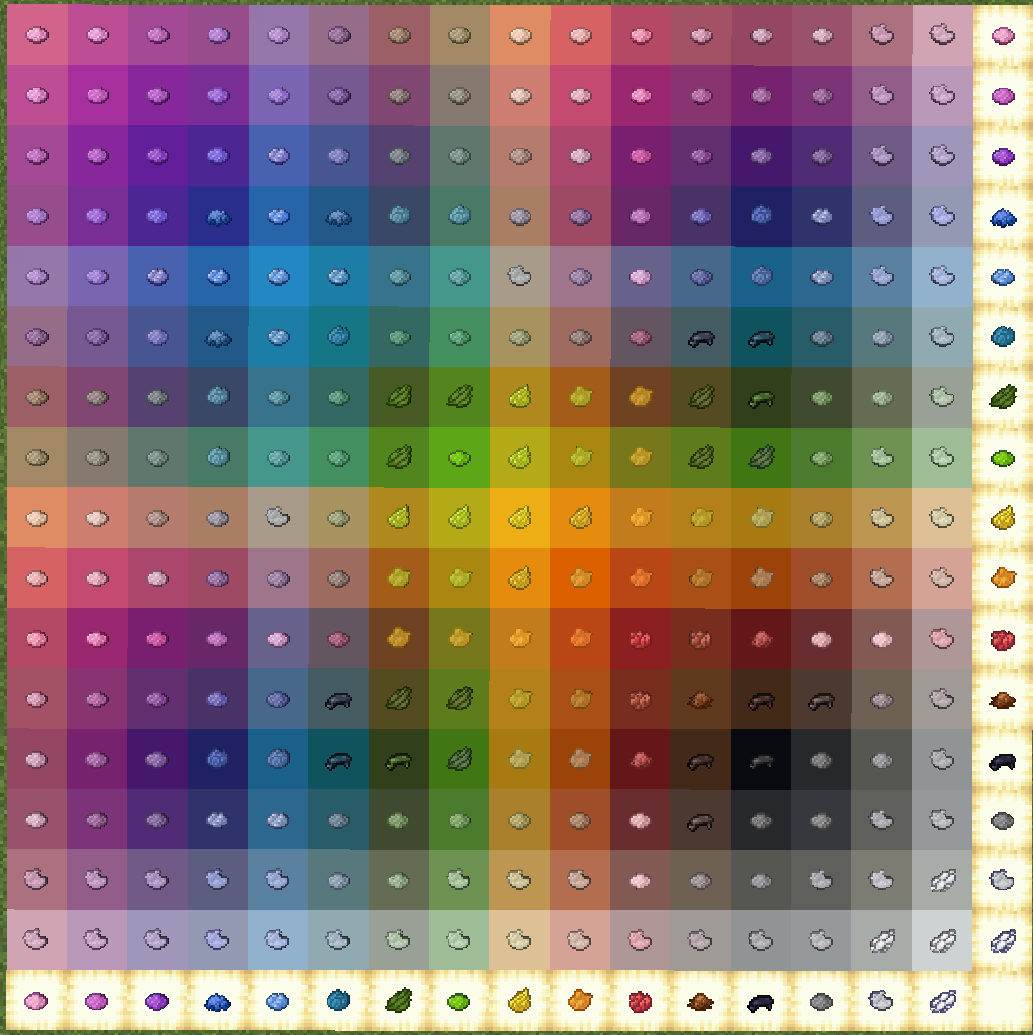
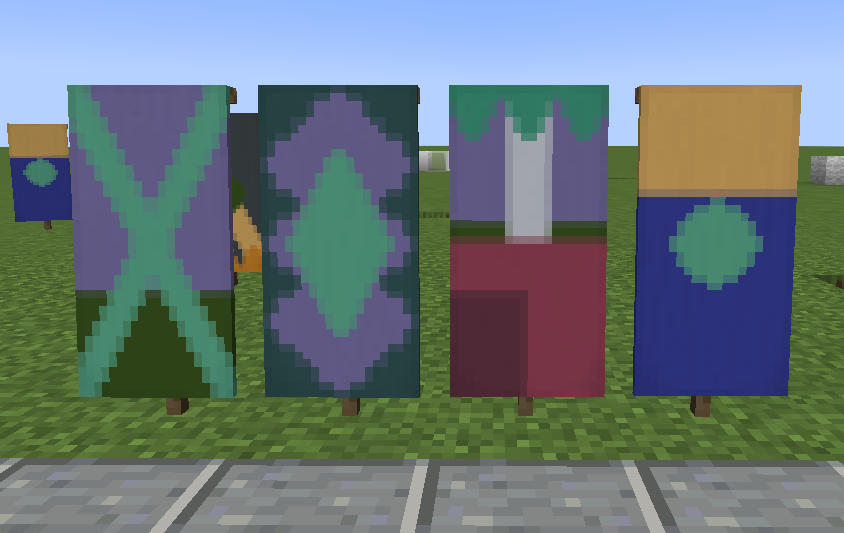
Unidye adds an ability to mix any dyes (alike leather armor dyeing) to get custom blends! Craft your own dyes and use them to dye wool, terracotta, make fireworks, banners, etc. The amount of minecraft dyes isn't finite anymore!
Feel free to include this project in modpacks!
Use with Sinytra Connector for Forge Compatibility!
Getting Started
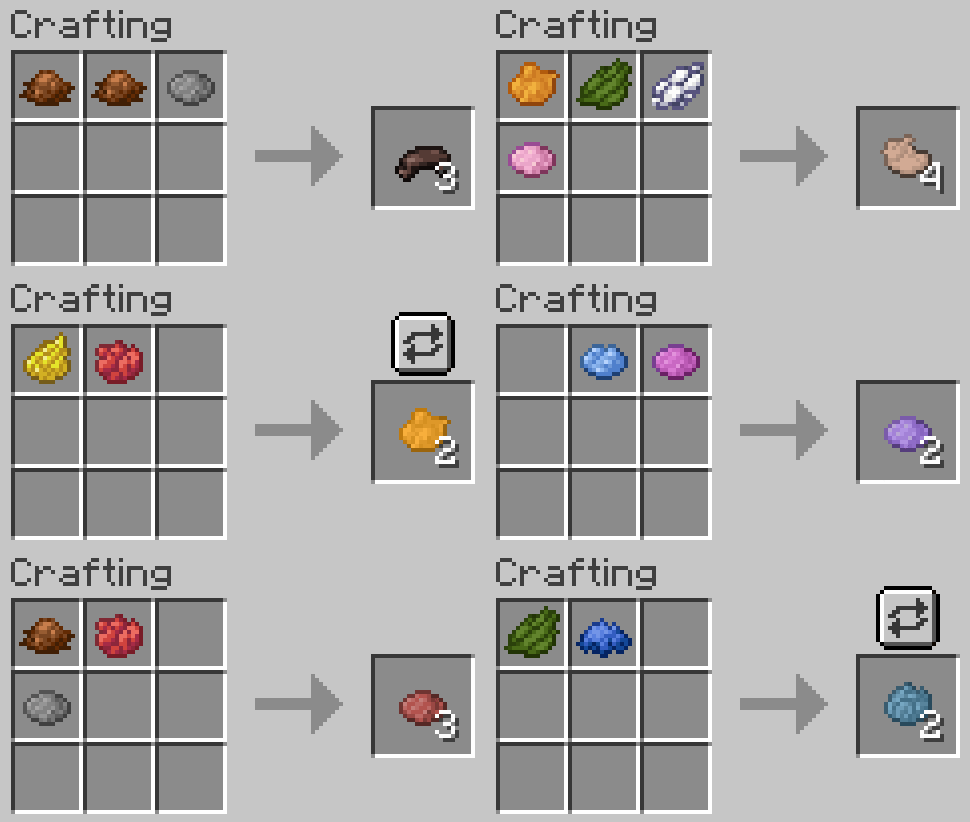
First of all, I heavily recommend using Polymorph to avoid vanilla dye recipe conflicts. If you do not use Polymorph, you will need to use a stick as an additional item when crafting custom dyes from vanilla dyes only.
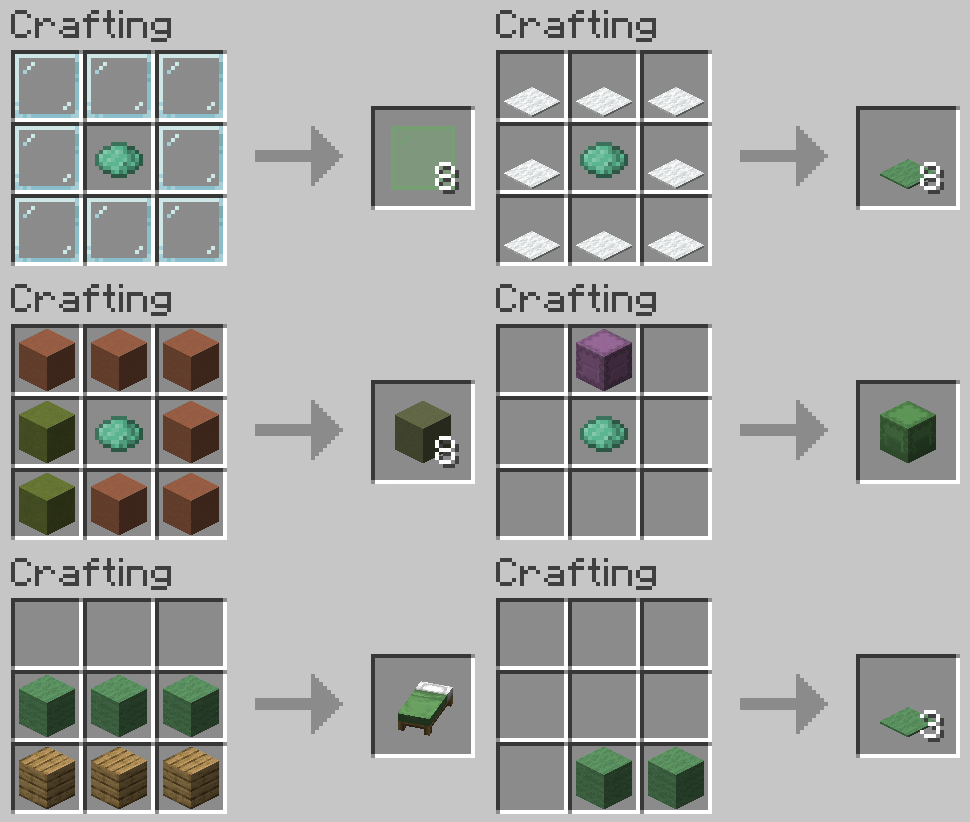
Crafting custom dyes from vanilla dyes (without Polymorph installed):
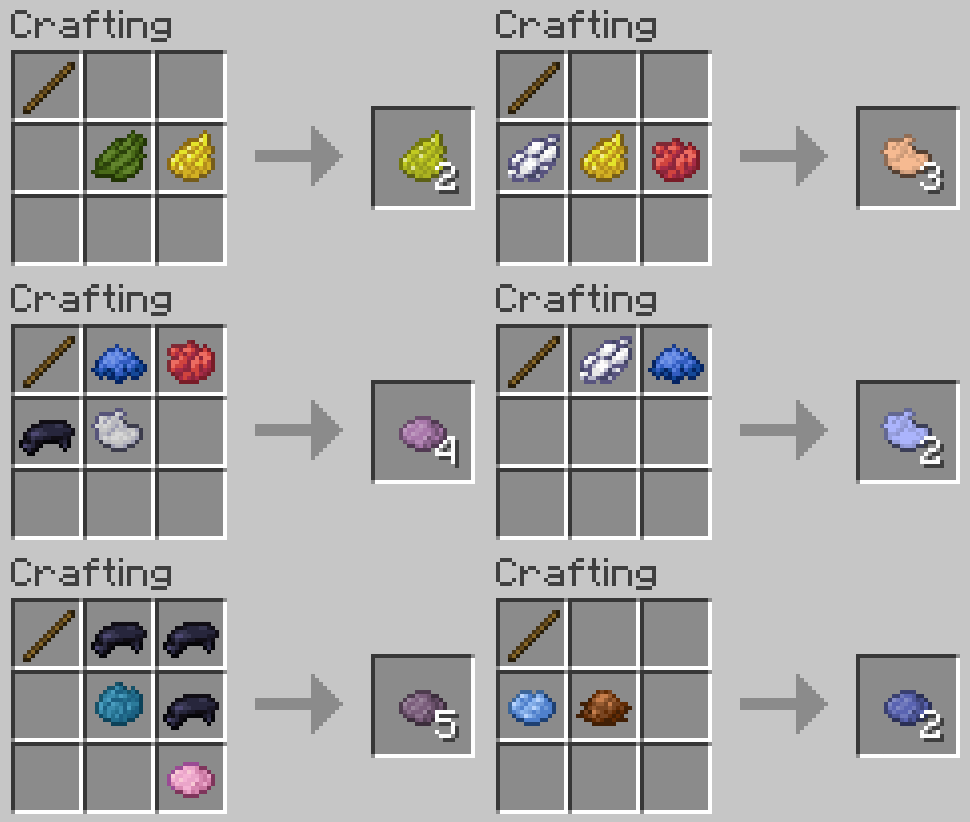
Crafting custom dyes from vanilla dyes (with Polymorph installed):
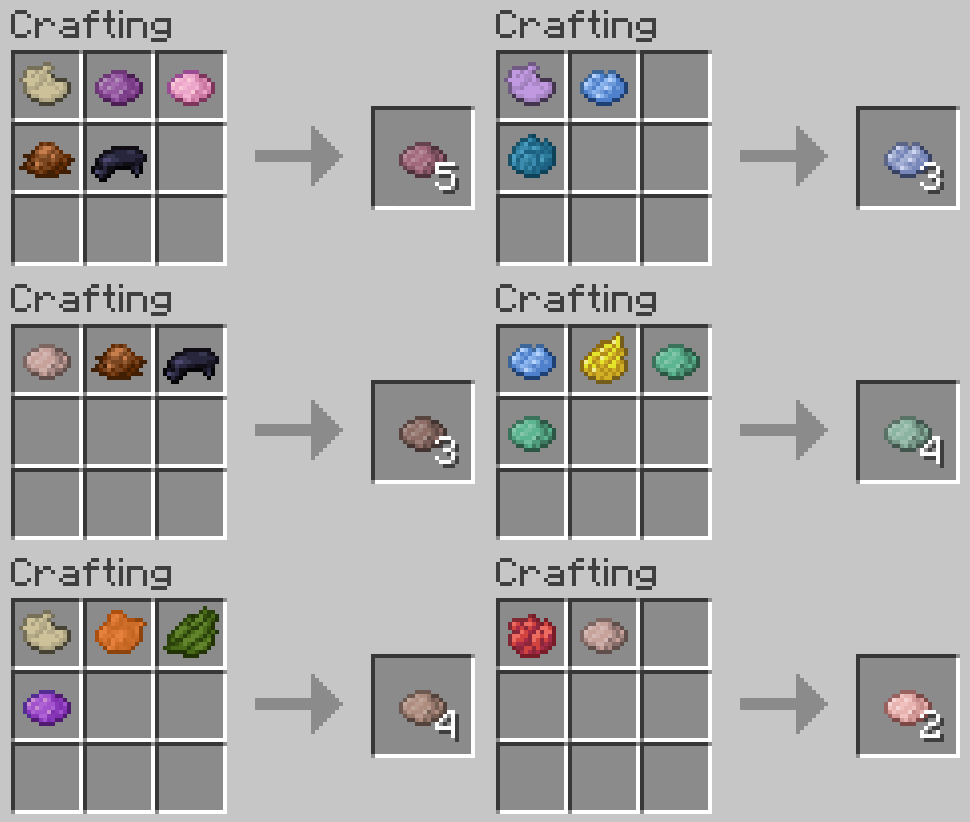
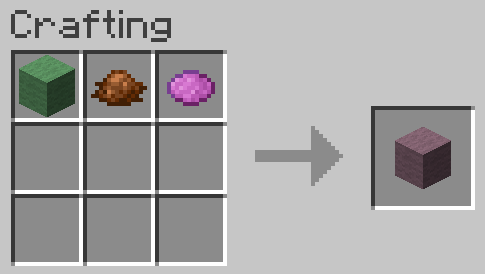
Crafting custom dyes from other custom dyes:
You can also use custom dyes when mixing new custom dyes! In this case you will not need a stick regardless of Polymorph being installed or not.
Using Custom Dyes
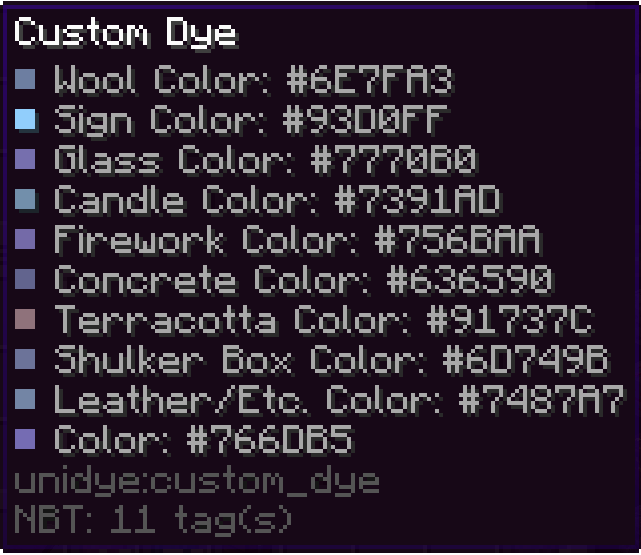
Looking closer at your custom dye
If you look at your custom dye, you can see that it has different colors depending on its use. This reflects the way that vanilla dyes have inconsistent colors depending on the way we use them (e.g. all terracottas are more muted than their concrete counterpart). This means that, for example, dyeing terracotta will result in a custom terracotta with a corresponding color.
Crafting custom-colored blocks
You can use custom dyes to make dyed terracotta, concrete powder, glass, etc.
Recoloring custom-colored blocks
You can redye already dyed custom blocks, just like you can redye leather armor. The resulting block will have a color that is a mix between applied dyes and the color of the custom block.
Other uses
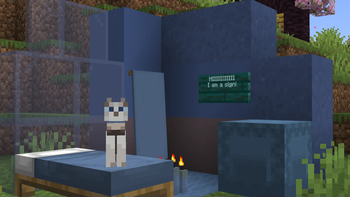
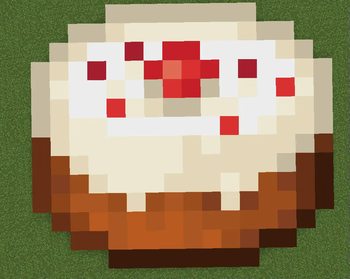
Dye your pets collars, your sheep's wool, craft custom colored fireworks, dye beacon beams, and do all other sorts of dye related things with custom dyes! (see gallery)
To clean any custom or vanilla dyed items just right-click a water cauldron.
You can use the following command to give yourself custom block with any color you want (where the color is in decimals)
For minecraft 1.20-1.20.4
/give @p unidye:custom_concrete{display:{color: }}

For minecraft 1.20.5+
/give @p unidye:custom_concrete[minecraft:dyed_color= ]
Porting and Compatibility
Forge/Neoforge ports are not coming in near times due to my lack of knowledge of these loaders, but maybe someday it will happen.
Planned Minecraft Versions: Currently no versions above 1.21.1 are planned with the new drop system pushing updates that frequently
Compatibility: Mods like Dye Depot that add new base dyes are semi-supported at the moment, but I will work on making a full compat. Mods that add their own uses to vanilla dyes are going to be compatted with at my own pace, since I cannot account for all the mods that add new uses. If you are a developer, and you would like to work on compatibility with Unidye and your mod, you can leave a feature suggestion at GitHub.
Check out my other projects!
Mods:

Texture packs:

Available Versions
How to Install Unidye on Your Server
Order Server
Order a Minecraft Java server with at least 3 GB RAM (4 GB recommended).
Set fabric Loader
In the panel under "Egg", select the fabric loader and matching Minecraft version (1.21.1).
Install Mod
Open the mod browser in the dashboard and search for "Unidye". Click "Install" – done! Alternatively, upload the .jar via SFTP to the /mods folder.
Compatibility
Mod Loaders
Minecraft Versions
1.21.1, 1.21, 1.20.6 (+6 more)
Server-side
✓ RequiredRecommended RAM
4 GB(min. 3 GB)Frequently Asked Questions
Unidye server crashes on startup – what to do?
Most common cause: wrong fabric version or insufficient RAM. Check the server log (latest.log) for "OutOfMemoryError" or "Mixin" errors. With Mado Hosting: ensure at least 3 GB RAM is allocated and the loader matches the mod version (1.21.1). You can switch loaders with one click in the panel.
Is Unidye compatible with fabric?
Unidye officially supports fabric for Minecraft 1.21.1, 1.21, 1.20.6. The Mado dashboard automatically detects incompatible loader combinations.
Server lagging with Unidye – how to optimize performance?
Recommended RAM: 4 GB (per 8 players). Use /spark profiler to check if Unidye consumes the most tick time. Common fixes: reduce server view-distance to 8-10, install "performant" or "starlight" as supplementary mods on Forge. With Mado Hosting, your server runs on NVMe SSDs with dedicated CPU cores for minimal latency.
Similar Mods

![[ETF] Entity Texture Features](https://cdn.modrinth.com/data/BVzZfTc1/af683d206d50b05258d865b0d6e4aa2f2cee12f2_96.webp)
![[EMF] Entity Model Features](https://cdn.modrinth.com/data/4I1XuqiY/6e5bbd0d06b1741bfdab6c0cfab6de8fdaf0064c_96.webp)



Rent Modded Server
Install Unidye with just one click on your server.