
UnifiedOptions
Modrinth version of https://www.curseforge.com/minecraft/mc-mods/unifiedkeybinds-unifedoptions
Screenshots
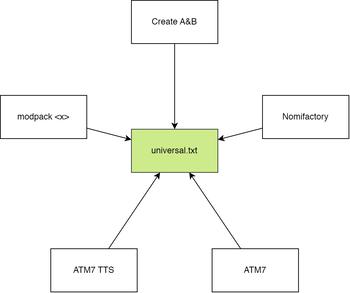
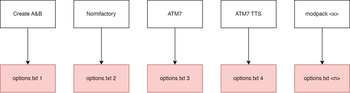
About this Mod

UnifiedKeybinds/UnifiedOptions
If you're reading this, I bothered to publish it (and document it)
What does it do 🤔
Unifies options.txt and keybinds for all minecraft instances with the
mod installed into a single file that is used by all versions.
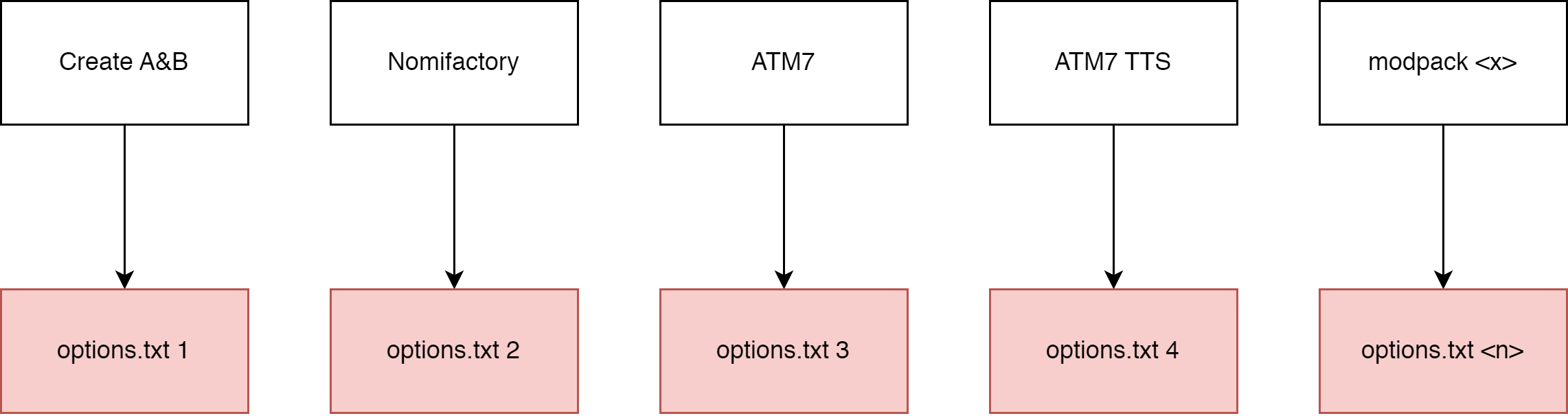
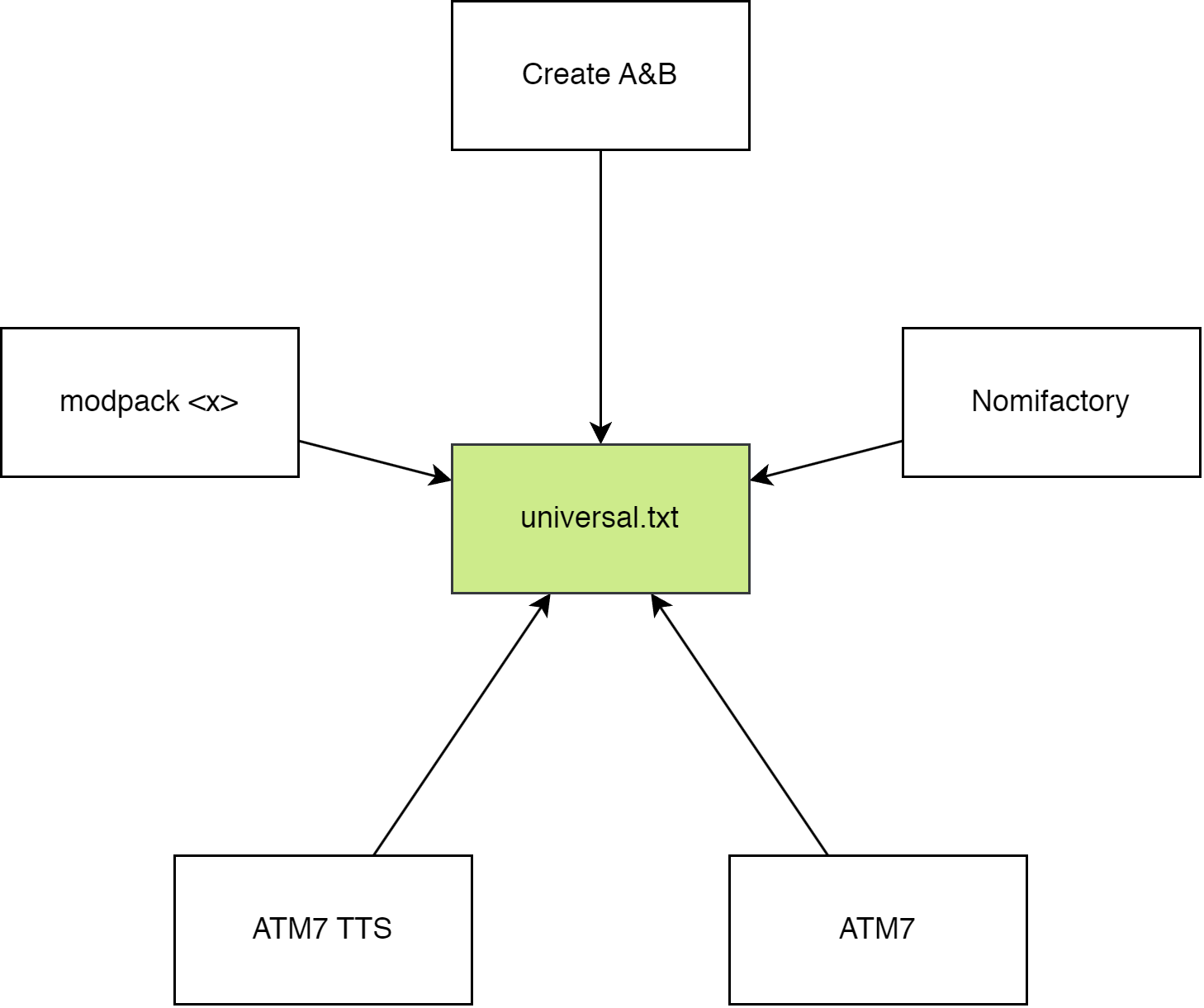
Put simply, in a diagram
Without the mod installed
With the mod installed
How to use it 🤔🤔
The mod should function out of the box.
When the mod is installed, it will move most options.txt options intouniversal.txt which can be found in your home directory:
- Windows users:
%userprofile%/MinecraftOptions - Linux users (and I assume macos, never used it):
~/MinecraftOptions
Default options? YOSBR?? 🤨
The mod also has a feature kinda like YOSBR and default options, but
instead of copying configs from a folder within the modpack directory,
it copies from MinecraftOptions/<version>/extras. You could use this,
for example to automatically copy your journeymap config into all your
modpacks so that your map always looks the same, or disable immersive
engineering's cluttery tag tooltips.
Configuring it 🤔🥱🙄
The mod should function out of the box, but you can configure what
options are synchronized, move where options are stored and completely
disable the mod.
The config file is found at MinecraftOptions/config.toml. It explains
what each option does.
If you want to reset your config, just delete config.toml and the
mod will generate a new one.
By default, the following options are not synchronized:
- tutorialStep
- This mod disables the tutorial.
- overrideWidth
- overrideHeight
- resourcePacks
- incompatibleResourcePacks
- renderDistance
- simulationDistance
- fullscreen
- fullscreenResolution
You can add or remove options (or keybinds) to/from the blacklist.
Blacklisted options will be stored in the vanilla options.txt.
You can change where universal.txt and extras are read from by
changing directory, under synchronization. config.toml cannot be
moved.
1.12
If you open a 1.12 options.txt, you will see your controls formatted with numbers, like this:
key_key.jump:57
key_key.sneak:42
key_key.sprint:16
key_key.drop:211
key_key.inventory:20
key_key.chat:28
key_key.playerlist:0
And if you open a 1.16 options.txt, you will see your controls formatted with named keys, like this:
key_key.jump:key.keyboard.space
key_key.sneak:key.keyboard.left.shift
key_key.sprint:key.keyboard.left.control
key_key.drop:key.keyboard.q
key_key.inventory:key.keyboard.e
key_key.chat:key.keyboard.t
key_key.playerlist:key.keyboard.tab
The 1.12 version of this mod converts any numerical values into the modern named keys automatically. Note that 1.16 and higher versions do not support this, so if you want to convert a 1.12 options.txt, load it with the 1.12 version of this mod.
Use in modpacks?
yes
Maven packages for use in a developer environment
Add this to your repositories
repositories {
    maven { url "https://codeberg.org/api/packages/PORTB/maven" }
}
And add this to your dependencies
dependencies {
    //example: portb:unifiedoptions:1.19.4-1.1
    runtimeOnly fg.deobf("portb:unifiedoptions:<MC VERSION>-<MOD VERSION>")
}
List of versions:
https://codeberg.org/PORTB/-/packages/maven/portb-unifiedoptions/versions
Available Versions
How to Install UnifiedOptions on Your Server
Order Server
Order a Minecraft Java server with at least 3 GB RAM (4 GB recommended).
Set forge Loader
In the panel under "Egg", select the forge loader and matching Minecraft version (1.20.1).
Install Mod
Open the mod browser in the dashboard and search for "UnifiedOptions". Click "Install" – done! Alternatively, upload the .jar via SFTP to the /mods folder.
Compatibility
Mod Loaders
Minecraft Versions
1.20.1, 1.19.4, 1.19.3 (+5 more)
Server-side
✗ UnsupportedRecommended RAM
4 GB(min. 3 GB)Frequently Asked Questions
UnifiedOptions server crashes on startup – what to do?
Most common cause: wrong forge version or insufficient RAM. Check the server log (latest.log) for "OutOfMemoryError" or "Mixin" errors. With Mado Hosting: ensure at least 3 GB RAM is allocated and the loader matches the mod version (1.20.1). You can switch loaders with one click in the panel.
Is UnifiedOptions compatible with forge?
UnifiedOptions officially supports forge for Minecraft 1.20.1, 1.19.4, 1.19.3. The Mado dashboard automatically detects incompatible loader combinations.
Server lagging with UnifiedOptions – how to optimize performance?
Recommended RAM: 4 GB (per 8 players). Use /spark profiler to check if UnifiedOptions consumes the most tick time. Common fixes: reduce server view-distance to 8-10, install "performant" or "starlight" as supplementary mods on Forge. With Mado Hosting, your server runs on NVMe SSDs with dedicated CPU cores for minimal latency.
Similar Mods




![[ETF] Entity Texture Features](https://cdn.modrinth.com/data/BVzZfTc1/af683d206d50b05258d865b0d6e4aa2f2cee12f2_96.webp)
![[EMF] Entity Model Features](https://cdn.modrinth.com/data/4I1XuqiY/6e5bbd0d06b1741bfdab6c0cfab6de8fdaf0064c_96.webp)
Rent Modded Server
Install UnifiedOptions with just one click on your server.