
Unihopper
An early-game single-item-filtering hopper.
Screenshots


About this Mod
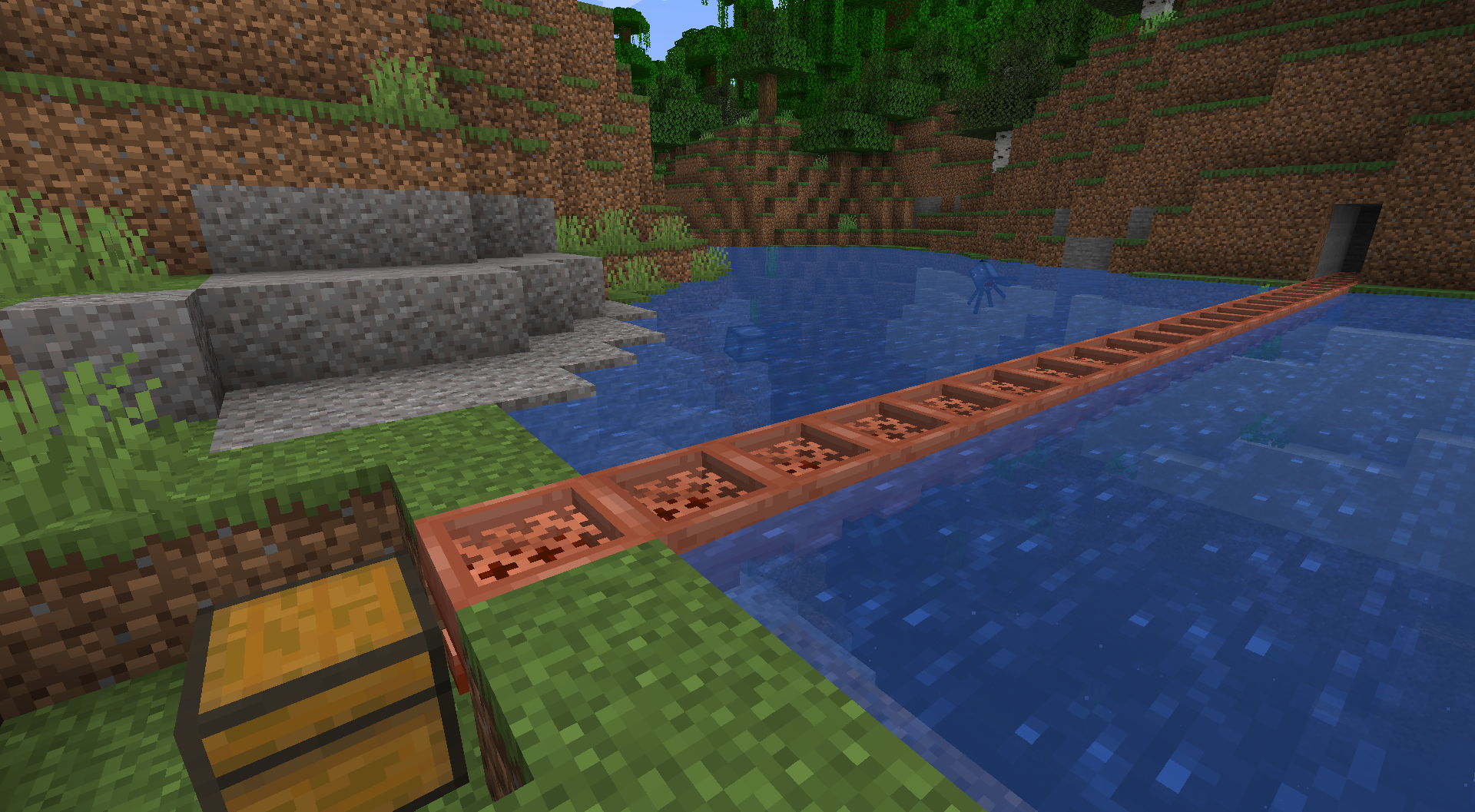
A Unihopper is an early-game variant of the hopper you're probably familiar with. It has only one slot, hence its name, and transfers items more slowly than a standard hopper, but benefits from item filtering, waterlogging, and piston movement. As a copper-based item, it also oxidizes.
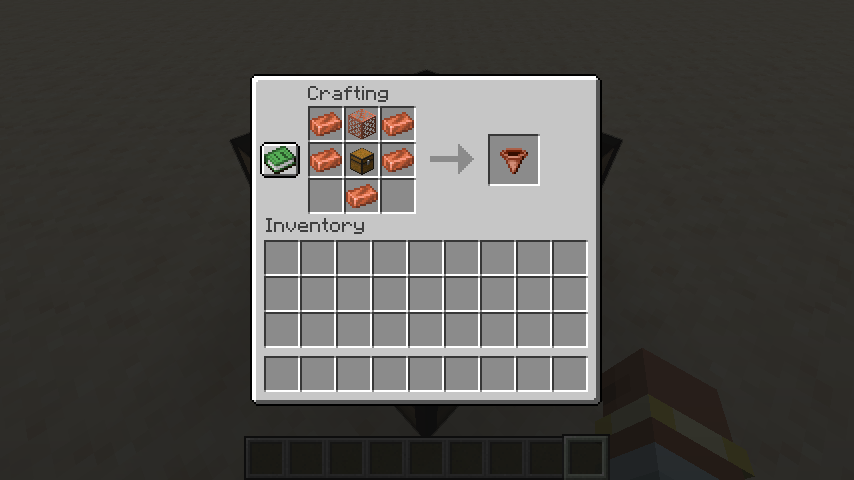
Crafting a Unihopper requires only early-game items. Because sometimes you're in a world where you can't find a lot of iron nearby, but you're up to your neck in copper.
Unihopper Functionality: Item Filtering
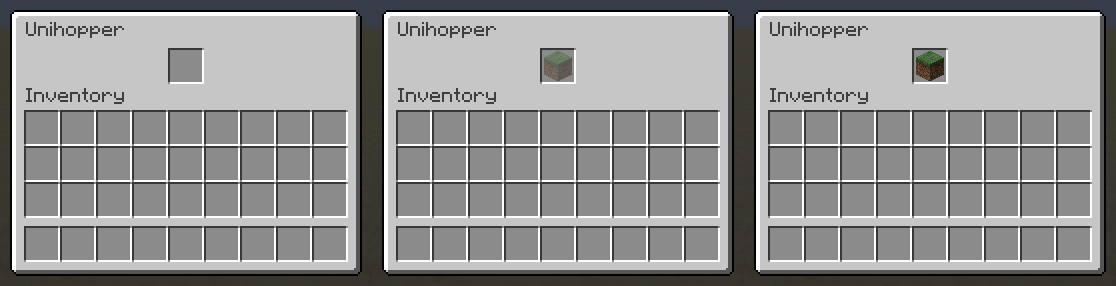
If an item filter is set, only that type of item can enter a unihopper. To set an item filter, simply place an item in the unihopper, as you normally would. If you'd like the put that item in the unihopper, click a second time. If you'd like to put an item in a unihopper without setting a filter, you'll want to toss it in (outside the inventory). Waxing and axe-scraping will reset your item filter. Item filtering can be disabled in the config.
Unihopper Functionality: Transfer Cooldown
While a standard vanilla hopper has an 8-tick transfer cooldown, a unihopper's cooldown is based on its oxidation state, as follows:
- Unaffected: 10 ticks waxed, 12 ticks unwaxed
- Exposed: 14 ticks waxed, 16 ticks unwaxed
- Weathered: 18 ticks waxed, 20 ticks unwaxed
- Oxidized: 22 ticks waxed, 24 ticks unwaxed
Unihoppers will always have a 10-tick cooldown if alone and adjacent to a lightning rod or if they are part of a chain of unihoppers in which the first is adjacent to a lightning rod.
To leave Feedback or a Bug Report, click "Report Issues" on the right and then click "New Issue". You are also welcome to leave a comment or a suggestion, or ask a question.
Permissions
- Please do not upload this mod to other websites.
- Feel free to use this in modpacks, if they are shared on Modrinth.
Mod authoring is difficult and time-consuming. Please consider donating, if you enjoy the mod.
Credits
Thanks to Commoble on the NeoForge Discord for help with block variant log warnings.
My Projects


Available Versions
How to Install Unihopper on Your Server
Order Server
Order a Minecraft Java server with at least 3 GB RAM (4 GB recommended).
Set neoforge Loader
In the panel under "Egg", select the neoforge loader and matching Minecraft version (1.21.5).
Install Mod
Open the mod browser in the dashboard and search for "Unihopper". Click "Install" – done! Alternatively, upload the .jar via SFTP to the /mods folder.
Compatibility
Mod Loaders
Minecraft Versions
1.21.5, 1.21.4
Server-side
✓ RequiredRecommended RAM
4 GB(min. 3 GB)Frequently Asked Questions
Unihopper server crashes on startup – what to do?
Most common cause: wrong neoforge version or insufficient RAM. Check the server log (latest.log) for "OutOfMemoryError" or "Mixin" errors. With Mado Hosting: ensure at least 3 GB RAM is allocated and the loader matches the mod version (1.21.5). You can switch loaders with one click in the panel.
Is Unihopper compatible with neoforge?
Unihopper officially supports neoforge for Minecraft 1.21.5, 1.21.4. The Mado dashboard automatically detects incompatible loader combinations.
Server lagging with Unihopper – how to optimize performance?
Recommended RAM: 4 GB (per 8 players). Use /spark profiler to check if Unihopper consumes the most tick time. Common fixes: reduce server view-distance to 8-10, install "performant" or "starlight" as supplementary mods on Forge. With Mado Hosting, your server runs on NVMe SSDs with dedicated CPU cores for minimal latency.
Similar Mods




Rent Modded Server
Install Unihopper with just one click on your server.