
UniLink
Allows you to use resources from other directories
Screenshots

About this Mod
🔗 UniLink
A mod that allows you to use resources from other directories
💼 Usage
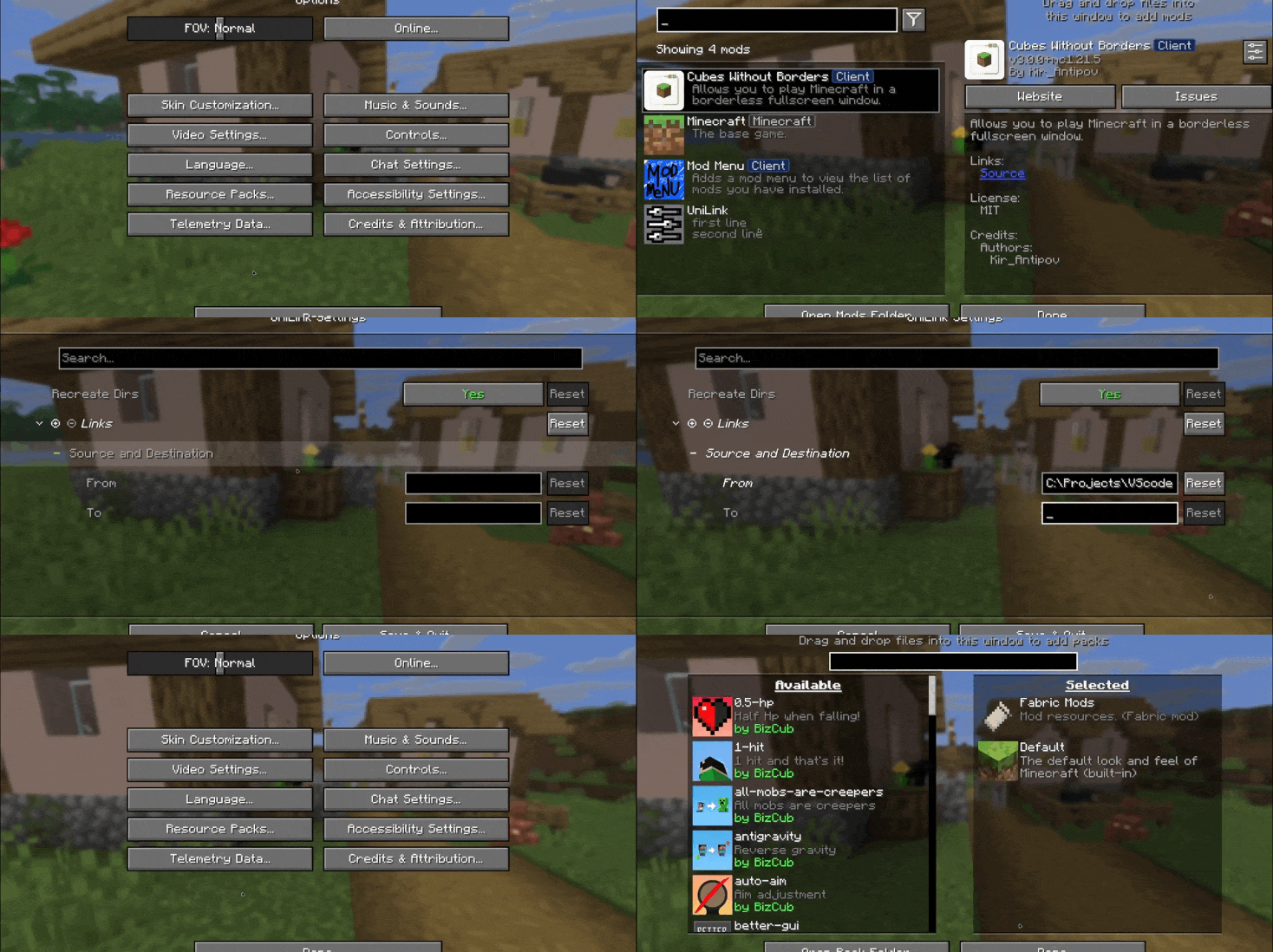
This mod works using symbolic links, which can be used like a folder but don't require reusing (copying) resources. Some launchers also use symbolic links, but the mod works independently of them. It's a configuration file. The first field specifies the path to the directory to use, and the second field specifies the path to the folder where the symbolic link should be placed. The final path can be absolute (e.g., C:\...\.minecraft\saves) or abbreviated (saves).

If you change the directory used for worlds and then revert the change, the game may freeze while searching for and failing to find the required folder. For this purpose, the configuration file has an option to recreate the folders used by the game.
🛠️ How it works
By default, the mod does nothing. However, you can add data to the configuration to create a link: the path from which resources will be used and the path where the symbolic link will be created.
What follows from this:
After changing the configuration, new links will be added. Therefore, old, unused links will be deleted.
Since Minecraft creates some folders, the mod will have to delete the existing folder before creating the link. However, since the mod deletes folders without asking, it has a limitation on deleting directories with files inside. This means that if a folder contains any files, it won't be deleted and the link won't be created.
Creating symbolic links requires certain permissions. Therefore, some launchers that don't have them won't be able to create links. Solution: Run the launcher as administrator.
🤝 Support

Available Versions
How to Install UniLink on Your Server
Order Server
Order a Minecraft Java server with at least 3 GB RAM (4 GB recommended).
Set fabric Loader
In the panel under "Egg", select the fabric loader and matching Minecraft version (26.2).
Install Mod
Open the mod browser in the dashboard and search for "UniLink". Click "Install" – done! Alternatively, upload the .jar via SFTP to the /mods folder.
Compatibility
Mod Loaders
Minecraft Versions
26.2, 26.1.2, 26.1.2-rc-1 (+310 more)
Server-side
✗ UnsupportedRecommended RAM
4 GB(min. 3 GB)Frequently Asked Questions
UniLink server crashes on startup – what to do?
Most common cause: wrong fabric version or insufficient RAM. Check the server log (latest.log) for "OutOfMemoryError" or "Mixin" errors. With Mado Hosting: ensure at least 3 GB RAM is allocated and the loader matches the mod version (26.2). You can switch loaders with one click in the panel.
Is UniLink compatible with fabric and forge and neoforge and quilt?
UniLink officially supports fabric, forge, neoforge, quilt for Minecraft 26.2, 26.1.2, 26.1.2-rc-1. Note: Forge and Fabric mods are NOT cross-compatible – pick one loader and stick with it. The Mado dashboard automatically detects incompatible loader combinations.
Server lagging with UniLink – how to optimize performance?
Recommended RAM: 4 GB (per 8 players). Use /spark profiler to check if UniLink consumes the most tick time. Common fixes: reduce server view-distance to 8-10, install "performant" or "starlight" as supplementary mods on Forge. With Mado Hosting, your server runs on NVMe SSDs with dedicated CPU cores for minimal latency.
Similar Mods




![[ETF] Entity Texture Features](https://cdn.modrinth.com/data/BVzZfTc1/af683d206d50b05258d865b0d6e4aa2f2cee12f2_96.webp)

Rent Modded Server
Install UniLink with just one click on your server.