
Unseaworthy
A mod that makes boats unsuitable for ocean voyages.
Screenshots
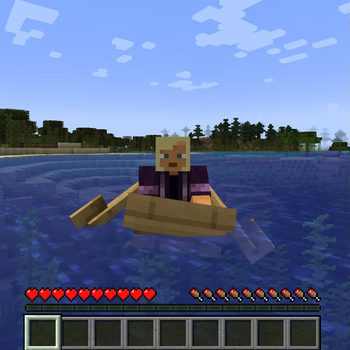
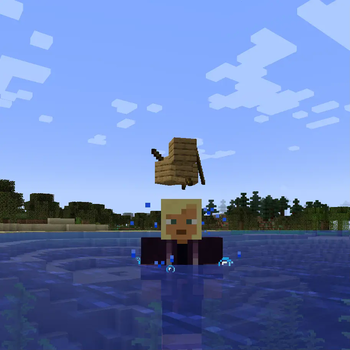
About this Mod
Unseaworthy
This mod makes vanilla minecraft boats unseaworthy. They operate normally on rivers and near shorelines, but as soon as they enter an ocean biome, they begin to be tossed by the sea and eventually break apart.
Features
- Boats deployed on water begin shaking and bouncing upon entering ocean biomes (any biome in the
c:is_oceanbiome tag). - You can optionally set a minimum water depth for boats to sink in tagged biomes.
- A configurable number of ticks later, the boat is wrecked.
- The % chance of being wrecked each interval is configurable.
- Wrecked boats can be configured to:
- SINK: boat is pulled underwater and ejects passengers
- BREAK: boat is broken and drops its item entity
- DESTROY: boat is destroyed and drops a random number of planks and sticks
- Optionally set a miniumum weather condition to sink boats. Defaults to CLEAR (i.e. always sink boats) but can be set to RAINING or THUNDERING.
Datapack Stuff
You can change which types of boat entities sink with the entity tag
unseaworthy/tags/entity_types/sinkable.json
On 1.21.1 it's
unseaworthy/tags/entity_type/sinkable.json
You can change which biomes cause boats to sink with the biome tag
unseaworthy/tags/worldgen/biome/sinks_boats.json
Why would you want that?
I needed a way to encourage players to build actual ships in a mod pack that is all about ocean voyages. Boats are too
good, so I made them worse.
Acknowledgements
Graphics
Icon: "Bailout" by Luis Prado
from Noun
Project (CC BY 3.0)
Available Versions
How to Install Unseaworthy on Your Server
Order Server
Order a Minecraft Java server with at least 3 GB RAM (4 GB recommended).
Set fabric Loader
In the panel under "Egg", select the fabric loader and matching Minecraft version (1.21.1).
Install Mod
Open the mod browser in the dashboard and search for "Unseaworthy". Click "Install" – done! Alternatively, upload the .jar via SFTP to the /mods folder.
Compatibility
Mod Loaders
Minecraft Versions
1.21.1, 1.21, 1.20.1
Server-side
✓ RequiredRecommended RAM
4 GB(min. 3 GB)Frequently Asked Questions
Unseaworthy server crashes on startup – what to do?
Most common cause: wrong fabric version or insufficient RAM. Check the server log (latest.log) for "OutOfMemoryError" or "Mixin" errors. With Mado Hosting: ensure at least 3 GB RAM is allocated and the loader matches the mod version (1.21.1). You can switch loaders with one click in the panel.
Is Unseaworthy compatible with fabric and forge and neoforge?
Unseaworthy officially supports fabric, forge, neoforge for Minecraft 1.21.1, 1.21, 1.20.1. Note: Forge and Fabric mods are NOT cross-compatible – pick one loader and stick with it. The Mado dashboard automatically detects incompatible loader combinations.
Server lagging with Unseaworthy – how to optimize performance?
Recommended RAM: 4 GB (per 8 players). Use /spark profiler to check if Unseaworthy consumes the most tick time. Common fixes: reduce server view-distance to 8-10, install "performant" or "starlight" as supplementary mods on Forge. With Mado Hosting, your server runs on NVMe SSDs with dedicated CPU cores for minimal latency.
Similar Mods




Rent Modded Server
Install Unseaworthy with just one click on your server.