
Upgraded Hoppers
A simple solution to the slow hopper speed: Upgraded Hoppers. Adds hopper tiers that are 1 tick faster each.
Screenshots
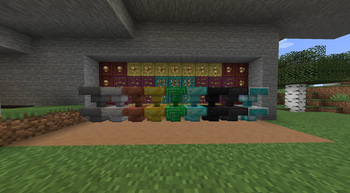
About this Mod
Upgraded Hoppers is a simple Vanilla+ mod adding new faster hoppers that can be upgraded from previous tiers. From the 8-tick Vanilla Hopper to the new 1-tick Netherite Hopper.
Crafting Recipes
Iron Hopper

Copper Hopper

Gold Hopper

Emerald Hopper

Diamond Hopper

Obsidian Hopper

Netherite Hopper

Beacon Hopper

Hopper Tick Speeds
- Iron Hopper: 7 Ticks
- Copper Hopper: 6 Ticks
- Gold Hopper: 5 Ticks
- Emerald Hopper: 4 Ticks
- Diamond Hopper: 3 Ticks
- Obsidian Hopper: 2 Ticks
- Netherite Hopper: 1 Tick
- Beacon Hopper: "0" Ticks (Read Below)
Beacon Hoppers are the most powerful of the hopper tiers.
Rather than funnel items through each hopper, it searches for the last Beacon Hopper in the hopper chain and directly deposits items there. Note that the Beacon Hopper technically has a 1 tick delay, but due to the chaining mechanic this essentially means it transfers one item to the end of the chain per tick (x amount of hoppers = 1 tick) Due to the way Beacon Hoppers work, it is not possible to place a hopper below one to funnel items out that aren't directly funneled downward. (This will be fixed in a later version)

This is my first mod and mostly just an experiment, but I hope to add new features over time.
Some ideas I had but can't guarantee implementation of:
- Copper Hopper oxidation, each oxidation level doubling the transfer speed. (Sounds useless, but slower hoppers could prove useful for redstone contraptions) This would come with waxable copper hoppers.
- Multi-item transfer, instead of moving one item at a time, move multiple for every "transfer" (Maybe some sort of item input slot for the "stack upgrade"?)
- Phantom Hoppers, instead of moving items to the storage container directly in front of it, it searches up to x (100?) amount of blocks in the direction it is facing it for a storage container and deposits it directly into the container. It has a 10-tick delay but will prove much better for performance than spamming a bunch of hoppers.
I program as a hobby.
Do not expect ports to older versions or different loaders.
You are free to use the source code to port the mod yourself as long as you provide proper credit.
Available Versions
How to Install Upgraded Hoppers on Your Server
Order Server
Order a Minecraft Java server with at least 3 GB RAM (4 GB recommended).
Set fabric Loader
In the panel under "Egg", select the fabric loader and matching Minecraft version (1.20.2).
Install Mod
Open the mod browser in the dashboard and search for "Upgraded Hoppers". Click "Install" – done! Alternatively, upload the .jar via SFTP to the /mods folder.
Compatibility
Mod Loaders
Minecraft Versions
1.20.2, 1.20.1
Server-side
✓ RequiredRecommended RAM
4 GB(min. 3 GB)Frequently Asked Questions
Upgraded Hoppers server crashes on startup – what to do?
Most common cause: wrong fabric version or insufficient RAM. Check the server log (latest.log) for "OutOfMemoryError" or "Mixin" errors. With Mado Hosting: ensure at least 3 GB RAM is allocated and the loader matches the mod version (1.20.2). You can switch loaders with one click in the panel.
Is Upgraded Hoppers compatible with fabric and quilt?
Upgraded Hoppers officially supports fabric, quilt for Minecraft 1.20.2, 1.20.1. The Mado dashboard automatically detects incompatible loader combinations.
Server lagging with Upgraded Hoppers – how to optimize performance?
Recommended RAM: 4 GB (per 8 players). Use /spark profiler to check if Upgraded Hoppers consumes the most tick time. Common fixes: reduce server view-distance to 8-10, install "performant" or "starlight" as supplementary mods on Forge. With Mado Hosting, your server runs on NVMe SSDs with dedicated CPU cores for minimal latency.
Similar Mods




Rent Modded Server
Install Upgraded Hoppers with just one click on your server.