
Useful Bookshelves
Some Bookshelves to store your so many many books.
Screenshots


About this Mod
Are you distressed with so many books in your chest?
what a mass in that chest!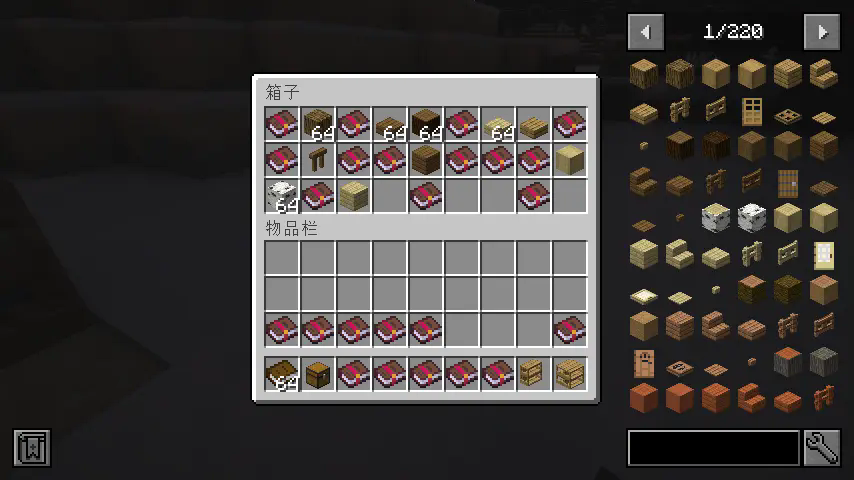
how I wish I could find a better place to store all my enchanting books.
Here! there is a nice thing for you, my bookshelves!

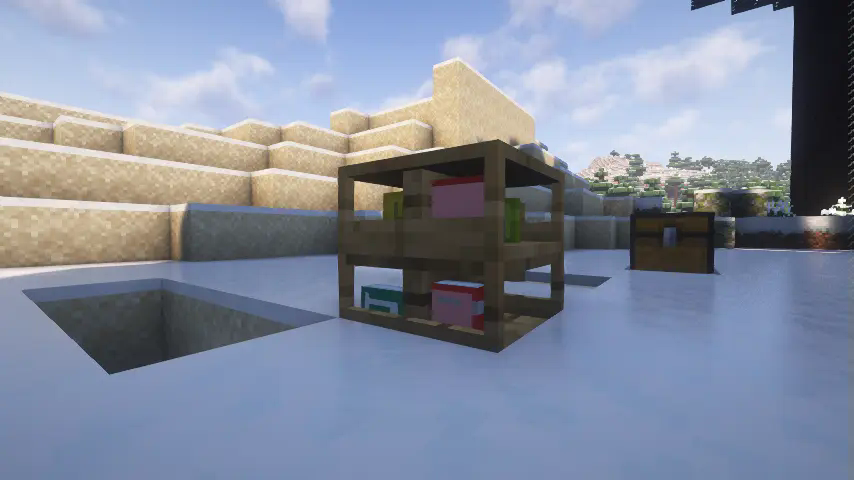
a special container to store books
the bookshelves can store a little bit more than a normal chest
each slot with unique 3d model and details
when you put a book in a slot you could notice a book model displayed in the bookshelves
compatible with enchant table
just like the minecraft:bookshelf, my bookshelves did provide ability of enchanting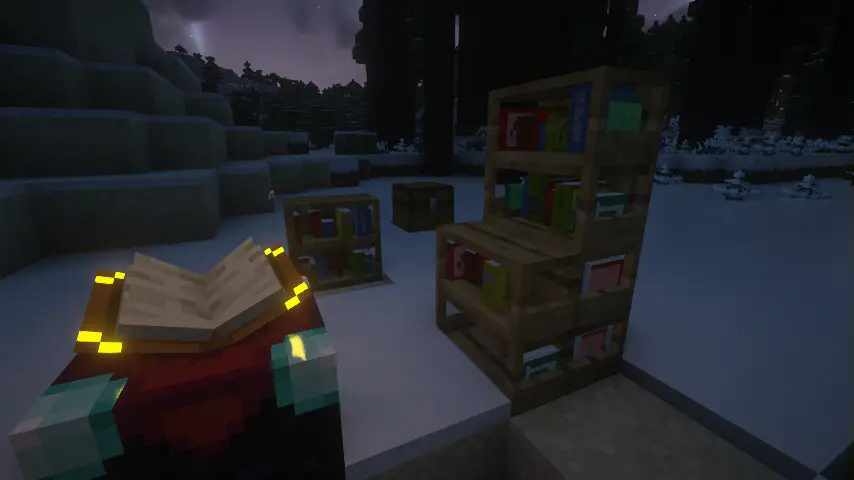
can I store other mod's book in it?
yes,we have two way to make it
the eaziest,you hold the book you want to store in your main hand and hold "Paper" in your off hand, then "shift + left click" any useful bookshelf. you'll find you can store the book then.
the harder, manualy write the book's description id to mod's common config file, the id looks like "item.minecrafts.tick",you could press "F3" + "H" in the game and hover your cursor in any items to get the id.
How to install
first, you download the latest version file. then just put it in your mods folder
Future
- more bookshelves with different types and materials crafted by different planks even in iron block
- order or disorder book's model
Available Versions
How to Install Useful Bookshelves on Your Server
Order Server
Order a Minecraft Java server with at least 3 GB RAM (4 GB recommended).
Set neoforge Loader
In the panel under "Egg", select the neoforge loader and matching Minecraft version (1.21.1).
Install Mod
Open the mod browser in the dashboard and search for "Useful Bookshelves". Click "Install" – done! Alternatively, upload the .jar via SFTP to the /mods folder.
Compatibility
Mod Loaders
Minecraft Versions
1.21.1
Server-side
✓ RequiredRecommended RAM
4 GB(min. 3 GB)Frequently Asked Questions
Useful Bookshelves server crashes on startup – what to do?
Most common cause: wrong neoforge version or insufficient RAM. Check the server log (latest.log) for "OutOfMemoryError" or "Mixin" errors. With Mado Hosting: ensure at least 3 GB RAM is allocated and the loader matches the mod version (1.21.1). You can switch loaders with one click in the panel.
Is Useful Bookshelves compatible with neoforge?
Useful Bookshelves officially supports neoforge for Minecraft 1.21.1. The Mado dashboard automatically detects incompatible loader combinations.
Server lagging with Useful Bookshelves – how to optimize performance?
Recommended RAM: 4 GB (per 8 players). Use /spark profiler to check if Useful Bookshelves consumes the most tick time. Common fixes: reduce server view-distance to 8-10, install "performant" or "starlight" as supplementary mods on Forge. With Mado Hosting, your server runs on NVMe SSDs with dedicated CPU cores for minimal latency.
Similar Mods

![[ETF] Entity Texture Features](https://cdn.modrinth.com/data/BVzZfTc1/af683d206d50b05258d865b0d6e4aa2f2cee12f2_96.webp)
![[EMF] Entity Model Features](https://cdn.modrinth.com/data/4I1XuqiY/6e5bbd0d06b1741bfdab6c0cfab6de8fdaf0064c_96.webp)



Rent Modded Server
Install Useful Bookshelves with just one click on your server.