
Utilities Plus
A bunch of useful vanilla+ kind of blocks and items.
Screenshots
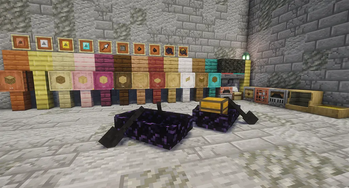
About this Mod
Utilities Plus
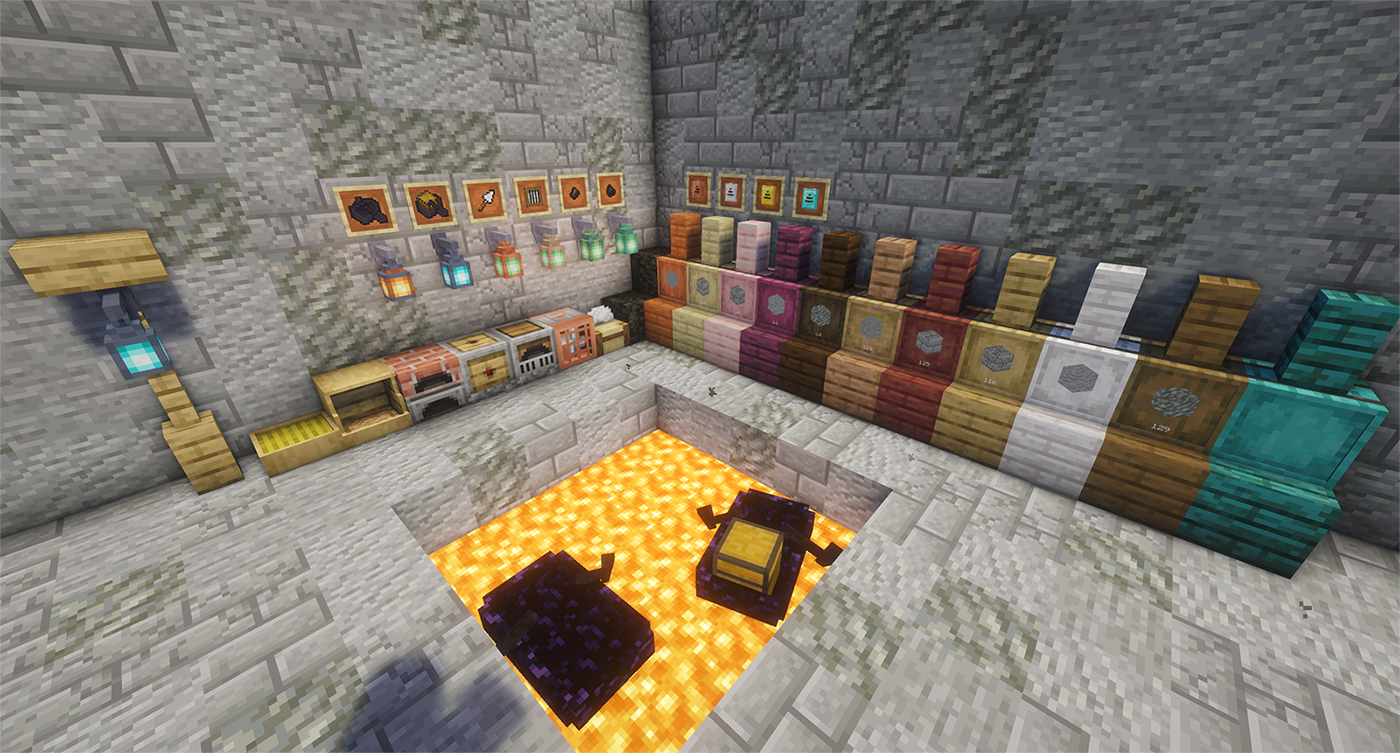
A bunch of useful vanilla+ kind of blocks and items.
Blocks
Kiln
The Kiln fixes the arbitrary smelting speed gap by processing the materials vanilla forgot at the same 2x speed as the Blast Furnace and Smoker:
- Clay, Clay Balls, Terracotta
- Stone, Cobblestone
- Sand, Red Sand
Storage Barrels (not the vanilla kind)
A storage block that holds up to 4,096 (configurable) of a single item type. Upgradeable, hopper-compatible, and available in all 12 wood types.
Breaking a barrel preserves its contents and any installed upgrade.
Storage Barrel Upgrades
One upgrade at a time. Upgrades can't be removed if the barrel is holding more items than the lower tier supports Upgrading is always unrestricted.
| Upgrade | Capacity |
|---|---|
| (Base) | Configurable, default 4,096 |
| Copper | Base × 2 |
| Iron | Copper × 2 |
| Gold | Iron × 2 |
| Diamond | Gold × 2 |
Harvester Block
It needs fuel to run, and it needs a hoe slotted inside to do any harvesting. That hoe still loses durability, too. Auto-replants after every harvest.
(Configurable — see Config section)
Feeding Trough
Animals are hungry. You have food. The Feeding Trough bridges that gap automatically — place it, fill it with anything an animal might reasonably want to eat, and it'll feed any animal in a 9×3×9 area around it that finds the contents appetising. That covers the usual suspects — crops, seeds, hay, flowers, and a few more exotic options for the less picky animals. If the local animal population exceeds the configured limit, the trough stops working until you do something about the overcrowding. Also, no hopper support. Refill it manually.
(Configurable — see Config section)
Chicken Nest Box
Chickens are going to lay eggs whether you like it or not. The Nest Box at least makes sure those eggs end up somewhere useful. Place one down and the Nest Box collects eggs in a 3×3 area in front of it and stores them in its 9-slot inventory. Hoppers can pull eggs out from the bottom of the nest block.
(Configurable — see Config section)
Saw Bench
A whole log's worth of planks, stairs, slabs, fences, doors, and whatever else you need — without the crafting grid busywork. Strips logs too. It's a saw. It cuts wood. You get it.
Vertical Slabs
Slabs, but vertical. Available in all wood types.
Wooden Beams
A decorative structural beam. Doesn't connect to anything. Doesn't do anything clever. Just looks good holding your ceiling up. Available in all wood types.
Filtered Hopper
A hopper with a single filter slot. Only items matching the filter pass through. Everything else gets ignored. That's the whole thing.
Fast Hopper
Moves 8 items per tick instead of the vanilla 1. Can also be filtered.
Redstone Clock
A redstone clock in a single block. Right-click to increase the pulse interval by 10 ticks, shift-right-click to decrease it. No more spaghetti repeater loops taking up half your base.
Reset it to factory settings (10 ticks) by right-clicking a redstone torch on the clock block.
Can now be toggled on/off with a redstone signal. Powering the block stops the clock and cuts its output; removing the signal resumes it.
(Configurable — see Config section)
Fan
A redstone-powered fan that pushes items, mobs, and players in the direction it's facing. Shift-right-click to reverse the flow and pull things toward it instead. Redstone signal strength controls the range. Useful for sorting systems, mob farms, or just annoying your friends.
Charcoal Block
9 charcoal in a crafting grid, one block out. Same burn properties as a coal block.
Items
Villager Catcher
Long minecart rail systems snaking across your entire world just to move one villager into your trading hall? We've all been there. We've all hated it. Right-click a villager with the Villager Catcher to imprison the little guy until you're ready to release them.
⚠ Fair warning: Your precious Mending villager will not survive the trip with their trades intact. Upon release, every imprisoned villager resets to an unemployed novice. You have been warned.
(Configurable — see Config section)
Storage Barrel Upgrades
(See Storage Barrels above)
- Copper Barrel Upgrade
- Iron Barrel Upgrade
- Gold Barrel Upgrade
- Diamond Barrel Upgrade
Coal and Charcoal bits
When you need to smelt one thing and don't want to burn through an entire piece of coal.
Obsidian Boat & Chest Boat
A boat. For lava. Crafted from obsidian. Navigate lava lakes like a reasonable person instead of bridge-pillaring across them.
Don't try it on water. It sinks. Immediately. It's obsidian.
Trowel
Building with varied textures means constantly swapping between block types in your hotbar. The Trowel does the swapping for you — right-click to place a random block from your hotbar. Stacks with more items are more likely to be picked, so your materials deplete evenly. Good for breaking up repetitive surfaces without the busywork.
Features
Name Tags
Right-clicking a name tag opens a text field where you can type a name directly. No need for an anvil and it doesn't cost experience.
Wall Lanterns
Lanterns can now be hung on the side of any solid block, fence, beam, or wall. Right-click with a lantern in hand and it'll mount itself with a bracket. Works with any lantern. That's the whole thing.
Fence Jumping
You can jump over fences, fence gates and walls. Not much to it.
Config
| Option | Min | Max | Default |
|---|---|---|---|
| Storage Barrel base capacity | 512 | 16,384 | 4,096 |
| Redstone clock pulse interval (in ticks) | 2 | 300 | 10 |
| Redstone clock plays click sound on pulse | — | — | true |
| Feeding trough animal limit | 8 | 128 | 32 |
| Feeding trough feeding radius | 3×3 | 15×15 | 9×9 |
| Feeding trough feeding interval | 20 | 1200 | 200 |
| Nest Box collection radius | 3×3 | 9×9 | 3×3 |
| Harvester harvest check interval (in ticks) | 20 | 1200 | 200 |
| Harvester work area | 3×3 | 15×15 | 9×9 |
| Hoe loses durability in Harvester | — | — | true |
| Villager resets to unemployed on release | — | — | true |
Dependencies
Available Versions
How to Install Utilities Plus on Your Server
Order Server
Order a Minecraft Java server with at least 3 GB RAM (4 GB recommended).
Set fabric Loader
In the panel under "Egg", select the fabric loader and matching Minecraft version (26.2).
Install Mod
Open the mod browser in the dashboard and search for "Utilities Plus". Click "Install" – done! Alternatively, upload the .jar via SFTP to the /mods folder.
Compatibility
Mod Loaders
Minecraft Versions
26.2, 26.1.2
Server-side
✓ RequiredRecommended RAM
4 GB(min. 3 GB)Frequently Asked Questions
Utilities Plus server crashes on startup – what to do?
Most common cause: wrong fabric version or insufficient RAM. Check the server log (latest.log) for "OutOfMemoryError" or "Mixin" errors. With Mado Hosting: ensure at least 3 GB RAM is allocated and the loader matches the mod version (26.2). You can switch loaders with one click in the panel.
Is Utilities Plus compatible with fabric?
Utilities Plus officially supports fabric for Minecraft 26.2, 26.1.2. The Mado dashboard automatically detects incompatible loader combinations.
Server lagging with Utilities Plus – how to optimize performance?
Recommended RAM: 4 GB (per 8 players). Use /spark profiler to check if Utilities Plus consumes the most tick time. Common fixes: reduce server view-distance to 8-10, install "performant" or "starlight" as supplementary mods on Forge. With Mado Hosting, your server runs on NVMe SSDs with dedicated CPU cores for minimal latency.
Similar Mods




Rent Modded Server
Install Utilities Plus with just one click on your server.