
Vanillium
A collection of many small vanilla-ish features.
Screenshots
About this Mod

A collection of many small vanilla-ish features.
What is this mod about
As the text above says, this is just a collection of small vanilla-ish features that I wanted on my vanilla world.
Everything is configurable, so you can disable any of the features you don't want.
The main goal for this mod is to add features that won't case long term damage to your worlds and allow you to remove
the mod if you no longer want to use it.
This is a sister mod to Nullium as it adds features that cant be server-side only!
The Things in the mod
Item Customization:
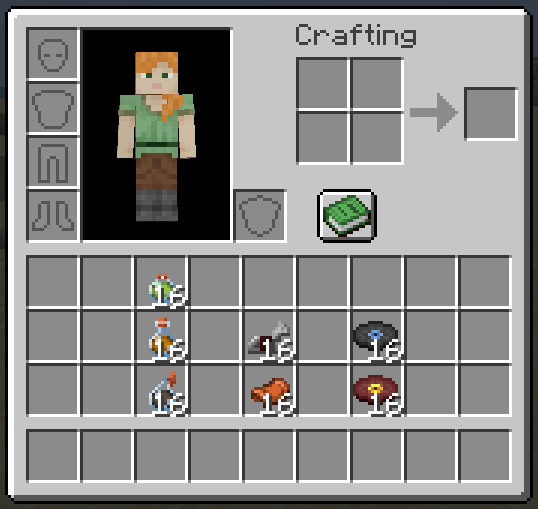
- Changing item max stack size. (By default, the mod increases the stack size of potions, music discs and horse
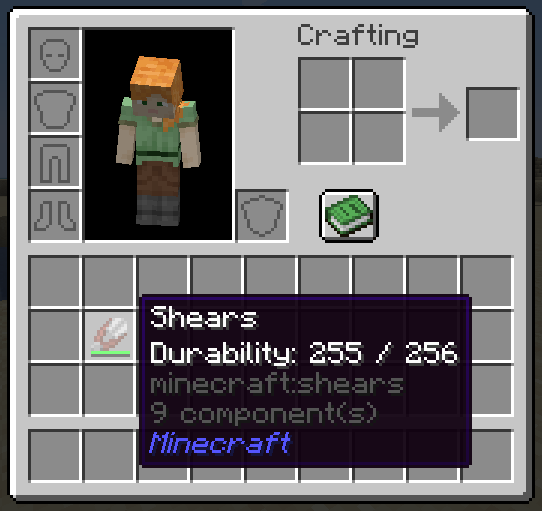
equipment to be 16) - Changing item max durability size. (By default, the mod increases brush and shear durability to 256)
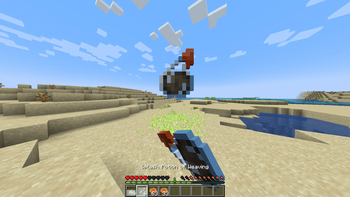
- Adding custom cooldowns to items. (By default, the mod adds cooldowns to splash and lingering potions)
- Extended Potion durability. A multipliers applied to all registered potions. (By default, it's set to be x2)
Experimental
Warning All these are experimental for a reason. The shulker opening my cause inventory de-sync.
- Shulker changes:
- When in inventory, if you right-click with an item on or use a shulker to right-click on an item. It now puts the
item in the shulker. - When right-clicking in the air with a shulker or right-clicking on a shulker in inventory it opens a shulker box
menu.
- When in inventory, if you right-click with an item on or use a shulker to right-click on an item. It now puts the

Available Versions
How to Install Vanillium on Your Server
Order Server
Order a Minecraft Java server with at least 3 GB RAM (4 GB recommended).
Set fabric Loader
In the panel under "Egg", select the fabric loader and matching Minecraft version (1.21.11).
Install Mod
Open the mod browser in the dashboard and search for "Vanillium". Click "Install" – done! Alternatively, upload the .jar via SFTP to the /mods folder.
Compatibility
Mod Loaders
Minecraft Versions
1.21.11, 1.21.10, 1.21.9 (+3 more)
Server-side
✓ RequiredRecommended RAM
4 GB(min. 3 GB)Frequently Asked Questions
Vanillium server crashes on startup – what to do?
Most common cause: wrong fabric version or insufficient RAM. Check the server log (latest.log) for "OutOfMemoryError" or "Mixin" errors. With Mado Hosting: ensure at least 3 GB RAM is allocated and the loader matches the mod version (1.21.11). You can switch loaders with one click in the panel.
Is Vanillium compatible with fabric and quilt?
Vanillium officially supports fabric, quilt for Minecraft 1.21.11, 1.21.10, 1.21.9. The Mado dashboard automatically detects incompatible loader combinations.
Server lagging with Vanillium – how to optimize performance?
Recommended RAM: 4 GB (per 8 players). Use /spark profiler to check if Vanillium consumes the most tick time. Common fixes: reduce server view-distance to 8-10, install "performant" or "starlight" as supplementary mods on Forge. With Mado Hosting, your server runs on NVMe SSDs with dedicated CPU cores for minimal latency.
Similar Mods




Rent Modded Server
Install Vanillium with just one click on your server.