
Vanity: Aesthetic Armory
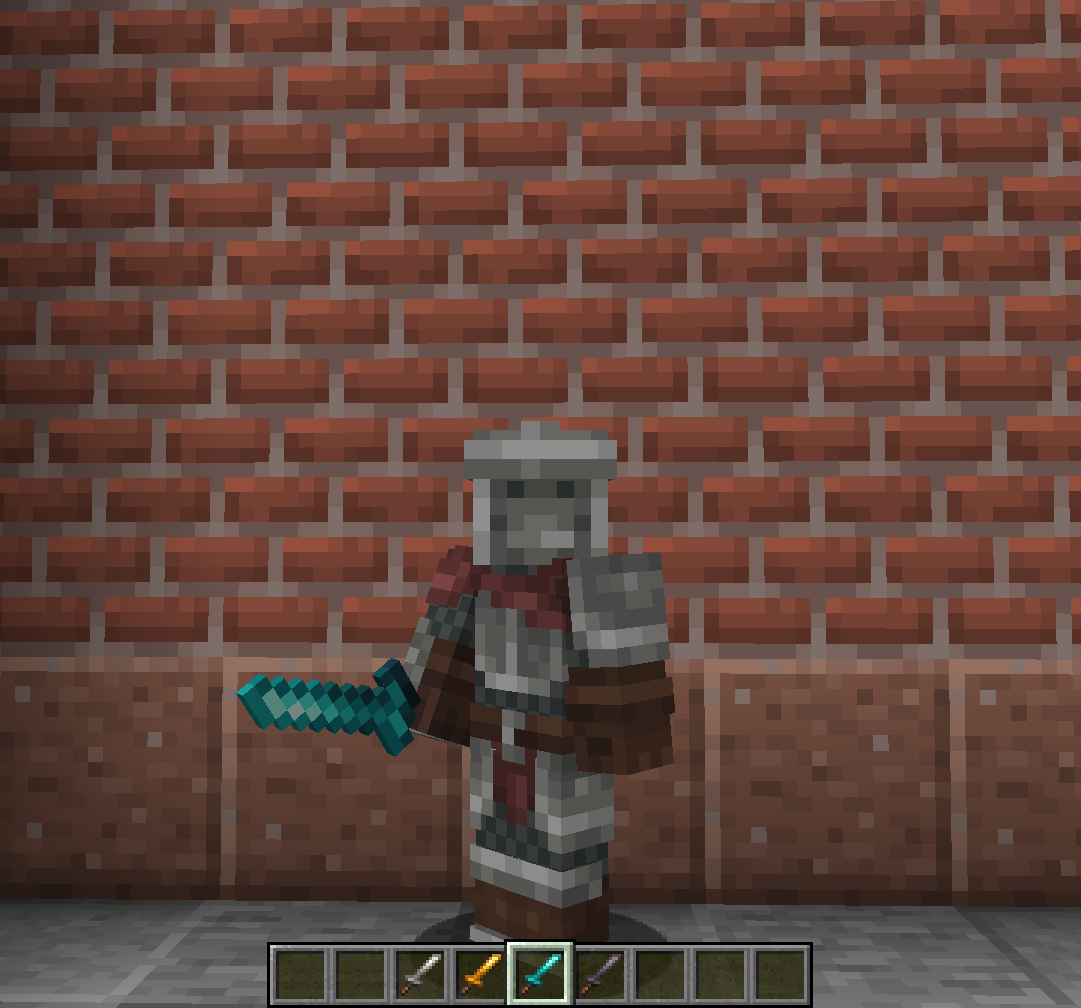
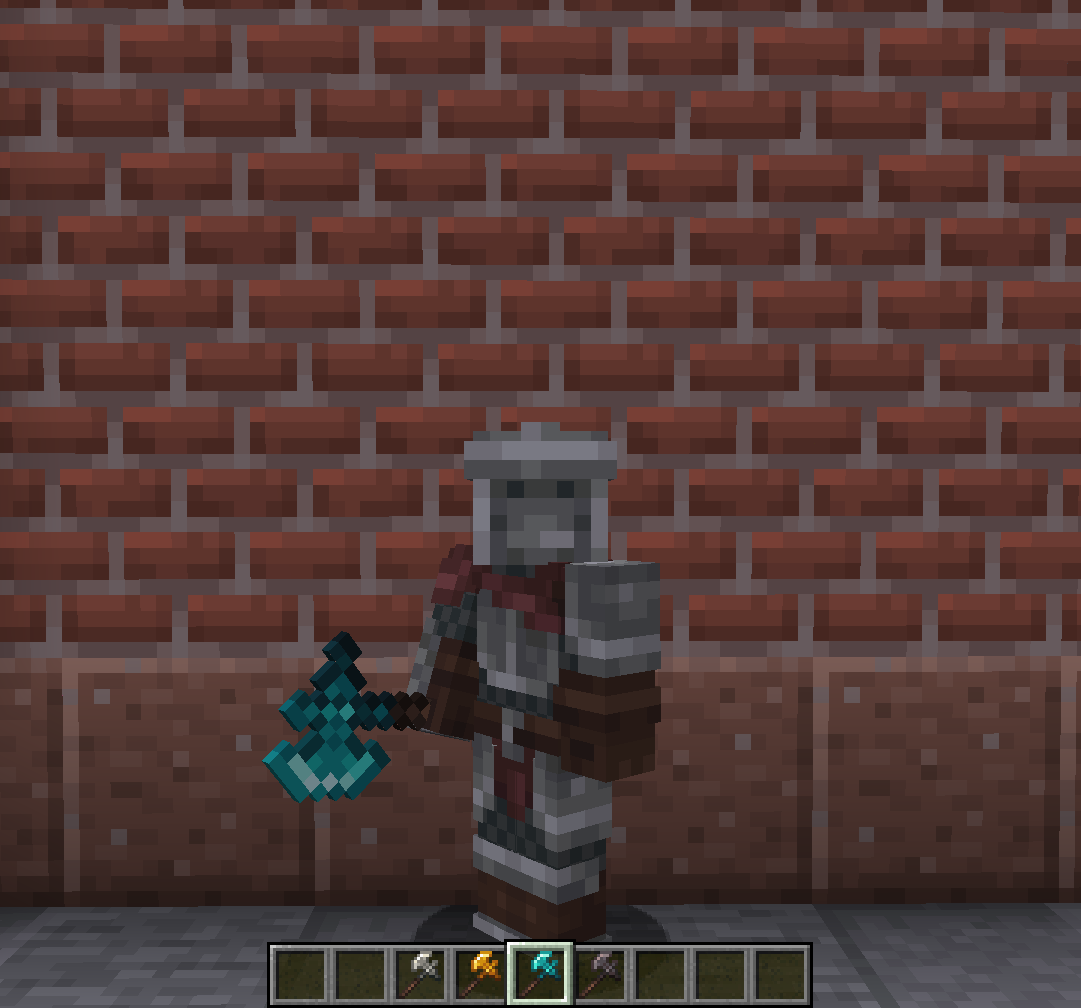
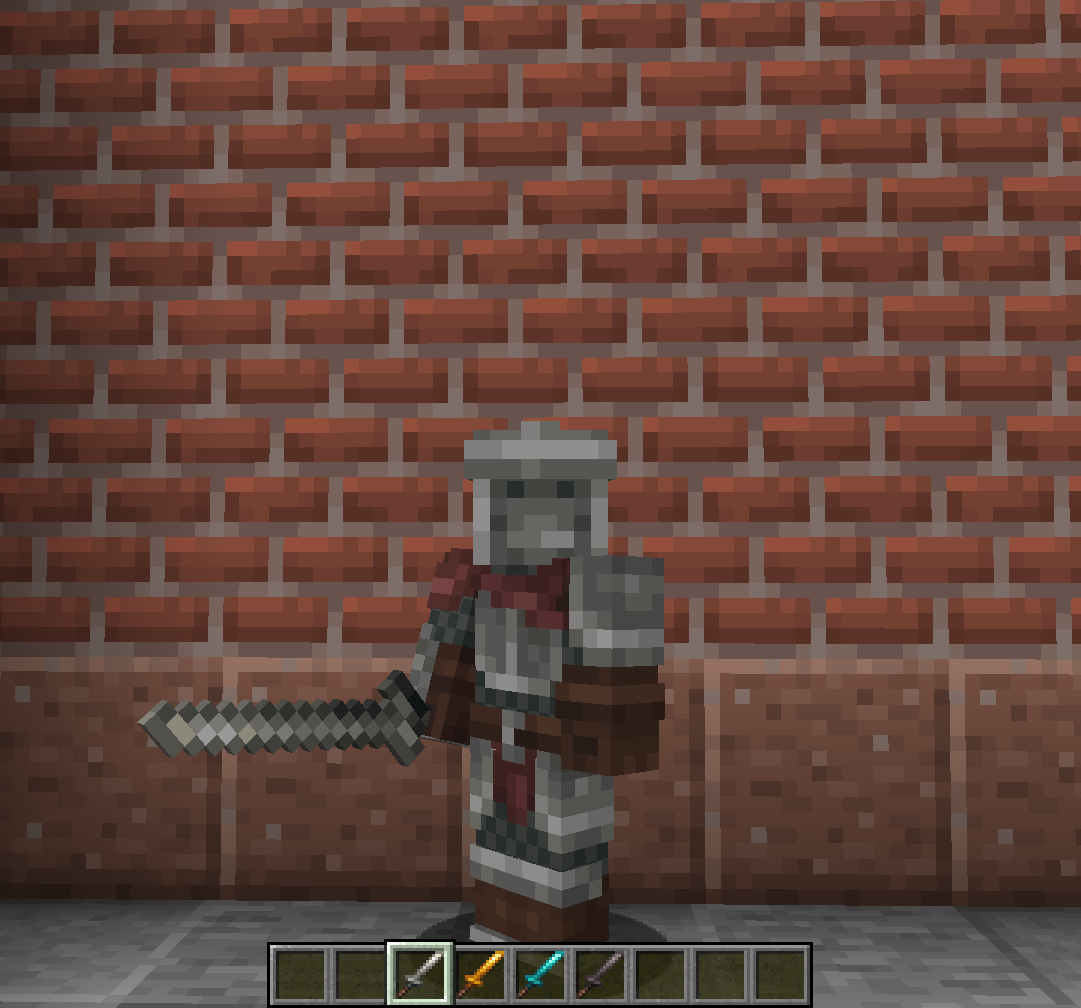
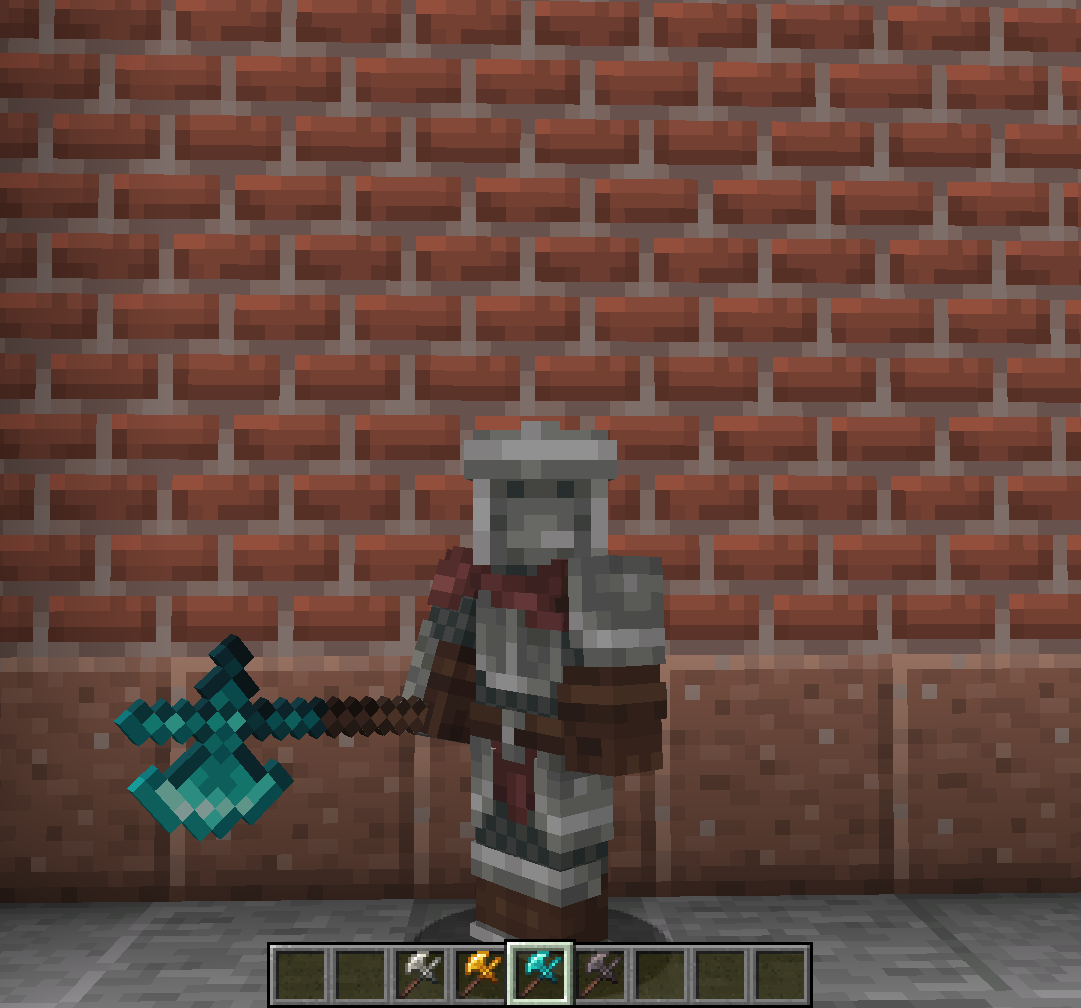
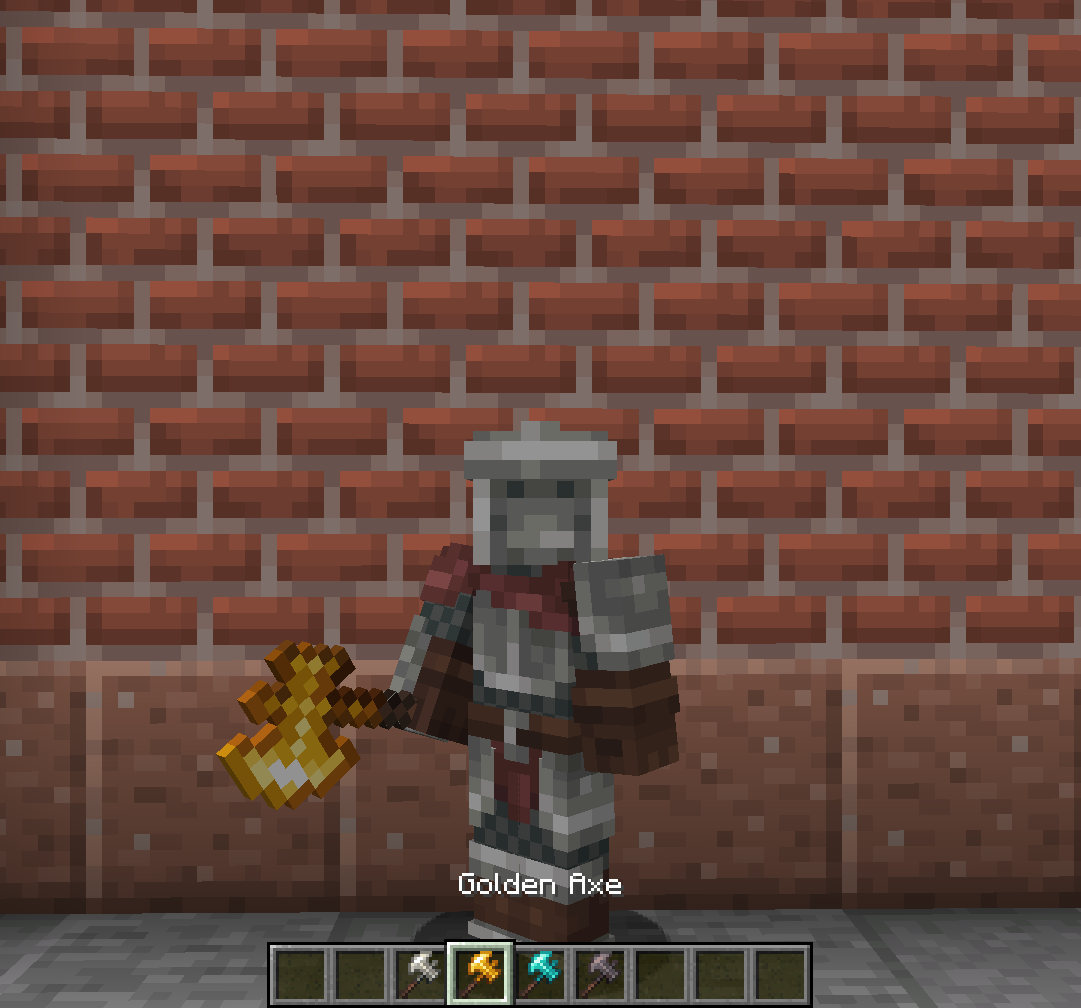
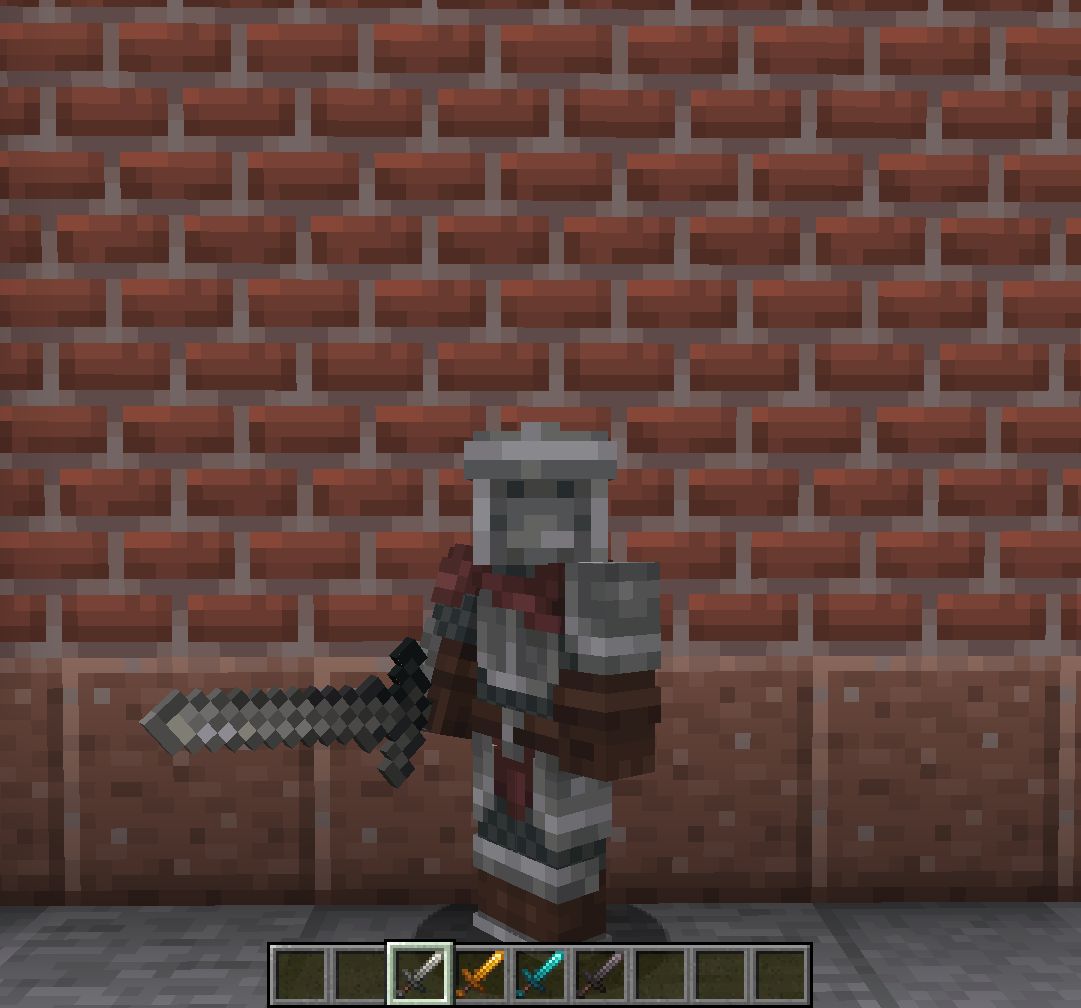
Greatly expands the user's armory by providing new weapon, tool and armor skins for your favorite items.
Screenshots
About this Mod
Vanity: Aesthetic Armory
An Addon which adds multiple new shapes for your tools, following each tool tier.
By adding multiple tool skins unlocked by default, and three Designs that can be bought from Villagers, this Mod will allow your arsenal to be the most diverse and personalized it's ever been!
This pack's tool colors are from my resource pack, Farcr's Re-Crafted. If you like the look of these weapons, be sure to download that pack too!
The three Designs, which can all be bought from Villagers, are:
Blacksmithing Design
A Design for your classic, heavy war weapons, allowing you to turn your tools into:
- Claymore
- Battle Axe
- War Axe
Fine Swordsmithing Design
A Design for your fine Katanas, Tachis and similar weaponry, allowing you to turn your tools into:
- Katana
- Nodachi
- Wakizashi
Polearm Design
A Design for your Polearms, for those who'd rather keep a distance and use practical and elegant weaponry, allowing you to turn your tools into:
- Halberd
- Flamberge
Default Design
Alongside the aforementioned Designs, some item skins will be unlocked by default, without requiring the use of a Design:
- Longsword
- Shortsword
- Dagger
- Hunter Axe
Fan of my work? Join My Discord, to keep up with new project, project updates, or simply talk with a small, homely community
Available Versions
How to Install Vanity: Aesthetic Armory on Your Server
Order Server
Order a Minecraft Java server with at least 3 GB RAM (4 GB recommended).
Set fabric Loader
In the panel under "Egg", select the fabric loader and matching Minecraft version (1.21.3).
Install Mod
Open the mod browser in the dashboard and search for "Vanity: Aesthetic Armory". Click "Install" – done! Alternatively, upload the .jar via SFTP to the /mods folder.
Compatibility
Mod Loaders
Minecraft Versions
1.21.3, 1.21.2, 1.21.1 (+7 more)
Server-side
✓ RequiredRecommended RAM
4 GB(min. 3 GB)Frequently Asked Questions
Vanity: Aesthetic Armory server crashes on startup – what to do?
Most common cause: wrong fabric version or insufficient RAM. Check the server log (latest.log) for "OutOfMemoryError" or "Mixin" errors. With Mado Hosting: ensure at least 3 GB RAM is allocated and the loader matches the mod version (1.21.3). You can switch loaders with one click in the panel.
Is Vanity: Aesthetic Armory compatible with fabric and forge and neoforge?
Vanity: Aesthetic Armory officially supports fabric, forge, neoforge for Minecraft 1.21.3, 1.21.2, 1.21.1. Note: Forge and Fabric mods are NOT cross-compatible – pick one loader and stick with it. The Mado dashboard automatically detects incompatible loader combinations.
Server lagging with Vanity: Aesthetic Armory – how to optimize performance?
Recommended RAM: 4 GB (per 8 players). Use /spark profiler to check if Vanity: Aesthetic Armory consumes the most tick time. Common fixes: reduce server view-distance to 8-10, install "performant" or "starlight" as supplementary mods on Forge. With Mado Hosting, your server runs on NVMe SSDs with dedicated CPU cores for minimal latency.
Similar Mods

![[ETF] Entity Texture Features](https://cdn.modrinth.com/data/BVzZfTc1/af683d206d50b05258d865b0d6e4aa2f2cee12f2_96.webp)
![[EMF] Entity Model Features](https://cdn.modrinth.com/data/4I1XuqiY/6e5bbd0d06b1741bfdab6c0cfab6de8fdaf0064c_96.webp)



Rent Modded Server
Install Vanity: Aesthetic Armory with just one click on your server.