
Variante
Filter your Minecraft inventory to a specific version. Only the blocks that existed back then, nothing more.
About this Mod
Variante
An inventory out of time.
Variante filters your creative inventory to show only blocks that existed in a specific Minecraft version, keeping your palette historically accurate whether you're recreating a 1.8 build or staying faithful to the era you fell in love with.
Why Variante?
Modern Minecraft is overflowing with blocks. That's great, until you're trying to build in the style of an older version and find yourself second-guessing every placement. Did copper exist back then? What about deepslate? Mangrove?
Variante does the remembering for you. Pick a version, and your inventory snaps back in time.
Features
- 🧱 +1000 block entries indexed from version 1.8 all the way to 1.21.11
- ⚙️ Clean config screen, pick your target version in seconds
- 💻 Client-side only, no server install, works in any world
- 🎨 Built for builders: terraformers, organic builders, period-accurate recreations
Gallery
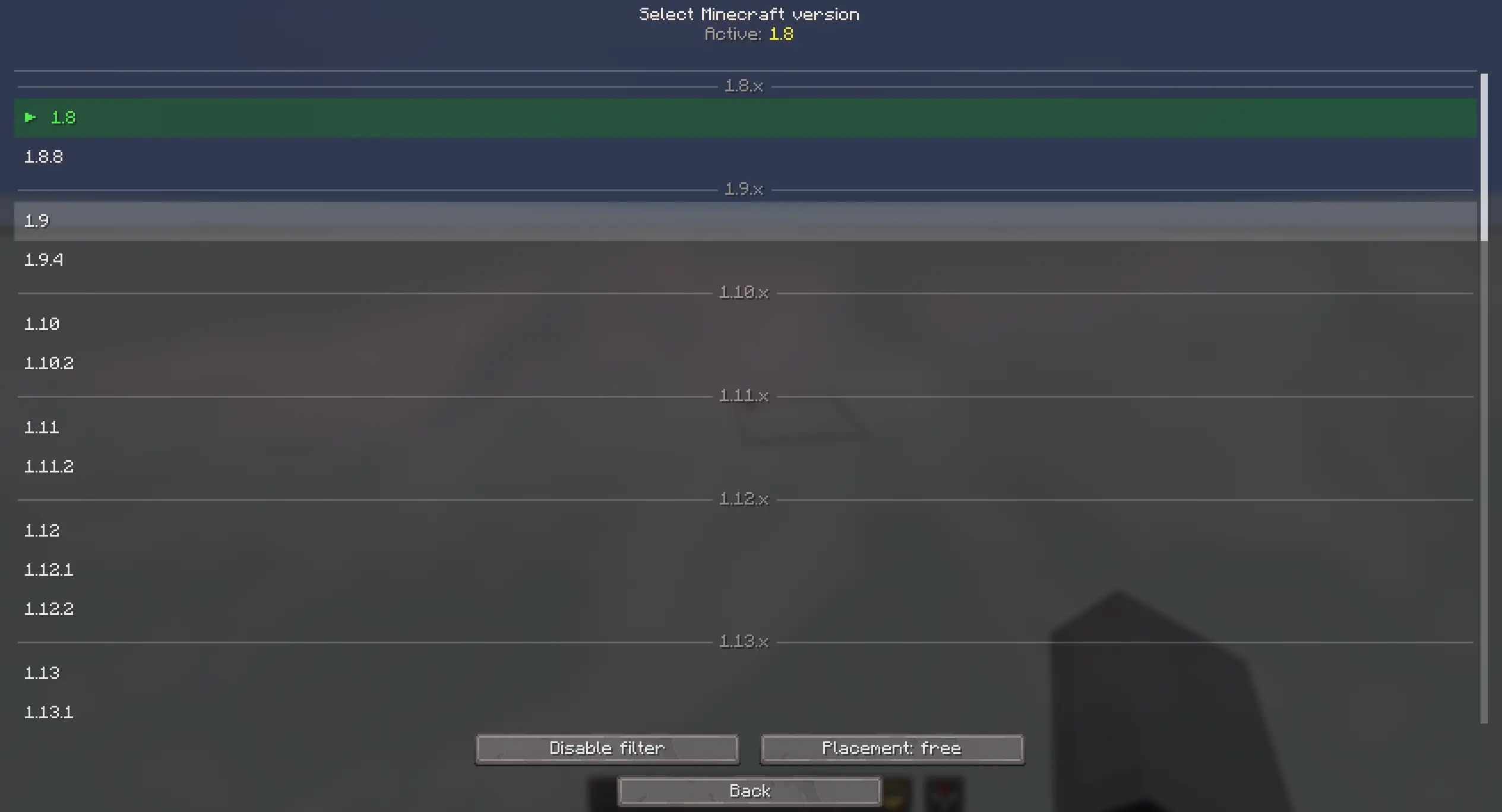
Pick your target version from a clean, native-style config screen.

Your creative inventory, trimmed to a specific era.

Bind the version picker and filter toggle to whatever fits your workflow.
Controls
Two keybinds, fully rebindable from Minecraft's standard controls menu:
- Open Version Picker: jump straight to the version selector without opening the config screen
- Toggle Version Filter: switch the filter on and off instantly, useful for quickly comparing eras or grabbing a modern block when you need one
Every toggle and version change is confirmed with a clean status message, so you never have to guess whether the filter is on, off, or set to a different version than you remember.
Who is this for?
- Builders chasing a specific aesthetic from a past version (or constraints!)
- Terraformers and organic makers who want a focused palette without modern noise
- Content creators recreating historical builds or "what if" scenarios
- Purists who think the inventory peaked in 1.12.2 xD
Compatibility
- Minecraft 1.21.11 (Java Edition)
- Fabric loader
- Client-side, no server install required
Available Versions
How to Install Variante on Your Server
Order Server
Order a Minecraft Java server with at least 3 GB RAM (4 GB recommended).
Set fabric Loader
In the panel under "Egg", select the fabric loader and matching Minecraft version (26.1.2).
Install Mod
Open the mod browser in the dashboard and search for "Variante". Click "Install" – done! Alternatively, upload the .jar via SFTP to the /mods folder.
Compatibility
Mod Loaders
Minecraft Versions
26.1.2, 26.1.1, 26.1 (+15 more)
Server-side
✗ UnsupportedRecommended RAM
4 GB(min. 3 GB)Frequently Asked Questions
Variante server crashes on startup – what to do?
Most common cause: wrong fabric version or insufficient RAM. Check the server log (latest.log) for "OutOfMemoryError" or "Mixin" errors. With Mado Hosting: ensure at least 3 GB RAM is allocated and the loader matches the mod version (26.1.2). You can switch loaders with one click in the panel.
Is Variante compatible with fabric?
Variante officially supports fabric for Minecraft 26.1.2, 26.1.1, 26.1. The Mado dashboard automatically detects incompatible loader combinations.
Server lagging with Variante – how to optimize performance?
Recommended RAM: 4 GB (per 8 players). Use /spark profiler to check if Variante consumes the most tick time. Common fixes: reduce server view-distance to 8-10, install "performant" or "starlight" as supplementary mods on Forge. With Mado Hosting, your server runs on NVMe SSDs with dedicated CPU cores for minimal latency.
Similar Mods




![[ETF] Entity Texture Features](https://cdn.modrinth.com/data/BVzZfTc1/af683d206d50b05258d865b0d6e4aa2f2cee12f2_96.webp)

Rent Modded Server
Install Variante with just one click on your server.