
VanillaBlockEnhancements
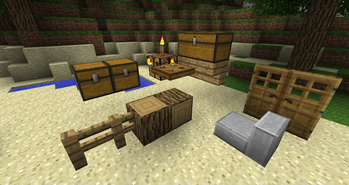
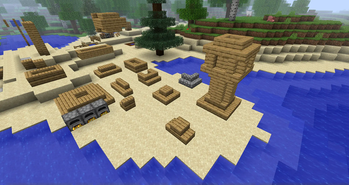
This mod changes behaviour for many vanilla blocks (like stairs and slabs) and fixes several bugs related to them.
Screenshots
About this Mod
This mod changes behaviour for many vanilla blocks (like stairs and slabs) and fixes several bugs related to them.
Versions before 0.2.10 of the mod are potentially not compatible with old saves (that have chests, doors and other blocks changed by that mod)! Please make a backup or start a new world
Mod is not safe to remove from midgame!
Block Behaviour Changes:
- Intractable blocks: placing blocks with shift click will not open GUI or trigger them, digging will not activate them
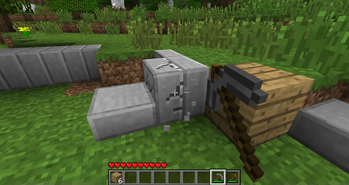
- Workbenches: don't drop items when you close them and put them into your inventory instead
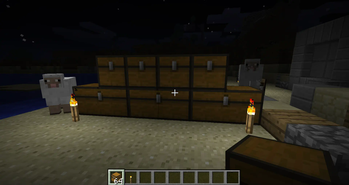
- Chests: use player direction instead of wall check, can be placed near each other
- Doors: no open/close issues, double doors will open at once, tag for doors that require redstone (
requires_power) - Trapdoors: no open/close issues, not require handle block, can be place on top and bottom, tag for trapdoors that require redstone (
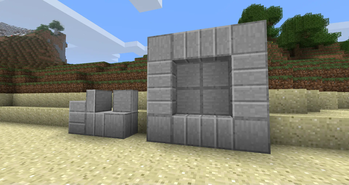
requires_power) - Slabs: can be placed vertically, full slabs have directions, full slabs will break by parts, will be crafted 6 instead of 3
- Pumpkins and Jack o' Lanterns: don't require block below them
- Fences: can connect to solid blocks and blocks with
fence_connecttag, have better collisions and selections - Water: fixed bug when water was not created between two blocks if block below was water
- Lava: in the Nether 4 blocks of lava can produce one new between them, similar to 2 blocks of water
- Stairs: can be placed vertically and upside-down, will be crafted 6 instead of 4
- Logs: can be placed directionally
- Leaves: player placed leaves don't decay, natural leaves decay faster, all leaves have
leavestag, all logs withlogstag can support leaves, less transparent leaves - Beds: monsters will not spawn near you randomly during night
- Farmland: not breaking on entity walking
- Block Items: no upscaling for not full blocks
Tools are now effective on some vanilla blocks (that was breaking slowly) and on all new blocks
Available Versions
How to Install VanillaBlockEnhancements on Your Server
Order Server
Order a Minecraft Java server with at least 3 GB RAM (4 GB recommended).
Set babric Loader
In the panel under "Egg", select the babric loader and matching Minecraft version (b1.7.3).
Install Mod
Open the mod browser in the dashboard and search for "VanillaBlockEnhancements". Click "Install" – done! Alternatively, upload the .jar via SFTP to the /mods folder.
Compatibility
Mod Loaders
Minecraft Versions
b1.7.3
Server-side
✓ RequiredRecommended RAM
4 GB(min. 3 GB)Frequently Asked Questions
VanillaBlockEnhancements server crashes on startup – what to do?
Most common cause: wrong babric version or insufficient RAM. Check the server log (latest.log) for "OutOfMemoryError" or "Mixin" errors. With Mado Hosting: ensure at least 3 GB RAM is allocated and the loader matches the mod version (b1.7.3). You can switch loaders with one click in the panel.
Is VanillaBlockEnhancements compatible with babric and fabric?
VanillaBlockEnhancements officially supports babric, fabric for Minecraft b1.7.3. The Mado dashboard automatically detects incompatible loader combinations.
Server lagging with VanillaBlockEnhancements – how to optimize performance?
Recommended RAM: 4 GB (per 8 players). Use /spark profiler to check if VanillaBlockEnhancements consumes the most tick time. Common fixes: reduce server view-distance to 8-10, install "performant" or "starlight" as supplementary mods on Forge. With Mado Hosting, your server runs on NVMe SSDs with dedicated CPU cores for minimal latency.
Similar Mods




Rent Modded Server
Install VanillaBlockEnhancements with just one click on your server.