
VexClock
A lightweight client-side HUD mod for Minecraft Fabric 1.21.11 that displays the current world time.
Screenshots
About this Mod
VexClock
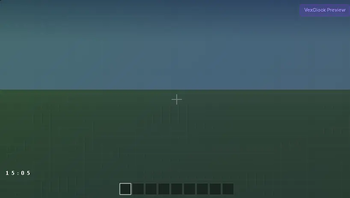
VexClock is a lightweight Fabric HUD mod that displays the current Minecraft world time directly on your screen.
Designed with a clean and minimal style, the clock shows only the information you need without backgrounds, borders, or unnecessary interface elements.
Features
- Lightweight client-side HUD
- Displays the current in-game time
- Clean and minimal design
- Fully transparent background
- Movable HUD
- Automatic settings saving
- Optimized for maximum performance
Customization
Customize the clock to match your preferences:
- Toggle the HUD on or off
- Switch between 24-hour and 12-hour formats
- Show or hide the day/night icon
- Enable or disable text shadow
- Change the text color
- Move the clock anywhere on the screen
All settings are saved automatically.
Default Hotkeys
O — Toggle the clock
P — Open the position editor
The position editor lets you drag the clock anywhere on your screen while keeping the game world visible through a fully transparent background.
Performance
VexClock is designed to have virtually no impact on game performance.
Performance optimizations include:
- Zero object allocations during rendering
- Cached time strings that update only when the displayed minute changes
- Automatic rendering pause when the HUD is hidden
- Automatic rendering pause while the F3 debug screen is open
Compatibility
- Minecraft 1.21.11
- Fabric Loader
- Client-side
- Singleplayer
- Multiplayer
Requirements
- Fabric API
No additional libraries or configuration mods are required.
Author
Focus
Version
1.0.0
Available Versions
How to Install VexClock on Your Server
Order Server
Order a Minecraft Java server with at least 3 GB RAM (4 GB recommended).
Set fabric Loader
In the panel under "Egg", select the fabric loader and matching Minecraft version (1.21.11).
Install Mod
Open the mod browser in the dashboard and search for "VexClock". Click "Install" – done! Alternatively, upload the .jar via SFTP to the /mods folder.
Compatibility
Mod Loaders
Minecraft Versions
1.21.11
Server-side
✗ UnsupportedRecommended RAM
4 GB(min. 3 GB)Frequently Asked Questions
VexClock server crashes on startup – what to do?
Most common cause: wrong fabric version or insufficient RAM. Check the server log (latest.log) for "OutOfMemoryError" or "Mixin" errors. With Mado Hosting: ensure at least 3 GB RAM is allocated and the loader matches the mod version (1.21.11). You can switch loaders with one click in the panel.
Is VexClock compatible with fabric?
VexClock officially supports fabric for Minecraft 1.21.11. The Mado dashboard automatically detects incompatible loader combinations.
Server lagging with VexClock – how to optimize performance?
Recommended RAM: 4 GB (per 8 players). Use /spark profiler to check if VexClock consumes the most tick time. Common fixes: reduce server view-distance to 8-10, install "performant" or "starlight" as supplementary mods on Forge. With Mado Hosting, your server runs on NVMe SSDs with dedicated CPU cores for minimal latency.
Similar Mods




Rent Modded Server
Install VexClock with just one click on your server.