
Vic's Point Blank HMI Compat
Seamlessly use Vic's Point Blank and HMI together, alongside any HMI compatible resourcepack.
Screenshots
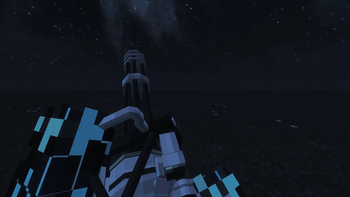
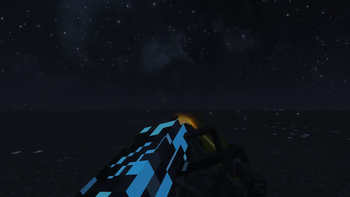
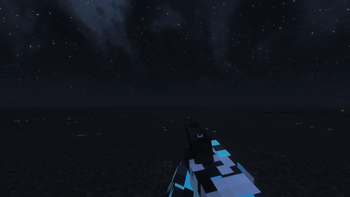
About this Mod
Point Blank HMI Compat
Help me out at https://ko-fi.com/swiyss
Client-side compatibility mod for Minecraft Fabric 1.21.11.
Problem
Good Craft 0.4.1 combines Vic's Point Blank 2.0.1, the Blue Archive Point Blank content pack, Hold My Items 5.1.1, and HMI-oriented resourcepacks. The first compatibility build only cancelled HMI Lua/model scripts for pointblank:*, but an in-game test showed no visible improvement.
HMI's first-person renderer redirect replaces the renderArmWithItem path that Point Blank hooks for its gun animations. HMI action-pose resourcepacks can also force an extra first-person hand pass while the gun is in the main hand.
What This Version Fixes
- Fixed first-person HMI action-pose conflicts while holding Vic's Point Blank guns in the main hand.
- VPB gun animations now take priority over HMI sneaking, swimming, climbing, and flying hand poses.
- Prevents duplicated first-person hands while preserving aiming, shooting, and reloading.
- Bypasses HMI's first-person render redirect for allowlisted items, defaulting to
pointblank:*. - Suppresses HMI first-person action-pose rendering and HMI Lua/model scripts while a first-person player holds an allowlisted gun in the main hand.
- Keeps offhand-only VPB behavior and non-VPB HMI item behavior intact.
- Keeps optional debug diagnostics available through config.
It does not alter weapon mechanics, damage, fire/reload logic, recoil state, ammo, input, collision, or server-side behavior.
Tested Versions
- Minecraft 1.21.11
- Fabric Loader 0.19.2
- Fabric API 0.141.4+1.21.11
- Point Blank
pointblank-fabric-1.21.11-2.0.1.jar - Hold My Items
HMI 5.1.1 (1.21.11).jar - Blue Archive content pack
bluearchive-ext v0.6.zip
Status
Version 0.3.0 has been validated in GoodCraft. Main-hand Point Blank guns no longer show duplicate HMI/action hands during sneaking, swimming, ladder climbing, flying, or gliding, and VPB aiming, shooting, and reloading remain intact.
Install
Put build/libs/vpb-hmi-compat-0.3.0.jar into the client/modpack mods folder.
The mod is client-only. It is safe for singleplayer or multiplayer clients and is not required on a server.
Config
On first client launch, the mod creates:
config/vpb_hmi_compat.json
Default config:
{
  "debugLogging": false,
  "heldItemLogging": false,
  "mixinLogging": false,
  "bypassHmiFirstPersonRenderRedirect": true,
  "suppressHmiFirstPersonActionPoses": true,
  "bypassHmiLuaScripts": true,
  "bypassHmiModelScripts": true,
  "logIntervalTicks": 40,
  "bypassNamespaces": ["pointblank"],
  "bypassItemIds": []
}
To test a specific item id, add it to bypassItemIds, for example "pointblank:ba_ariusar". To collect diagnostics, temporarily set debugLogging, heldItemLogging, and mixinLogging to true.
How To Collect Logs
After launching the modpack and equipping a Point Blank or Blue Archive gun, enable debug logging if needed and check logs/latest.log for [VPB-HMI].
High-signal lines:
Point Blank HMI Compat initialized on client.HMI present: true; Point Blank present: trueMixin applied: mixin=com.joao2.vpbhmicompat.mixin.ItemInHandRendererHmiBypassMixinMinecraftHeldItemDebugMixin reached Minecraft.tick()Held item changed hand=main_hand item=pointblank:... bypass=true reason=namespace_allowlistedBypassing HMI first-person render redirect for item=pointblank:...Suppressing HMI first-person action pose source=... mainHandItem=pointblank:...Bypassing HMI Lua scripts for item=pointblank:...Bypassing HMI model scripts for item=pointblank:...
If the gun logs as minecraft:... or another namespace, add the exact id to bypassItemIds and include the component patch in the bug report.
Build
.\gradlew.bat clean build
Notes
- This mod targets HMI first-person visual conflicts only.
- Fresh Animations, EMF, and ETF are not patched here.
Acknowledgement
This compatibility mod was developed by Swiyss and elizinro.
Available Versions
How to Install Vic's Point Blank HMI Compat on Your Server
Order Server
Order a Minecraft Java server with at least 3 GB RAM (4 GB recommended).
Set fabric Loader
In the panel under "Egg", select the fabric loader and matching Minecraft version (1.21.11).
Install Mod
Open the mod browser in the dashboard and search for "Vic's Point Blank HMI Compat". Click "Install" – done! Alternatively, upload the .jar via SFTP to the /mods folder.
Compatibility
Mod Loaders
Minecraft Versions
1.21.11
Server-side
✗ UnsupportedRecommended RAM
4 GB(min. 3 GB)Frequently Asked Questions
Vic's Point Blank HMI Compat server crashes on startup – what to do?
Most common cause: wrong fabric version or insufficient RAM. Check the server log (latest.log) for "OutOfMemoryError" or "Mixin" errors. With Mado Hosting: ensure at least 3 GB RAM is allocated and the loader matches the mod version (1.21.11). You can switch loaders with one click in the panel.
Is Vic's Point Blank HMI Compat compatible with fabric?
Vic's Point Blank HMI Compat officially supports fabric for Minecraft 1.21.11. The Mado dashboard automatically detects incompatible loader combinations.
Server lagging with Vic's Point Blank HMI Compat – how to optimize performance?
Recommended RAM: 4 GB (per 8 players). Use /spark profiler to check if Vic's Point Blank HMI Compat consumes the most tick time. Common fixes: reduce server view-distance to 8-10, install "performant" or "starlight" as supplementary mods on Forge. With Mado Hosting, your server runs on NVMe SSDs with dedicated CPU cores for minimal latency.
Similar Mods




Rent Modded Server
Install Vic's Point Blank HMI Compat with just one click on your server.