
VIllage Utilties
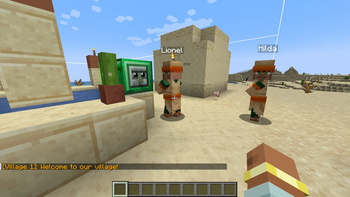
Village Utilities adds village and villager management tools to help you understand and maintain your villages without guesswork. Inspect village health, see how many beds are in your village, and the number of job sites that you have.
Screenshots
About this Mod
Adds village and villager management tools to help you understand and maintain your villages without guesswork. Inspect village health at a glance, view individual villager stats, and let the mod handle small quality-of-life fixes that vanilla leaves broken.
**Getting Started
**
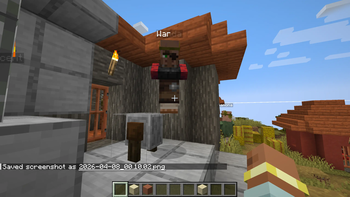
Village menus — Shift + Right Click a villager or village block to open village management screens
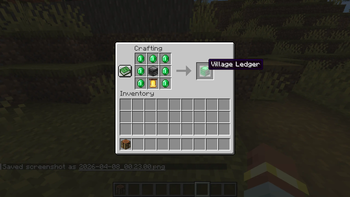
Village overview — Right click a Village Ledger, or press U while inside a village, to view village-wide information
**Village Information
**When inspecting a village, you can view at a glance:
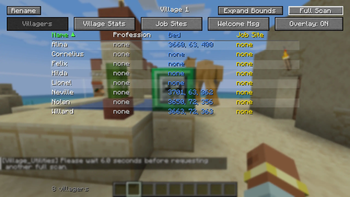
Total villager count
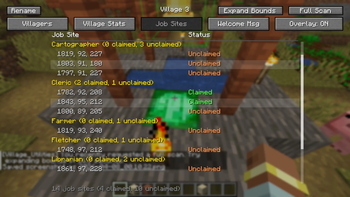
Number of available job sites
Beds and their occupancy status
This makes managing and expanding villages significantly more intuitive, especially in survival worlds where village health can be difficult to assess.
**Villager Information
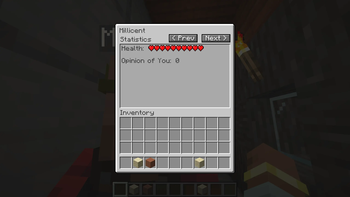
**Individual villagers now display:
Current health
Inventory contents
Their reputation/opinion of the player
No more guessing why a villager won't trade with you or wondering if they're about to die.
**Village Quality of Life
**Several small improvements are made to village environments:
Water containment — Prevents water from flowing out of village farms, keeping them functional without player intervention
Door clearing — Removes obstructions in front of doors to improve villager pathing
Farmland repair (disabled by default) — Optionally allows farmer villagers to replace trampled farmland on their own
**Compatibility
**
Requires NeoForge for Minecraft 1.21.1
Untested on dedicated servers — use in that environment at your own discretion
Available Versions
How to Install VIllage Utilties on Your Server
Order Server
Order a Minecraft Java server with at least 3 GB RAM (4 GB recommended).
Set neoforge Loader
In the panel under "Egg", select the neoforge loader and matching Minecraft version (1.21.1).
Install Mod
Open the mod browser in the dashboard and search for "VIllage Utilties". Click "Install" – done! Alternatively, upload the .jar via SFTP to the /mods folder.
Compatibility
Mod Loaders
Minecraft Versions
1.21.1
Server-side
✓ RequiredRecommended RAM
4 GB(min. 3 GB)Frequently Asked Questions
VIllage Utilties server crashes on startup – what to do?
Most common cause: wrong neoforge version or insufficient RAM. Check the server log (latest.log) for "OutOfMemoryError" or "Mixin" errors. With Mado Hosting: ensure at least 3 GB RAM is allocated and the loader matches the mod version (1.21.1). You can switch loaders with one click in the panel.
Is VIllage Utilties compatible with neoforge?
VIllage Utilties officially supports neoforge for Minecraft 1.21.1. The Mado dashboard automatically detects incompatible loader combinations.
Server lagging with VIllage Utilties – how to optimize performance?
Recommended RAM: 4 GB (per 8 players). Use /spark profiler to check if VIllage Utilties consumes the most tick time. Common fixes: reduce server view-distance to 8-10, install "performant" or "starlight" as supplementary mods on Forge. With Mado Hosting, your server runs on NVMe SSDs with dedicated CPU cores for minimal latency.
Similar Mods




![[ETF] Entity Texture Features](https://cdn.modrinth.com/data/BVzZfTc1/af683d206d50b05258d865b0d6e4aa2f2cee12f2_96.webp)
![[EMF] Entity Model Features](https://cdn.modrinth.com/data/4I1XuqiY/6e5bbd0d06b1741bfdab6c0cfab6de8fdaf0064c_96.webp)
Rent Modded Server
Install VIllage Utilties with just one click on your server.