
Village Wall Generator
Helps you create tons of walls for your village, with amazing gradients
Screenshots
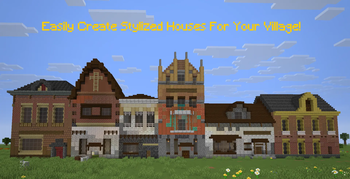
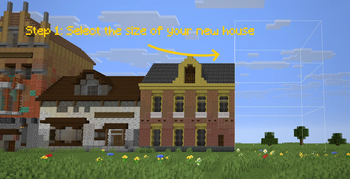
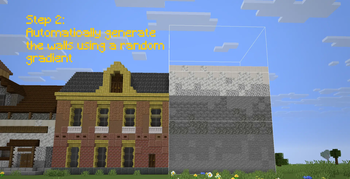
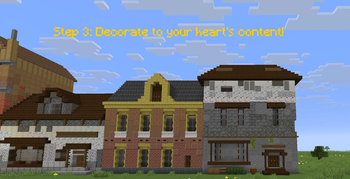
About this Mod
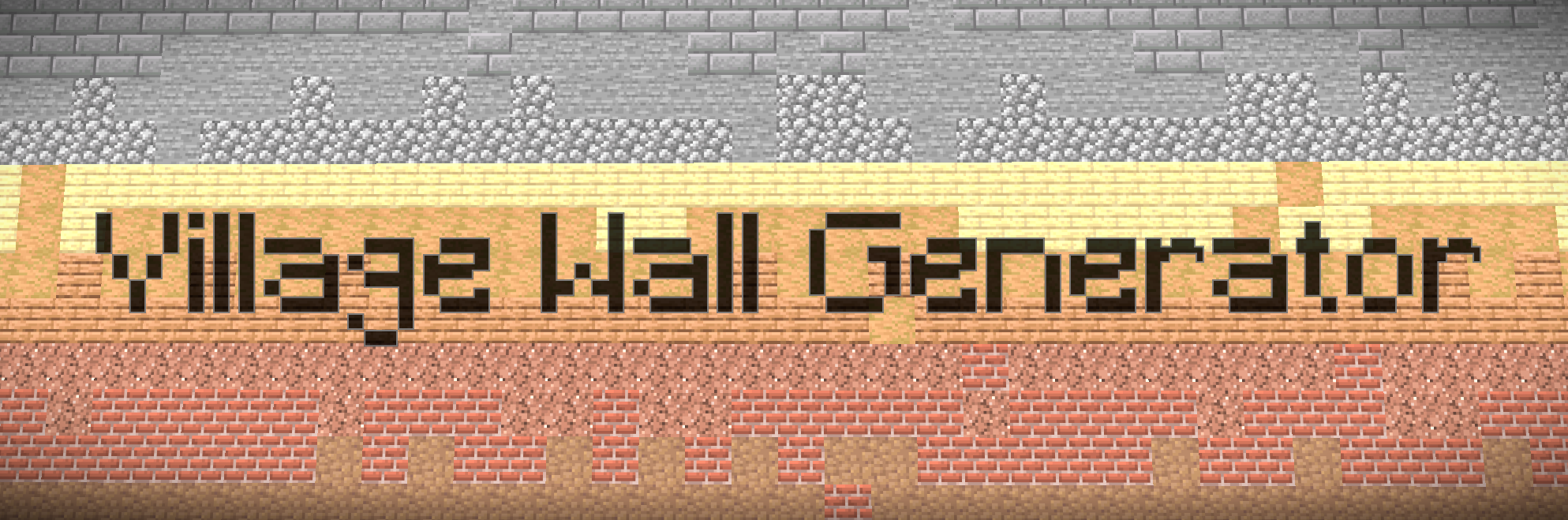
Village Wall Generator 🏘️
Village Wall Generator was created to help me with my Dutch 18th century styled village. Village Wall Generator speeds up the creation of the walls, by randomly selecting one of the palettes of blocks with a nice gradient. This way you can make a more uniform village with a lot of unique houses.
✨ Features
- Procedural Generation: Create structures with natural-looking texture gradients using Perlin-like noise logic. No more manually placing blocks to try and make gradients look natural!
- Dynamic Palettes: Automatically selects and mixes blocks from a customizable list of coordinated materials.
- Interactive Configuration: A dedicated in-game UI to fine-tune every aspect of your generation.
- Visual Preview: See exactly where and how your structure will generate with a ghost-block outline before committing to the placement.
- Range Randomization: Set min/max bounds for heights and layers to create varied, organic-looking architecture.
- Undo System: Easily revert the last generation if it doesn't meet your expectations.
🛠️ How to Use
- Open the Config Menu: Press Ctrl + V to bring up the Village Builder interface.
- Configure your Structure:
- Adjust Layers (depth of the wall), Height, Width, and Length.
- Tinker with Offsets to change where the structure spawns relative to your cursor.
- Toggle between fixed values or randomized Ranges to make your walls look beautifully irregular.
- Preview & Position: Toggle the "Preview" button in the menu. A ghostly outline will appear. Use Ctrl + O to lock the preview in place while you walk around and inspect it!
- Generate: Happy with the preview? Press Ctrl + P to instantly build the structure!
- Undo: Make a mistake? Simply press Ctrl + U to undo the placement.
⌨️ Controls
The mod uses Ctrl modifiers by default to avoid conflicts with your standard Minecraft keybinds:
Keybind Action
V Open Config Menu - Adjust layers, height, width, and offsets.
P Generate - Place the structure based on current settings.
O Lock/Unlock Preview - Lock the preview to a specific block location.
U Undo - Revert the most recent generation.
🎨 Customizing Palettes
Village Wall Generator uses a palettes.csv file located in the root of your Minecraft folder to know which blocks to use.
Each line in the file represents a unique "palette".
Blocks are listed as comma-separated values (e.g., spruce_log, mangrove_log, acacia_log).
The mod randomly selects a palette for each generation and creates a smooth gradient between the chosen blocks.
Available Versions
How to Install Village Wall Generator on Your Server
Order Server
Order a Minecraft Java server with at least 3 GB RAM (4 GB recommended).
Set fabric Loader
In the panel under "Egg", select the fabric loader and matching Minecraft version (1.21.11).
Install Mod
Open the mod browser in the dashboard and search for "Village Wall Generator". Click "Install" – done! Alternatively, upload the .jar via SFTP to the /mods folder.
Compatibility
Mod Loaders
Minecraft Versions
1.21.11
Server-side
✓ RequiredRecommended RAM
4 GB(min. 3 GB)Frequently Asked Questions
Village Wall Generator server crashes on startup – what to do?
Most common cause: wrong fabric version or insufficient RAM. Check the server log (latest.log) for "OutOfMemoryError" or "Mixin" errors. With Mado Hosting: ensure at least 3 GB RAM is allocated and the loader matches the mod version (1.21.11). You can switch loaders with one click in the panel.
Is Village Wall Generator compatible with fabric?
Village Wall Generator officially supports fabric for Minecraft 1.21.11. The Mado dashboard automatically detects incompatible loader combinations.
Server lagging with Village Wall Generator – how to optimize performance?
Recommended RAM: 4 GB (per 8 players). Use /spark profiler to check if Village Wall Generator consumes the most tick time. Common fixes: reduce server view-distance to 8-10, install "performant" or "starlight" as supplementary mods on Forge. With Mado Hosting, your server runs on NVMe SSDs with dedicated CPU cores for minimal latency.
Similar Mods

![[ETF] Entity Texture Features](https://cdn.modrinth.com/data/BVzZfTc1/af683d206d50b05258d865b0d6e4aa2f2cee12f2_96.webp)
![[EMF] Entity Model Features](https://cdn.modrinth.com/data/4I1XuqiY/6e5bbd0d06b1741bfdab6c0cfab6de8fdaf0064c_96.webp)



Rent Modded Server
Install Village Wall Generator with just one click on your server.