
Villager Reroller
Breaks and replaces lectern blocks to find any book you desire!
Screenshots
About this Mod
Villager Trade Roller
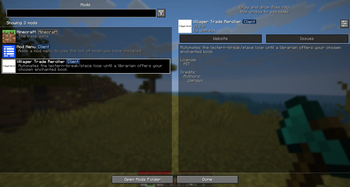
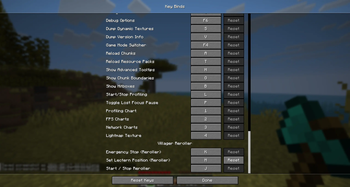
Villager Trade Roller automates the tedious process of rerolling villager librarian trades, allowing you to quickly search for the exact enchanted books and prices you want without repeatedly breaking and replacing lecterns manually.
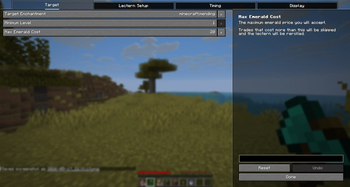
The mod automatically cycles villager trades and can stop once a matching enchantment or price requirement is found, making villager trading far less time-consuming and frustrating.
Features
- Automatically rerolls librarian trades
- Search for specific enchanted books
- Optional price filtering
- Fast trade cycling
- Simple and lightweight
- Designed for survival-friendly villager setups
- Client-side automation focused on convenience
- Settings in the mod "Mod Menu" Necessary mod!
Why Use This Mod?
Finding good librarian trades in vanilla Minecraft can take hundreds of lectern resets and a large amount of time. This mod removes the repetitive part of the process while still preserving normal villager mechanics.
Perfect for:
- Survival players
- Technical Minecraft players
- SMP servers
- Enchantment-focused progression
- Players who dislike repetitive villager grinding
Compatibility
- Minecraft Java Edition 26.1.2
Notes
This mod does not add new enchantments or modify villager trade balance. It simply automates the existing rerolling process already present in vanilla Minecraft.
Available Versions
How to Install Villager Reroller on Your Server
Order Server
Order a Minecraft Java server with at least 3 GB RAM (4 GB recommended).
Set fabric Loader
In the panel under "Egg", select the fabric loader and matching Minecraft version (26.1.2).
Install Mod
Open the mod browser in the dashboard and search for "Villager Reroller". Click "Install" – done! Alternatively, upload the .jar via SFTP to the /mods folder.
Compatibility
Mod Loaders
Minecraft Versions
26.1.2
Server-side
✗ UnsupportedRecommended RAM
4 GB(min. 3 GB)Frequently Asked Questions
Villager Reroller server crashes on startup – what to do?
Most common cause: wrong fabric version or insufficient RAM. Check the server log (latest.log) for "OutOfMemoryError" or "Mixin" errors. With Mado Hosting: ensure at least 3 GB RAM is allocated and the loader matches the mod version (26.1.2). You can switch loaders with one click in the panel.
Is Villager Reroller compatible with fabric?
Villager Reroller officially supports fabric for Minecraft 26.1.2. The Mado dashboard automatically detects incompatible loader combinations.
Server lagging with Villager Reroller – how to optimize performance?
Recommended RAM: 4 GB (per 8 players). Use /spark profiler to check if Villager Reroller consumes the most tick time. Common fixes: reduce server view-distance to 8-10, install "performant" or "starlight" as supplementary mods on Forge. With Mado Hosting, your server runs on NVMe SSDs with dedicated CPU cores for minimal latency.
Similar Mods




![[ETF] Entity Texture Features](https://cdn.modrinth.com/data/BVzZfTc1/af683d206d50b05258d865b0d6e4aa2f2cee12f2_96.webp)
![[EMF] Entity Model Features](https://cdn.modrinth.com/data/4I1XuqiY/6e5bbd0d06b1741bfdab6c0cfab6de8fdaf0064c_96.webp)
Rent Modded Server
Install Villager Reroller with just one click on your server.