
Visualize
adds a functionable canvas into minecraft
Screenshots
About this Mod
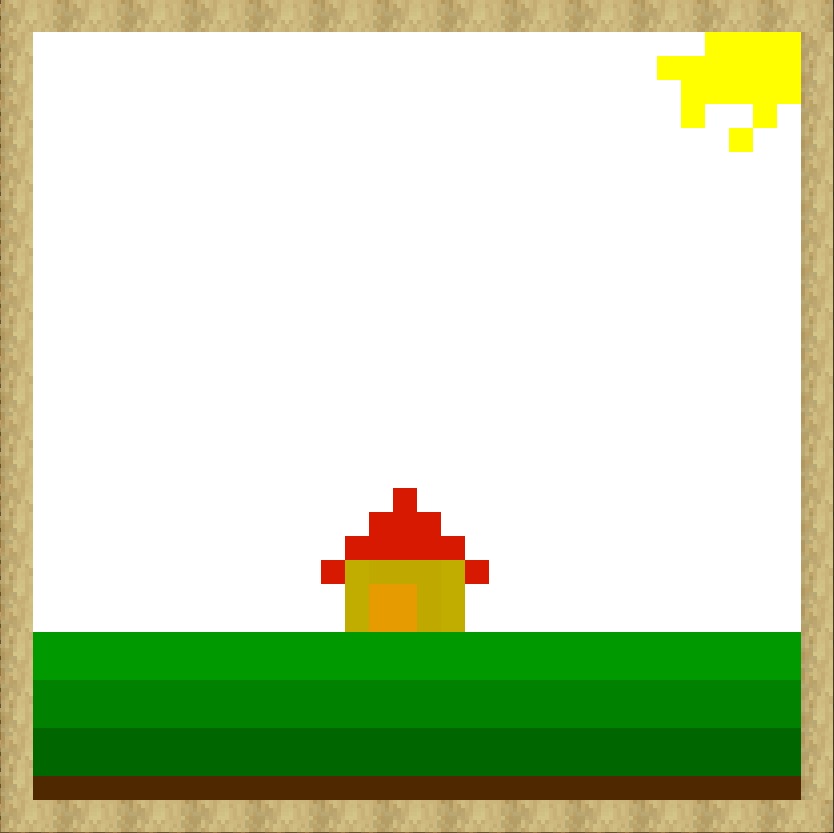
Visualize is a lightweight, client-side Forge mod for Minecraft 1.20.1 that transforms your game into a creative sanctuary. Have you ever been inspired by a build or a sunset in-game and wished you had a quick way to sketch it out? Visualize adds a fully-featured, 32x32 pixel drawing canvas directly into your
interface, accessible with a single keystroke.
Built with a focus on a "Minecraft-native" aesthetic and zero external dependencies, Visualize is the perfect companion for builders, planners, and pixel artists alike.
🚀 Core Features
🖼️ The Drawing Canvas
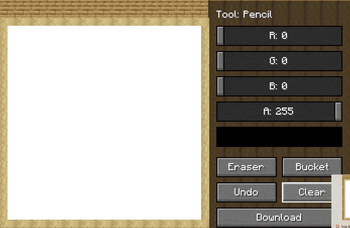
The heart of the mod is a high-quality drawing interface designed to feel right at home in the Minecraft world.
- 32x32 Resolution: A classic pixel art grid that allows for detailed sketches without being overwhelming.
- Thematic Design: The UI is beautifully framed with Stripped Birch Logs, features an Oak Plank tiled background, and houses its tools in a rugged Stripped Dark Oak control box.
- In-Game Access: Simply press the 'O' key at any time to open your canvas. Your progress is saved automatically while you play!
🛠️ Professional Drawing Tools
Visualize isn't just a simple pen tool; it’s a functional studio:
- Precision Pencil: Draw with exact pixel placement.
- Smart Bucket (Flood Fill): Fill contiguous areas of the same color instantly—perfect for coloring in complex shapes.
- Eraser: Quickly remove mistakes by "cleaning" pixels back to the original white canvas.
- Instant Clear: Start fresh with a single click.
🌈 Experimental RGBA Color System
Break free from limited color palettes! Visualize features an advanced RGBA Slider System:
- Infinite Colors: Use the Red, Green, and Blue sliders to mix any color imaginable.
- Full Transparency Support: The Alpha (A) slider allows you to draw with semi-transparent "ink," perfect for shading and glass-like effects.
- Live Preview: A dedicated "Mimic Block" in the UI shows you exactly what your color looks like before you place a single pixel.
- Workflow Integration: Clicking any slider or the preview block automatically switches your tool back to the Pencil, so you can pick a color and get right back to drawing.
⏪ Undo & Safety
Never fear a misclick again.
- Ctrl+Z Support: Fully supports standard keyboard shortcuts for Undo.
- Deep History: The mod remembers your last 50 actions, allowing you to step back through your creative process with ease.
- Undo Button: Prefer using the mouse? A dedicated GUI button handles your undos too.
💾 Studio-Grade Exporting
Share your creations with the world!
- One-Click Download: Hit the "Download" button to export your drawing as a high-quality PNG file.
- Timestamped Files: Every drawing is saved with an exact timestamp (e.g., drawing_2026-04-11_12.30.05.png) so your gallery stays organized.
- Smart Notifications: When you save, Visualize provides an in-game notification. In the chat, you'll receive a clickable link that opens the save folder instantly on your computer.
- Customizable Save Path: Want to save to a specific folder? Use the mod's config file to change the directory from the default visualize-drawings to anything you like.
⚙️ Configuration
Visualize includes a clean, easy-to-use configuration file:
- drawingSavePath: Set this to Default to use the standard folder, or provide a custom name to save your art exactly where you want it.
Available Versions
How to Install Visualize on Your Server
Order Server
Order a Minecraft Java server with at least 3 GB RAM (4 GB recommended).
Set forge Loader
In the panel under "Egg", select the forge loader and matching Minecraft version (1.20.6).
Install Mod
Open the mod browser in the dashboard and search for "Visualize". Click "Install" – done! Alternatively, upload the .jar via SFTP to the /mods folder.
Compatibility
Mod Loaders
Minecraft Versions
1.20.6, 1.20.5, 1.20.4 (+3 more)
Server-side
✗ UnsupportedRecommended RAM
4 GB(min. 3 GB)Frequently Asked Questions
Visualize server crashes on startup – what to do?
Most common cause: wrong forge version or insufficient RAM. Check the server log (latest.log) for "OutOfMemoryError" or "Mixin" errors. With Mado Hosting: ensure at least 3 GB RAM is allocated and the loader matches the mod version (1.20.6). You can switch loaders with one click in the panel.
Is Visualize compatible with forge?
Visualize officially supports forge for Minecraft 1.20.6, 1.20.5, 1.20.4. The Mado dashboard automatically detects incompatible loader combinations.
Server lagging with Visualize – how to optimize performance?
Recommended RAM: 4 GB (per 8 players). Use /spark profiler to check if Visualize consumes the most tick time. Common fixes: reduce server view-distance to 8-10, install "performant" or "starlight" as supplementary mods on Forge. With Mado Hosting, your server runs on NVMe SSDs with dedicated CPU cores for minimal latency.
Similar Mods




Rent Modded Server
Install Visualize with just one click on your server.