Vital
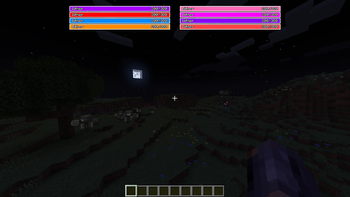
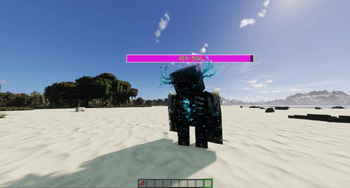
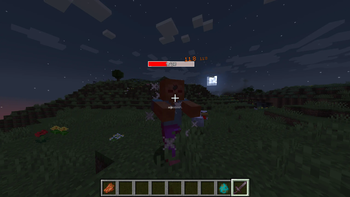
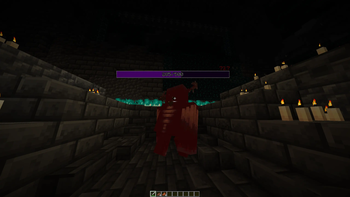
A mod which adds clean, minimal, but readable SHADER COMPATIBLE health bars to each mob in the game (optionally replacing boss bars with colour coded bars per active boss too).
Screenshots
![[FIX ON] Dark Dungeon](https://cdn.modrinth.com/data/K1uukLip/images/0cfb45f02657d101ea37ac2fbb7ed1c4b17922bd_350.webp)
About this Mod
Vital
Small, clean health bars above every mob, and unlike most health bar mods, they don't break the moment you turn on a shaderpack.
Vital stays minimal and readable while still telling you what matters in a fight: how much HP something has, how hard you're hitting it, and which enemies are the scary ones. It's client-side, so it runs fine on any server.
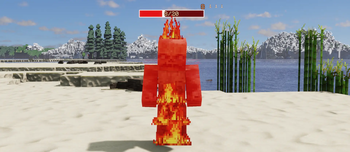
- A tidy bar above each mob showing its current and max HP
- Tougher mobs get a wider, differently coloured bar (four tiers), so a boss looks nothing like a chicken
- A white "ghost" trail shows the health a mob just lost, so you can watch your hits land
- A green trail shows the health a mob just gained/healed
- Floating damage numbers that shift from white to red the harder you hit
- Alternatively can be set to floating damage indicators with two modes (Float up vs Fling out)
- Bars show up when you hit or look at a mob, fade out with distance, and hide with F1
- They dim in the dark instead of glowing in caves
- Bars show absoprtion in gold (configurable)
Want clean boss bars too? Vital can optionally swap the vanilla boss bar for colour-coded ones, one per boss. Off by default.
Nearly everything is adjustable in-game: which mobs show bars, when they appear, the tier colours, scale, dimming, boss bars, and so on.
Works with
- Fabric, NeoForge, and Forge (1.20.1)
- Minecraft 1.20.1 and 1.21 through 1.21.11
- Client-side only.
- On Fabric, grab Fabric API and Cloth Config (plus Mod Menu for the settings button)
- On both Fabric and (Neo)Forge, grab Architectury API
Available Versions
How to Install Vital on Your Server
Order Server
Order a Minecraft Java server with at least 3 GB RAM (4 GB recommended).
Set fabric Loader
In the panel under "Egg", select the fabric loader and matching Minecraft version (1.21.11).
Install Mod
Open the mod browser in the dashboard and search for "Vital". Click "Install" – done! Alternatively, upload the .jar via SFTP to the /mods folder.
Compatibility
Mod Loaders
Minecraft Versions
1.21.11, 1.21.10, 1.21.9 (+10 more)
Server-side
✗ UnsupportedRecommended RAM
4 GB(min. 3 GB)Frequently Asked Questions
Vital server crashes on startup – what to do?
Most common cause: wrong fabric version or insufficient RAM. Check the server log (latest.log) for "OutOfMemoryError" or "Mixin" errors. With Mado Hosting: ensure at least 3 GB RAM is allocated and the loader matches the mod version (1.21.11). You can switch loaders with one click in the panel.
Is Vital compatible with fabric and forge and neoforge?
Vital officially supports fabric, forge, neoforge for Minecraft 1.21.11, 1.21.10, 1.21.9. Note: Forge and Fabric mods are NOT cross-compatible – pick one loader and stick with it. The Mado dashboard automatically detects incompatible loader combinations.
Server lagging with Vital – how to optimize performance?
Recommended RAM: 4 GB (per 8 players). Use /spark profiler to check if Vital consumes the most tick time. Common fixes: reduce server view-distance to 8-10, install "performant" or "starlight" as supplementary mods on Forge. With Mado Hosting, your server runs on NVMe SSDs with dedicated CPU cores for minimal latency.
Similar Mods




Rent Modded Server
Install Vital with just one click on your server.