
VoxEdit
Ingame World Editor
Screenshots
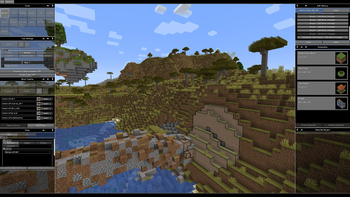
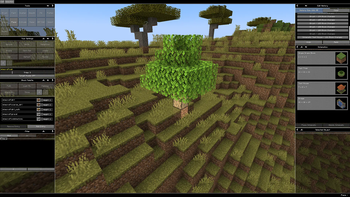
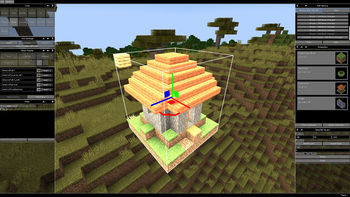
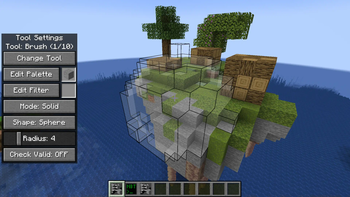
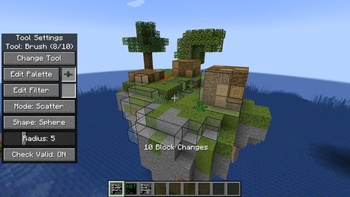
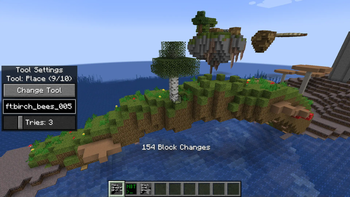
About this Mod
VoxEdit is an ingame World and NBT Editor.
Main Features
- Multiple tools to modify the world including:
- Brush: Place/Remove Blocks
- Fill: Replace connected Blocks of the same Type/matching filter
- Smooth: Smooths out edges and corners (similar to old WE erode)
- Flatten: Flattens target area by removing or adding blocks
- Blend: Randomizes adjacent blocks, usefull for creating transitions
- Place: Create any "feature" (Elements used during world generation, e.g. Trees, Cave Decoration. ...)
- 3D visualisation of tool targets
- Full GUI based tool settings
- Block Palette Editor
- Undo/Redo functionality for all modifications
- Custom no clip/no physics movement when using the editor
- Ingame NBT Editor for Entities and Blocks
See Gallery for examples. (Somewhat outdated for 0.2.0+)
Development Status
VoxEdit was mainly created for my own mapping needs due to missing alternatives for current Minecraft Versions. It is in very early development and functionalities might change drastically between versions.
The alpha release is to judge if interest for a mod like this exists.
Available Versions
How to Install VoxEdit on Your Server
Order Server
Order a Minecraft Java server with at least 3 GB RAM (4 GB recommended).
Set fabric Loader
In the panel under "Egg", select the fabric loader and matching Minecraft version (1.21.1).
Install Mod
Open the mod browser in the dashboard and search for "VoxEdit". Click "Install" – done! Alternatively, upload the .jar via SFTP to the /mods folder.
Compatibility
Mod Loaders
Minecraft Versions
1.21.1, 1.21, 1.20.3
Server-side
✓ RequiredRecommended RAM
4 GB(min. 3 GB)Frequently Asked Questions
VoxEdit server crashes on startup – what to do?
Most common cause: wrong fabric version or insufficient RAM. Check the server log (latest.log) for "OutOfMemoryError" or "Mixin" errors. With Mado Hosting: ensure at least 3 GB RAM is allocated and the loader matches the mod version (1.21.1). You can switch loaders with one click in the panel.
Is VoxEdit compatible with fabric?
VoxEdit officially supports fabric for Minecraft 1.21.1, 1.21, 1.20.3. The Mado dashboard automatically detects incompatible loader combinations.
Server lagging with VoxEdit – how to optimize performance?
Recommended RAM: 4 GB (per 8 players). Use /spark profiler to check if VoxEdit consumes the most tick time. Common fixes: reduce server view-distance to 8-10, install "performant" or "starlight" as supplementary mods on Forge. With Mado Hosting, your server runs on NVMe SSDs with dedicated CPU cores for minimal latency.
Similar Mods




Rent Modded Server
Install VoxEdit with just one click on your server.