
Wandering Trader F3
Adds information about the Wandering Trader in the F3 Screen.
Screenshots
About this Mod
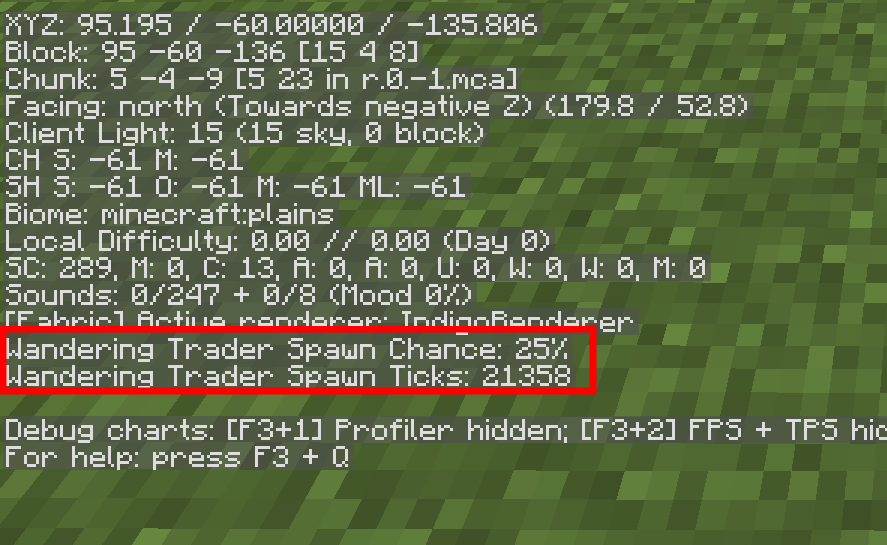
Wandering Trader F3 is a mod that like the name suggests, adds information about the wandering trader, to -you guessed it- the F3 Screen!
It adds two things:
The chance value is to show the chance for the trader to make an attempt at spawning.
Keep in mind there is a 90% chance any trader spawn attempt immediately fails. So a 25% chance is really a 2.5% chance.
The ticks value is to show how many ticks until an attempt will be made.
IMPORTANT: The ticks value may appear in the negatives, it is not a bug and will correct itself when it gets to -1200. This happens when the game saves the ticks value at 0.
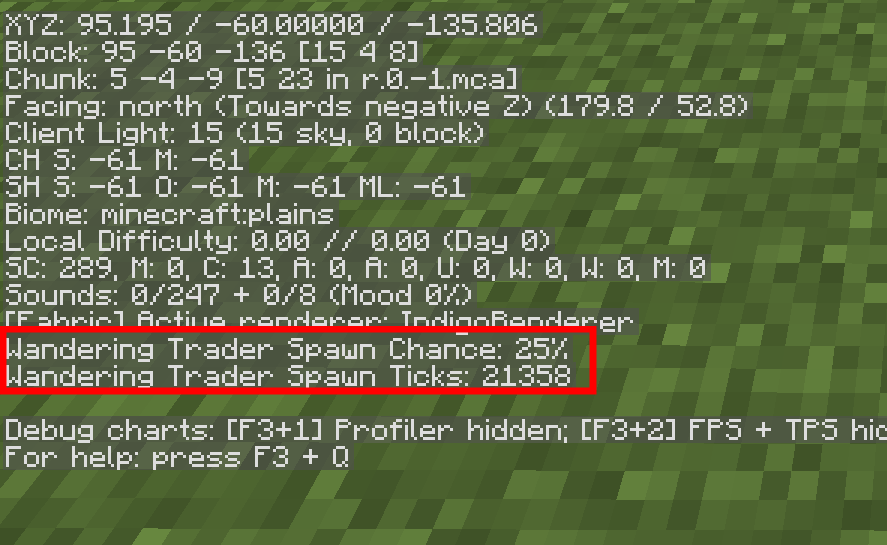
Check the Minecraft Wiki for more information on how trader spawning works, and what the values mean.
How to get the mod working on multiplayer.
Wandering traders are handled on the server, meaning that you need the mod installed on the server and your client to get it working on a server. Aside from that, everything else runs on the client.
How to get the mod working with BetterF3.
To get the mod working with BetterF3, add the category Misc Left' to whichever side you want the wandering trader information to show up on.
(If you have other mods that add to the F3 screen, then other stuff may appear.)
Don't Tell Mojang....
While I was making this mod I found a slight bug in Minecraft's code that allows you to spawn wandering traders faster, while this mod does not cause it, it shows values which makes it easier to perform, (so you could still do in in vanilla)
Boring Explanation
Essentially, the game counts down from 24000 ticks (or 20 minutes) and every 1200 ticks (1 minute) it saves the counter, checks if it is 0 or less and if it is, it makes an attempt at spawning and goes back up to 24000 ticks.The thing is, it does not save when it goes back up to 24000, so once it goes back up to 24000 if you relog, it will load at 0, then start counting down until it has counted 1200 ticks, (which is now at -1200) realize it's below 0, attempt to spawn, and go back up to 24000. If you repeat this process, the counter gets to -1200, -2400 etc, and you get wandering trader spawning attempts every minute instead of 20 minutes.
If you didn't want to read the boring explanation above, here is how you make wandering trader spawning attempts go from 20 minutes, down to 1 minute. Every time the ticks value goes back up to 24000, simply relog and if the counter is in the negatives, it worked. Every time it loops back around to 24000, it made an attempt at spawning.
Keep in mind an attempt at spawning being successful is very low, so it still will take a bit.
While I haven't tested on servers, unless you are willing to shut down and start up the server endlessly, it probably doesn't work.
Available Versions
How to Install Wandering Trader F3 on Your Server
Order Server
Order a Minecraft Java server with at least 3 GB RAM (4 GB recommended).
Set fabric Loader
In the panel under "Egg", select the fabric loader and matching Minecraft version (1.21.4).
Install Mod
Open the mod browser in the dashboard and search for "Wandering Trader F3". Click "Install" – done! Alternatively, upload the .jar via SFTP to the /mods folder.
Compatibility
Mod Loaders
Minecraft Versions
1.21.4, 1.21.3, 1.21.2 (+9 more)
Server-side
✓ RequiredRecommended RAM
4 GB(min. 3 GB)Frequently Asked Questions
Wandering Trader F3 server crashes on startup – what to do?
Most common cause: wrong fabric version or insufficient RAM. Check the server log (latest.log) for "OutOfMemoryError" or "Mixin" errors. With Mado Hosting: ensure at least 3 GB RAM is allocated and the loader matches the mod version (1.21.4). You can switch loaders with one click in the panel.
Is Wandering Trader F3 compatible with fabric?
Wandering Trader F3 officially supports fabric for Minecraft 1.21.4, 1.21.3, 1.21.2. The Mado dashboard automatically detects incompatible loader combinations.
Server lagging with Wandering Trader F3 – how to optimize performance?
Recommended RAM: 4 GB (per 8 players). Use /spark profiler to check if Wandering Trader F3 consumes the most tick time. Common fixes: reduce server view-distance to 8-10, install "performant" or "starlight" as supplementary mods on Forge. With Mado Hosting, your server runs on NVMe SSDs with dedicated CPU cores for minimal latency.
Similar Mods




![[ETF] Entity Texture Features](https://cdn.modrinth.com/data/BVzZfTc1/af683d206d50b05258d865b0d6e4aa2f2cee12f2_96.webp)
![[EMF] Entity Model Features](https://cdn.modrinth.com/data/4I1XuqiY/6e5bbd0d06b1741bfdab6c0cfab6de8fdaf0064c_96.webp)
Rent Modded Server
Install Wandering Trader F3 with just one click on your server.