
Warp Radial
A radial menu to teleport to warp points
Screenshots
About this Mod
Warp radial
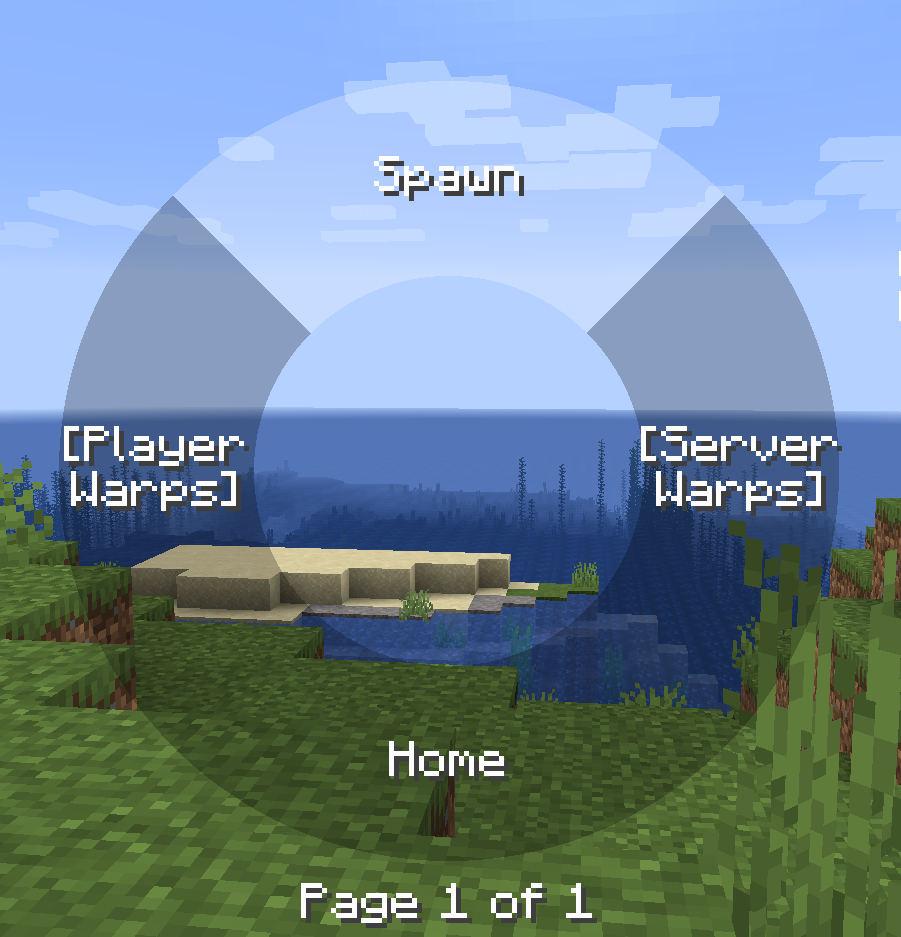
The radial menu is heavily inspired by the brilliant Tool Belt mod.
This mod requires BML version 1.0.18 or above, this is because the general radial implementation used in this mods is implemented in BML for wider use.
Features
- Warp to different points, this includes home, spawn, server warps added by ops on the server or player warps with cooldown.
- Cooldown can be either disabled, global or per warp category.
- Highly configurable in terms of what warps are allowed, the cooldown if any per category.
Commands
Commands can are used to set all the different warp points besides spawn if that type is allowed (You could also use the radial menu to add warps)
- warpradial (Base command)
- wr (Alternative base command)
- wr home set
- wr home remove
- wr warp add "x"
- wr warp remove "x"
- wr serverwarp add "x" (Only ops and players with create permissions)
- wr serverwarp remove "x" (Only ops and players with delete permissions)
- wr permission serverwarp create "player"
- wr permission serverwarp delete "player"
Radial
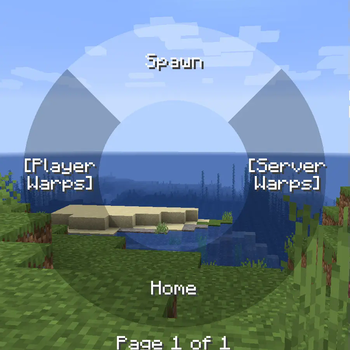
The radial menu is opened when the default keybind 'r' is pressed, then the mouse can be used to hover over items and it that item is not a category when releases you will warp to that point, you can also click on warp points to teleport to them.
You can also add and remove warps points by right clicking on categories and items.
The server and player warps are categories and requires you to click on them to view the warp points of that type.
There can be 7 items on each page and the scroll wheel can be used to switch pages.

Warps
Warps are stored in the world directory both for singleplayer worlds and server worlds. These warps are sent to the player when the player connects to the server or a new server warp is added / removed by a op / player with permission or player warp created by the player.
It is possible to disable player warps and then the radial will only have three main items. If all but one item is disabled and the last non-disabled item is a category the warps inside that category is shown instead of first having to select that category.
Available Versions
How to Install Warp Radial on Your Server
Order Server
Order a Minecraft Java server with at least 3 GB RAM (4 GB recommended).
Set forge Loader
In the panel under "Egg", select the forge loader and matching Minecraft version (1.20.1).
Install Mod
Open the mod browser in the dashboard and search for " Warp Radial". Click "Install" – done! Alternatively, upload the .jar via SFTP to the /mods folder.
Compatibility
Mod Loaders
Minecraft Versions
1.20.1, 1.19.4, 1.19.2 (+3 more)
Server-side
✓ RequiredRecommended RAM
4 GB(min. 3 GB)Frequently Asked Questions
Warp Radial server crashes on startup – what to do?
Most common cause: wrong forge version or insufficient RAM. Check the server log (latest.log) for "OutOfMemoryError" or "Mixin" errors. With Mado Hosting: ensure at least 3 GB RAM is allocated and the loader matches the mod version (1.20.1). You can switch loaders with one click in the panel.
Is Warp Radial compatible with forge?
Warp Radial officially supports forge for Minecraft 1.20.1, 1.19.4, 1.19.2. The Mado dashboard automatically detects incompatible loader combinations.
Server lagging with Warp Radial – how to optimize performance?
Recommended RAM: 4 GB (per 8 players). Use /spark profiler to check if Warp Radial consumes the most tick time. Common fixes: reduce server view-distance to 8-10, install "performant" or "starlight" as supplementary mods on Forge. With Mado Hosting, your server runs on NVMe SSDs with dedicated CPU cores for minimal latency.
Similar Mods




![[ETF] Entity Texture Features](https://cdn.modrinth.com/data/BVzZfTc1/af683d206d50b05258d865b0d6e4aa2f2cee12f2_96.webp)
![[EMF] Entity Model Features](https://cdn.modrinth.com/data/4I1XuqiY/6e5bbd0d06b1741bfdab6c0cfab6de8fdaf0064c_96.webp)
Rent Modded Server
Install Warp Radial with just one click on your server.