
Washing Cauldron
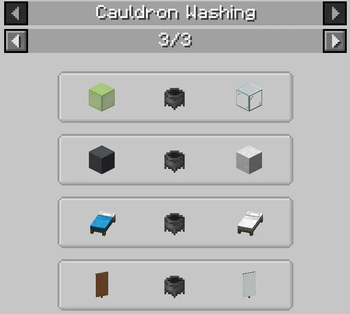
Wash dyed items in a cauldron to undye them - also modded ones
Screenshots
About this Mod
You have finally finished farming enough sand for your colorful glass-build. After waiting for it to be smelted, you want to dye it, but you accidentally craft too much green glass. What to do with all the remaining green glass? Or you just don't like your yellow bed, and you don't have enough wool to craft a new one? If you have ever asked yourself questions like these, you'll love this mod.
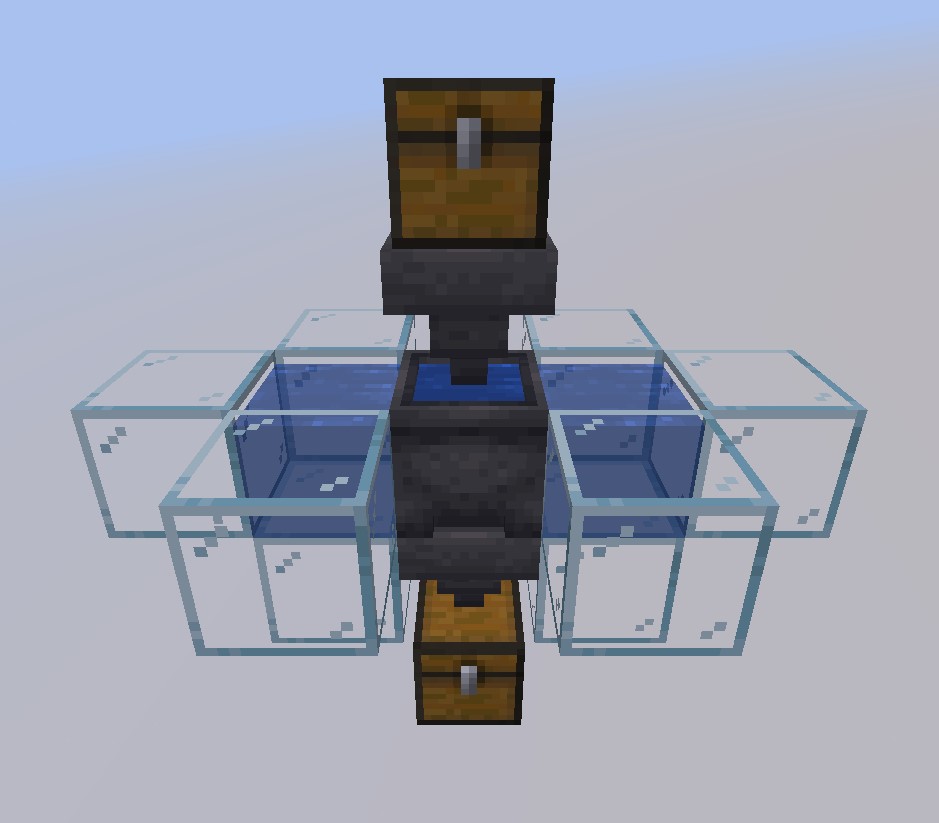
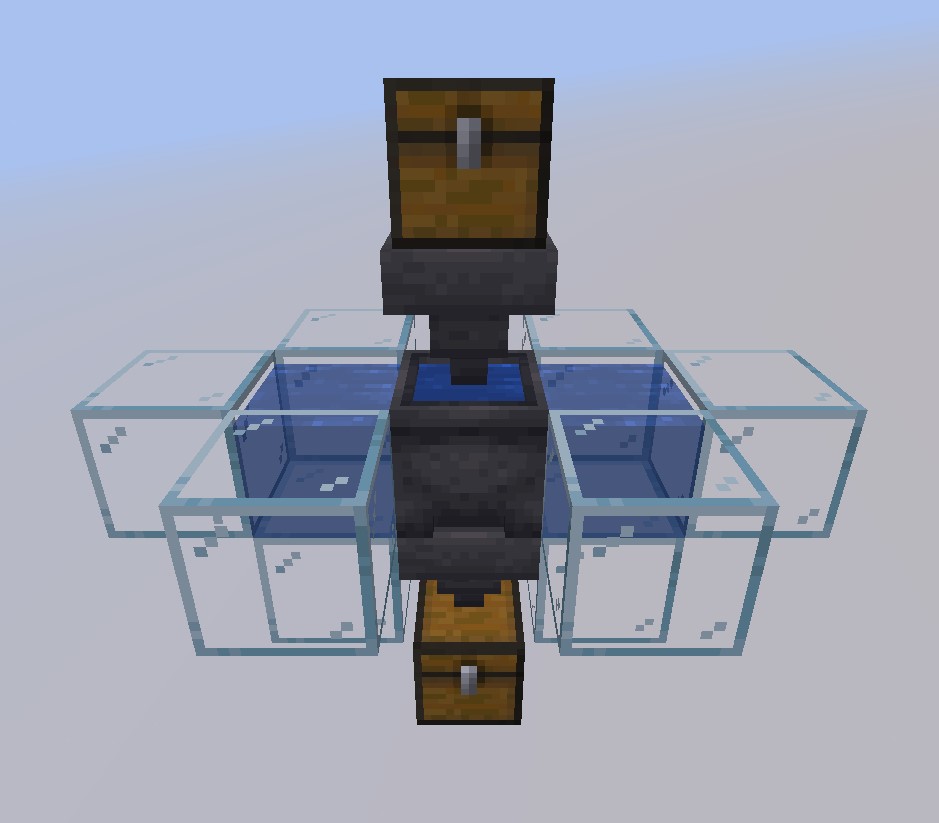
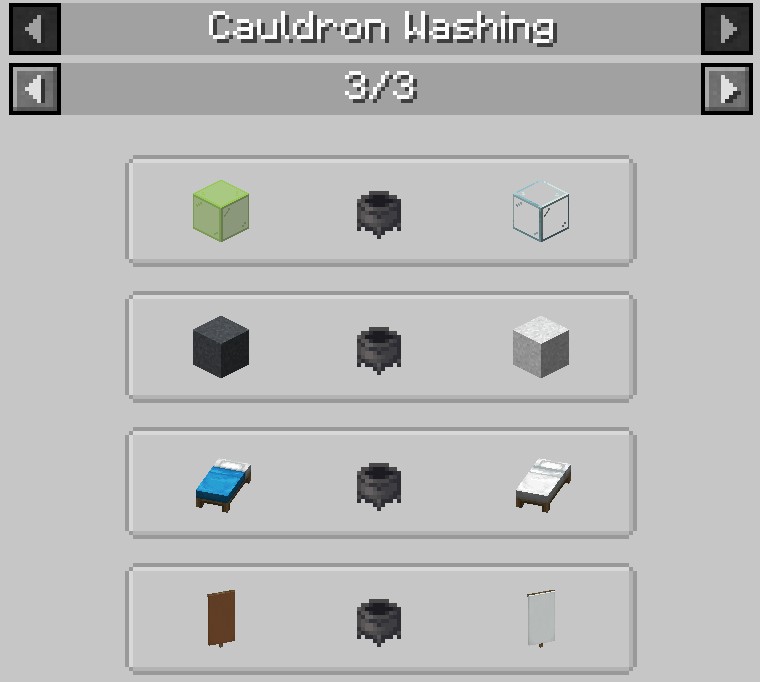
This mod adds more use to the regular old cauldron. You can already undye Shulker Boxes by right-clicking them, but why not just for all items - even modded ones? With this mod, you can! Just right-click a cauldron filled with water with a dyed item to remove the dye and be left with the undyed version. When placing water sources on two sides of the cauldron, you have an unlimited source of water for your cauldron. If you want to automate this process, just place a hopper pointing into the cauldron as input and one on its bottom as output. (They have to be hoppers because otherwise, I would have needed to make the cauldron a block entity and this would cause issues for Redstoners as cauldrons wouldn't be moveable anymore.)
The mod is compatible with Just Enough Items
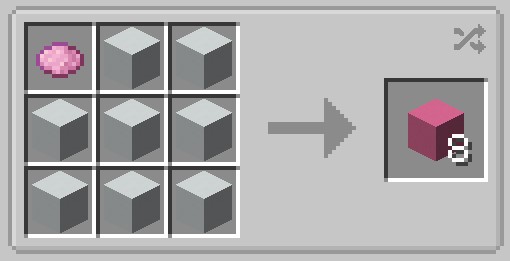
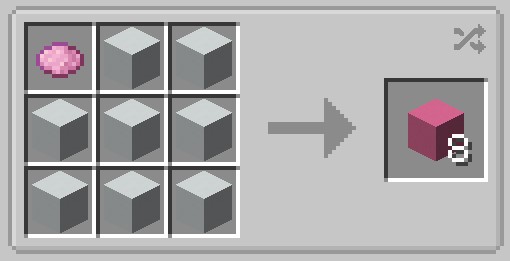
The mod also adds crafting recipes to redye the undyed items
Configuring the mod for Modpacks, often not needed (look at the config file to not be entirely confused):
If you only want to add your own recipes, set "DynamicRecipes" in the config file to false, else leave it true.
To add your own recipes, you need to add them via datapacks, the file should look like this:
{
  "type": "washingcauldron:cauldron_washing",
  "input": {
    "tag": [InputTag] (or alternatively item, like output)
  },
  "output": {
    "item": [OutputItem]
  }
}
To know what items you should blacklist or which recipes you should add, you need to know how the dynamic recipes are created: For every item, which contains "light_gray", recipes will be created with the output item being the input but "white" instead of "light_gray" or, if the item exists, entirely without "light_gray" and possibly without the words before or after "light_gray", which are called "IgnoreWords" in the config file. An example for this would be "minecraft:gray_stained_glass", of which the undyed version is "minecraft:glass" instead of "minecraft:stained_glass". If you know how to program Mods, you can look at the source code here to see how the dynamic recipes are created exactly.
Other things, like adding the recoloring recipes, should be pretty self-explanatory when using the config file. If you still have any problems when configuring the mod for a modpack, let me know.
Available Versions
How to Install Washing Cauldron on Your Server
Order Server
Order a Minecraft Java server with at least 3 GB RAM (4 GB recommended).
Set forge Loader
In the panel under "Egg", select the forge loader and matching Minecraft version (1.19.2).
Install Mod
Open the mod browser in the dashboard and search for "Washing Cauldron". Click "Install" – done! Alternatively, upload the .jar via SFTP to the /mods folder.
Compatibility
Mod Loaders
Minecraft Versions
1.19.2, 1.19.1, 1.19 (+1 more)
Server-side
✓ RequiredRecommended RAM
4 GB(min. 3 GB)Frequently Asked Questions
Washing Cauldron server crashes on startup – what to do?
Most common cause: wrong forge version or insufficient RAM. Check the server log (latest.log) for "OutOfMemoryError" or "Mixin" errors. With Mado Hosting: ensure at least 3 GB RAM is allocated and the loader matches the mod version (1.19.2). You can switch loaders with one click in the panel.
Is Washing Cauldron compatible with forge?
Washing Cauldron officially supports forge for Minecraft 1.19.2, 1.19.1, 1.19. The Mado dashboard automatically detects incompatible loader combinations.
Server lagging with Washing Cauldron – how to optimize performance?
Recommended RAM: 4 GB (per 8 players). Use /spark profiler to check if Washing Cauldron consumes the most tick time. Common fixes: reduce server view-distance to 8-10, install "performant" or "starlight" as supplementary mods on Forge. With Mado Hosting, your server runs on NVMe SSDs with dedicated CPU cores for minimal latency.
Similar Mods

![[ETF] Entity Texture Features](https://cdn.modrinth.com/data/BVzZfTc1/af683d206d50b05258d865b0d6e4aa2f2cee12f2_96.webp)
![[EMF] Entity Model Features](https://cdn.modrinth.com/data/4I1XuqiY/6e5bbd0d06b1741bfdab6c0cfab6de8fdaf0064c_96.webp)



Rent Modded Server
Install Washing Cauldron with just one click on your server.