
Waterfall Limit
A lightweight Minecraft mod that limits the height of natural vertical waterfalls and lavafalls with visual evaporation effects.
Screenshots

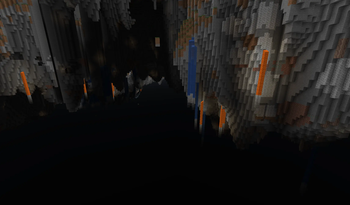
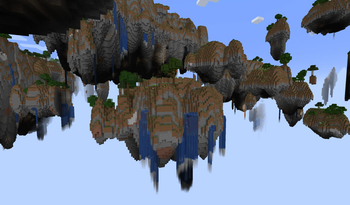
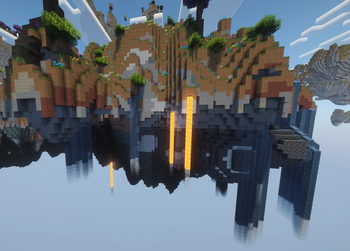
About this Mod
Waterfall

A lightweight and performance-friendly Minecraft mod that limits the height of natural waterfalls and lavafalls while adding immersive evaporation effects.
Waterfall prevents endless floating water and lava columns by detecting exposed vertical flows and causing them to dissipate after a configurable height limit. Designed to preserve natural-looking terrain generation without affecting rivers, oceans, canals, lava pools, or most player-built fluid systems.
Features
- Limit the maximum height of natural waterfalls and lavafalls
- Smart fluid detection that only targets exposed vertical flows
- Vanilla-inspired evaporation and smoke particle effects
- Fully configurable through TOML config
- Multiplayer compatible
- Lightweight and optimized for minimal performance impact

How It Works
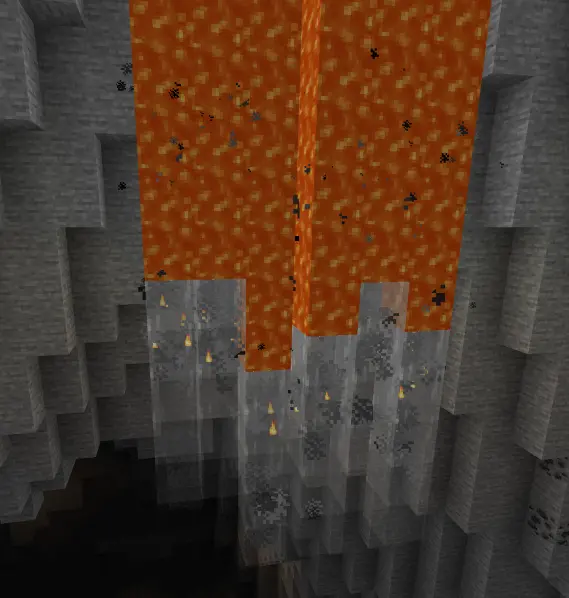
The mod detects waterfalls and lavafalls by checking for vertical fluid columns surrounded by air on all four horizontal sides. Once the flow exceeds the configured maximum height, the fluid dissipates and visual particle effects appear.
Not Affected
- Oceans and rivers
- Lava lakes and pools
- Water or lava touching solid blocks horizontally
- Aqueducts and enclosed fluid channels
Visual Effects
When a flow reaches its limit, the mod generates immersive particle effects:
- Waterfalls produce cloud and falling water particles
- Lavafalls produce smoke and lava particles
Configuration
Config file location:
config/waterfall-common.toml
#Enable or disable the mod entirely
enabled = true

[waterfall]
	#Maximum height (in blocks) of a vertical waterfall before it evaporates
	# Default: 12
	# Range: 1 ~ 100
	maxHeight = 12
	#Show cloud/splash particle effects when a waterfall evaporates
	enableEvaporationEffect = true
	#Density of evaporation particles (0.0 = none, 1.0 = maximum)
	# Default: 0.5
	# Range: 0.0 ~ 1.0
	particleDensity = 0.5

[lavafall]
	#Maximum height (in blocks) of a vertical lavafall before it evaporates
	# Default: 12
	# Range: 1 ~ 100
	maxHeight = 12
	#Show smoke/flame particle effects when a lavafall evaporates
	enableEvaporationEffect = true
Default Settings
- Enabled by default
- Maximum flow height: 12 blocks
- Particle effects enabled
- Adjustable particle density
Requirements
- Minecraft 1.21.1
- NeoForge 21.1.228+
- Java 21
License
Licensed under the MIT License.
Available Versions
How to Install Waterfall Limit on Your Server
Order Server
Order a Minecraft Java server with at least 4 GB RAM (6 GB recommended).
Set neoforge Loader
In the panel under "Egg", select the neoforge loader and matching Minecraft version (1.21.11).
Install Mod
Open the mod browser in the dashboard and search for "Waterfall Limit". Click "Install" – done! Alternatively, upload the .jar via SFTP to the /mods folder.
Compatibility
Mod Loaders
Minecraft Versions
1.21.11, 1.21.10, 1.21.9 (+8 more)
Server-side
✓ RequiredRecommended RAM
6 GB(min. 4 GB)Frequently Asked Questions
Waterfall Limit server crashes on startup – what to do?
Most common cause: wrong neoforge version or insufficient RAM. Check the server log (latest.log) for "OutOfMemoryError" or "Mixin" errors. With Mado Hosting: ensure at least 4 GB RAM is allocated and the loader matches the mod version (1.21.11). You can switch loaders with one click in the panel.
Is Waterfall Limit compatible with neoforge?
Waterfall Limit officially supports neoforge for Minecraft 1.21.11, 1.21.10, 1.21.9. The Mado dashboard automatically detects incompatible loader combinations.
Server lagging with Waterfall Limit – how to optimize performance?
Recommended RAM: 6 GB (per 5 players). Use /spark profiler to check if Waterfall Limit consumes the most tick time. Common fixes: reduce server view-distance to 8-10, install "performant" or "starlight" as supplementary mods on Forge. With Mado Hosting, your server runs on NVMe SSDs with dedicated CPU cores for minimal latency.
Similar Mods



Rent Modded Server
Install Waterfall Limit with just one click on your server.