
WaxyVision
Highlight waxed copper blocks when holding honeycomb
Screenshots
About this Mod
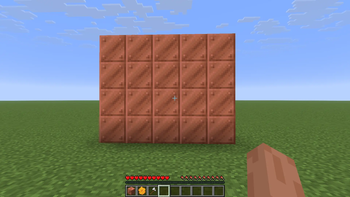
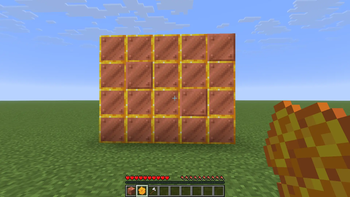
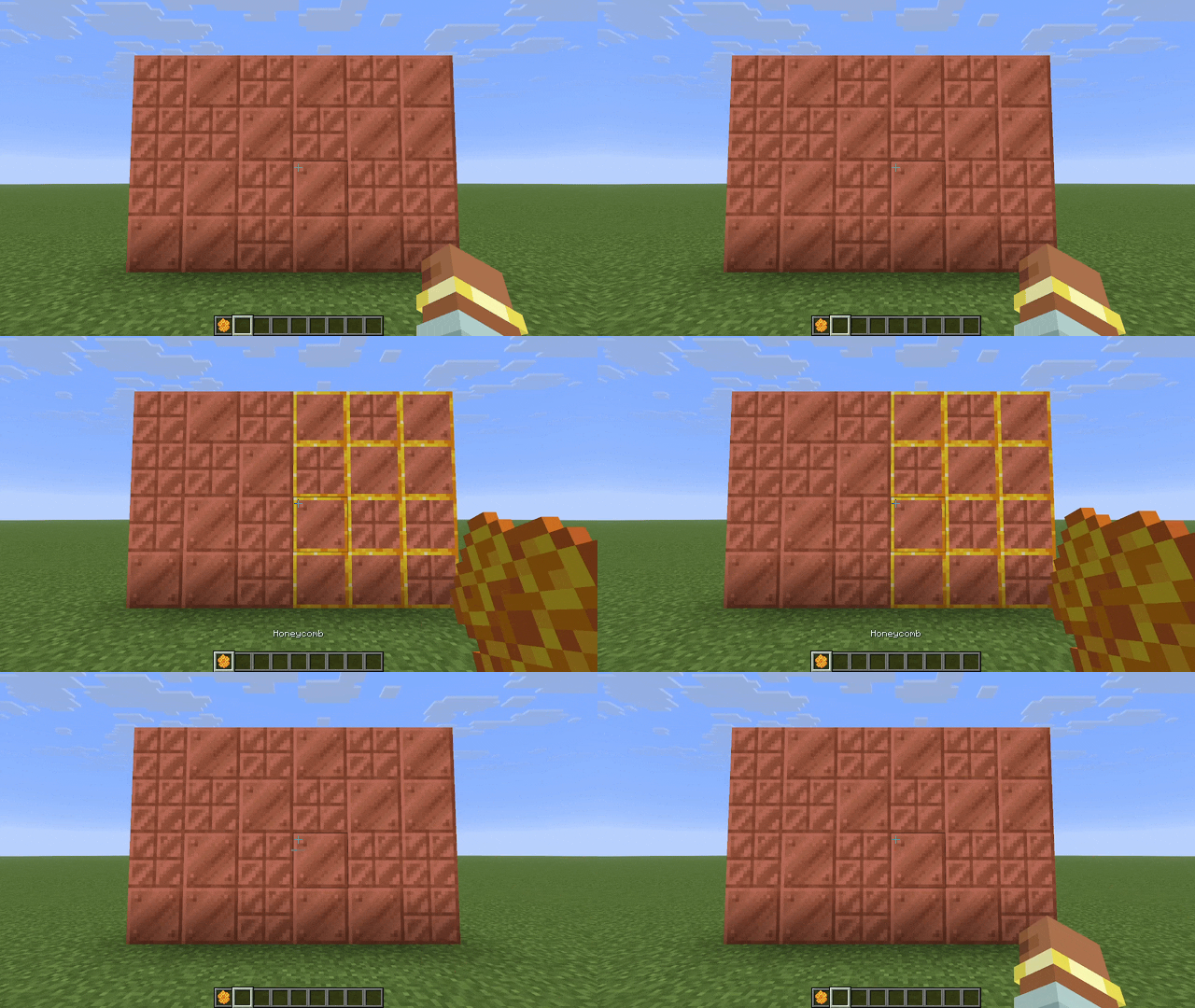
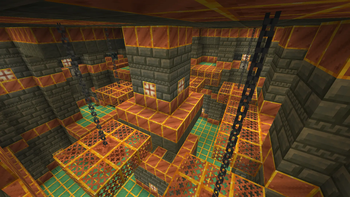
WaxyVision adds a highlight overlay to waxed blocks that only appears when holding a honeycomb.
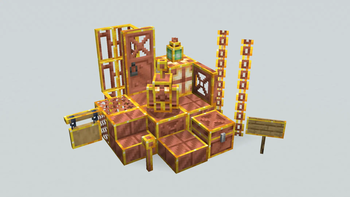
It works on all vanilla waxed copper blocks, as well as copper golems and signs if installed on the server. The behavior is similar to barriers and light blocks, but unlike barriers and light blocks the overlay appears and disappears instantly.
Optional on Servers
This mod is mostly client-side, however the vanilla server does not tell clients if signs or active copper golems are waxed. Installing the mod on the server will allow displaying waxed signs & copper golems. This will not prevent vanilla clients from joining the server.
Configuration & Keybinds
Through configuration you can turn the mod on & off, show the overlay even when not holding a honeycomb, and change which items cause the overlay. You can also set keybinds to toggle these settings. Install McQoy for a config GUI and find the keybinds in the keybinds menu.
Config File
The config file is located at config/waxyvision.toml
| Option | Type | Default | Description |
|---|---|---|---|
enabled |
boolean | true |
Turns the mod on & off Can be controlled with a keybind |
requireItem |
boolean | true |
If the wax overlay should only appear when the right item is held Can be controlled with a keybind |
waxItems |
item id list | ["minecraft:honeycomb"] |
Which items should cause the wax overlay to appear Invalid item ids will be ignored |
Compat
WaxyVision contains native support for these mods:
- Maglev
- The Copperier Age (Except chimes)
Support for other mods can be requested on GitHub or added via resourcepack.
Resource Packs
Most of the overlays are controlled by resourcepack. See the wiki for a description of the format and the source code for examples.
Entities & block entity renderers are hardcoded and cannot be controlled by resourcepack. This includes:
- Sign/Hanging Sign (before 26.2)
- Copper Golem
- Copper Golem Statue
- Copper Chest
⚠️ Known issue: block overlays do not work when Modern Fix Dynamic Resources is enabled, and copper golem overlays will not work when Dynamic Entity Rendering is enabled. Copper golems statue & sign overlays will not work with Better Block Entities.
Credits
This mod was inspired by a YouTube comment, sadly I cannot remember which video or user it was. The design was inspired by Vanilla Tweaks' Visual Waxed Copper resourcepack.
WaxyVision does not endorse tax evasion
Available Versions
How to Install WaxyVision on Your Server
Order Server
Order a Minecraft Java server with at least 3 GB RAM (4 GB recommended).
Set fabric Loader
In the panel under "Egg", select the fabric loader and matching Minecraft version (26.2-rc-2).
Install Mod
Open the mod browser in the dashboard and search for "WaxyVision". Click "Install" – done! Alternatively, upload the .jar via SFTP to the /mods folder.
Compatibility
Mod Loaders
Minecraft Versions
26.2-rc-2, 26.1.2, 26.1.1 (+1 more)
Server-side
~ OptionalRecommended RAM
4 GB(min. 3 GB)Frequently Asked Questions
WaxyVision server crashes on startup – what to do?
Most common cause: wrong fabric version or insufficient RAM. Check the server log (latest.log) for "OutOfMemoryError" or "Mixin" errors. With Mado Hosting: ensure at least 3 GB RAM is allocated and the loader matches the mod version (26.2-rc-2). You can switch loaders with one click in the panel.
Is WaxyVision compatible with fabric?
WaxyVision officially supports fabric for Minecraft 26.2-rc-2, 26.1.2, 26.1.1. The Mado dashboard automatically detects incompatible loader combinations.
Server lagging with WaxyVision – how to optimize performance?
Recommended RAM: 4 GB (per 8 players). Use /spark profiler to check if WaxyVision consumes the most tick time. Common fixes: reduce server view-distance to 8-10, install "performant" or "starlight" as supplementary mods on Forge. With Mado Hosting, your server runs on NVMe SSDs with dedicated CPU cores for minimal latency.
Similar Mods

![[ETF] Entity Texture Features](https://cdn.modrinth.com/data/BVzZfTc1/af683d206d50b05258d865b0d6e4aa2f2cee12f2_96.webp)
![[EMF] Entity Model Features](https://cdn.modrinth.com/data/4I1XuqiY/6e5bbd0d06b1741bfdab6c0cfab6de8fdaf0064c_96.webp)



Rent Modded Server
Install WaxyVision with just one click on your server.