
WebStreamer
A Fabric mod to display web resources on screens, support for static images, HLS streaming in-game, including Twitch.
Screenshots

About this Mod
Web Streamer
A mod to display live streams in-game.
Web Display block
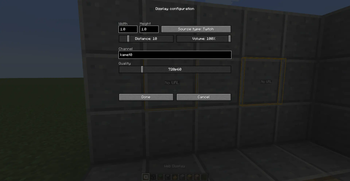
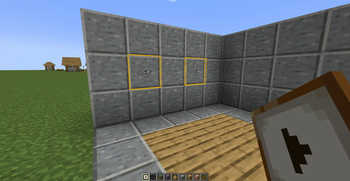
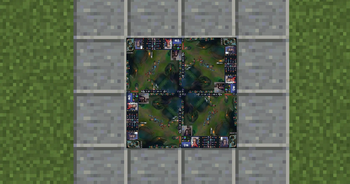
This mod adds a single item -for now-, called "Web Display". It's a resizable and directional block that allows you to
display HLS video streams but also static images. This type of stream is mostly used by Twitch. The Web Display
block supports two modes: raw HLS url (.m3u8 file) and Twitch channel with quality. The audio distance and volume is
configurable in the display configuration as well as its size.
Supported systems
For now, and in order to distribute a single JAR file, this mod supports a limited set of systems because of the size
of the FFmpeg library and other native binaries that needs to be bundled with it:
- Linux arm64
- Linux x86_64
- OSX arm64 (M1 support)
- OSX x86_64
- Windows x86_64
If your platform is not supported, please open an issue on GitHub, we need to know which systems are missing. However,
x86 (32bits) systems might never be supported, or only in a separated JAR file.
Supported languages
This project uses languages files for user interface texts, and currently supports french (france) and english
(us).
Problems reporting
The technology behind it is very complicated to get the video playing at the right frame rate with a synchronized audio.
This might not work for all of you, so if you encounter problems, please report them on the issue tracker with the
logs file of the session that didn't work.
Available Versions
How to Install WebStreamer on Your Server
Order Server
Order a Minecraft Java server with at least 3 GB RAM (4 GB recommended).
Set fabric Loader
In the panel under "Egg", select the fabric loader and matching Minecraft version (1.20.4).
Install Mod
Open the mod browser in the dashboard and search for "WebStreamer". Click "Install" – done! Alternatively, upload the .jar via SFTP to the /mods folder.
Compatibility
Mod Loaders
Minecraft Versions
1.20.4, 1.20.3, 1.19.2 (+1 more)
Server-side
~ OptionalRecommended RAM
4 GB(min. 3 GB)Frequently Asked Questions
WebStreamer server crashes on startup – what to do?
Most common cause: wrong fabric version or insufficient RAM. Check the server log (latest.log) for "OutOfMemoryError" or "Mixin" errors. With Mado Hosting: ensure at least 3 GB RAM is allocated and the loader matches the mod version (1.20.4). You can switch loaders with one click in the panel.
Is WebStreamer compatible with fabric?
WebStreamer officially supports fabric for Minecraft 1.20.4, 1.20.3, 1.19.2. The Mado dashboard automatically detects incompatible loader combinations.
Server lagging with WebStreamer – how to optimize performance?
Recommended RAM: 4 GB (per 8 players). Use /spark profiler to check if WebStreamer consumes the most tick time. Common fixes: reduce server view-distance to 8-10, install "performant" or "starlight" as supplementary mods on Forge. With Mado Hosting, your server runs on NVMe SSDs with dedicated CPU cores for minimal latency.
Similar Mods

![[ETF] Entity Texture Features](https://cdn.modrinth.com/data/BVzZfTc1/af683d206d50b05258d865b0d6e4aa2f2cee12f2_96.webp)
![[EMF] Entity Model Features](https://cdn.modrinth.com/data/4I1XuqiY/6e5bbd0d06b1741bfdab6c0cfab6de8fdaf0064c_96.webp)



Rent Modded Server
Install WebStreamer with just one click on your server.