
WitherUtils
Utilities like a Wither Boss! a Mix in Old and New Age Minecraft Blocks Technical and Useful Evolution!
Screenshots


About this Mod


When working at Technical Ideas
Browse the Wiki ?
Curseforge
Modrinth
 WitherUtils
Table of Contents
ScreenShots
click here


About The Project
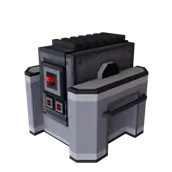
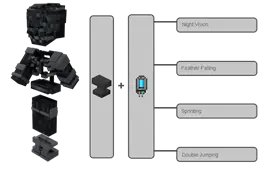
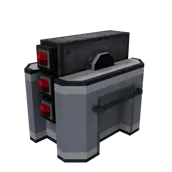
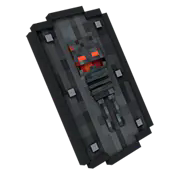
This Blocks will be your best friend when working with Technical Ideas!!! Some of them scanning and Pushing, others are good for placing and breaking! and + some Items and Tools for working on the Fancy Stuff, for example your Base Buildings... with a Chisel like Tool to cut down new Blocks with fancy grayish Look. Some Solar Panels, Mob Spawner, a Collector and many more...
Changelog
click here
-
Version 1.0.41
added Config Support for SoulOrbs
Version 1.0.40
onSpawnForCursed Error Fix
Version 1.0.39
SoulOrbs drops as Entity after Short Time,
and can now be farmed with Vac Blocks etc.
Version 1.0.38
ManyMany more Cutter Blocks
Version 1.0.37
Added new Cutter Recipes
Version 1.0.36
Added new 3D BlockModels
Fixed all Recipes
Version 1.0.35
Added Experience Plate Blocks
Added Experience Wireless Blocks
Added Soul Processor
Added Adapter Items
Version 1.0.34
Added Light Block
Added 4 Dirt Blocks for the Cutter
Added Farmer Behaviors
Cactus Farmer
Berry Farmer
Version 1.0.33
Added PlayerSoulPower System
Sword and Wand can handle SoulOrbs
Added Rotten Trees
Rack Terminals can handle Interacting
Rack shows now Fluid Content Preview
RottenEarth is done!
Version 1.0.32
Fixed DamageSource Error
Version 1.0.31
Over 30 Hours of Testing, with
bunch of Modpacks. Hundreds of smaller
Bugs now fixed.
Status: Not a Girl, not yet a WitherUtils!
Version 1.0.30
checking for release
Version 1.0.29
fixed/todo Miner Blocks. Crashed
added Rack MultiBlock
Version 1.0.28
added Totem Block
added Totem Items
added Floodgate Block
Version 1.0.27
changed Fisher to MultiBlock
added SteelArmor
added SteelArmor Upgrades
Version 1.0.26
Forge Version 47.1.0
added LavaBricks Block
added GreenHouse Block
added MetalDoor Block
added SlabSlices Blocks
added SteelPole Block
added SteelRailing Block
fixed Anvil
added Farmer Block
added Spawner Block
added Activator Block
added Clicker Block
added Scanner Block
added Fisher Block
Version 1.0.25
added WallSensor
added Doors
added XpWireless
added XpPlate
fixed SoulOrb
Version 1.0.24
fixed the Solar Panels
added Miner Blocks
added SmartTV
added FloorSensor
added Connected Texture Blocks for the Cutter Tool
added Alpha FloodGate
Version 1.0.23
added Online Signal Block
fixed Anvil Recipes
fixed Anvil Jei
Version 1.0.22
fixed LootTable
Version 1.0.21
many fixes for the Battery
Version 1.0.20
Config for Solar Panels
fixed the Screen for Battery
Version 1.0.19
added Solar Panels
added Battery
fixing Rendering Stuff.
Version 1.0.18
Power Generator will now charging with the correct Output RF/t.
The Wand Item is now AOE Weapon. Crouching will attack Mobs in front.
Tank Reservoir Block added.
Getting Started
Content
Logic Blocks
Decorative Blocks
Items/Tools
WitherSteelArmor
WitherSteelSword
Blocks
 |
soon. |
|---|---|
|
soon. |
|
soon. |
|
soon. |
|
soon. |
Items
|
soon. |
|---|---|
|
soon. |
|
soon. |
|
soon. |
|
soon. |
Available Versions
How to Install WitherUtils on Your Server
Order Server
Order a Minecraft Java server with at least 3 GB RAM (4 GB recommended).
Set forge Loader
In the panel under "Egg", select the forge loader and matching Minecraft version (1.21.4).
Install Mod
Open the mod browser in the dashboard and search for "WitherUtils". Click "Install" – done! Alternatively, upload the .jar via SFTP to the /mods folder.
Compatibility
Mod Loaders
Minecraft Versions
1.21.4, 1.21.3, 1.21.2 (+3 more)
Server-side
✓ RequiredRecommended RAM
4 GB(min. 3 GB)Frequently Asked Questions
WitherUtils server crashes on startup – what to do?
Most common cause: wrong forge version or insufficient RAM. Check the server log (latest.log) for "OutOfMemoryError" or "Mixin" errors. With Mado Hosting: ensure at least 3 GB RAM is allocated and the loader matches the mod version (1.21.4). You can switch loaders with one click in the panel.
Is WitherUtils compatible with forge and neoforge?
WitherUtils officially supports forge, neoforge for Minecraft 1.21.4, 1.21.3, 1.21.2. The Mado dashboard automatically detects incompatible loader combinations.
Server lagging with WitherUtils – how to optimize performance?
Recommended RAM: 4 GB (per 8 players). Use /spark profiler to check if WitherUtils consumes the most tick time. Common fixes: reduce server view-distance to 8-10, install "performant" or "starlight" as supplementary mods on Forge. With Mado Hosting, your server runs on NVMe SSDs with dedicated CPU cores for minimal latency.
Similar Mods

![[ETF] Entity Texture Features](https://cdn.modrinth.com/data/BVzZfTc1/af683d206d50b05258d865b0d6e4aa2f2cee12f2_96.webp)
![[EMF] Entity Model Features](https://cdn.modrinth.com/data/4I1XuqiY/6e5bbd0d06b1741bfdab6c0cfab6de8fdaf0064c_96.webp)



Rent Modded Server
Install WitherUtils with just one click on your server.