
Woot
Woot, The Magic Loot Factory mod. I'm told that you either love it or you hate it.
Screenshots
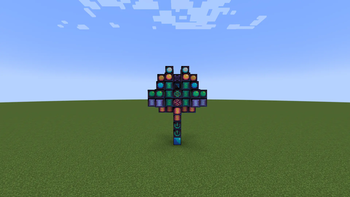
About this Mod
This is a port of the awesome Woot mod. I've done my best to keep all of the features from the previous (1.16.5) version, but there are some notable changes.
The custom advancements are not implemented (but might be in the future!)
Loot exporting has been altered to play nicer with other mods that you may use for logistics.
Some of the preset drops and input ingredients are not set in this version. I plan to add this!
^This is done now!
Big thank you to Ipsis, the original creator.
Woot, my beloved, you are finally back!
From the original mod description:
We have all been there in Minecraft - building the mob farm.
They all come down to the same thing.
Spawn the mobs
Kill the mobs
Collect the XP and loot
Deal with a ton on entities being spawned
Woot does things a bit differently ..... it doesn't spawn any mobs in the world .... WHAT?!
In Woot you build your factory then program it with the mob of your choice. Then you give it some power and an inventory to put all the loot into that the mob would have generated.
There are multiple tiers of factory to handle higher tier mobs. So yes, you need the big factory to spawn the Wither!
To make life a bit easier, there is a layout block to show you where you need to put all the blocks in each tiers multiblock.
You can also upgrade your factory to give extra benefits, all of which cost extra power.
Looting I/II/III - apply looting to the mob kills
Rate I/II/III - spawn mobs faster
Mass I/II/III - spawn more mobs
Decapitate I/II/III - increased head drop rate
XP I/II/III - generate XP shards
Efficiency I/II/III - make your factory a bit cheaper in power terms
Available Versions
How to Install Woot on Your Server
Order Server
Order a Minecraft Java server with at least 3 GB RAM (4 GB recommended).
Set neoforge Loader
In the panel under "Egg", select the neoforge loader and matching Minecraft version (1.21.1).
Install Mod
Open the mod browser in the dashboard and search for "Woot". Click "Install" – done! Alternatively, upload the .jar via SFTP to the /mods folder.
Compatibility
Mod Loaders
Minecraft Versions
1.21.1
Server-side
✓ RequiredRecommended RAM
4 GB(min. 3 GB)Frequently Asked Questions
Woot server crashes on startup – what to do?
Most common cause: wrong neoforge version or insufficient RAM. Check the server log (latest.log) for "OutOfMemoryError" or "Mixin" errors. With Mado Hosting: ensure at least 3 GB RAM is allocated and the loader matches the mod version (1.21.1). You can switch loaders with one click in the panel.
Is Woot compatible with neoforge?
Woot officially supports neoforge for Minecraft 1.21.1. The Mado dashboard automatically detects incompatible loader combinations.
Server lagging with Woot – how to optimize performance?
Recommended RAM: 4 GB (per 8 players). Use /spark profiler to check if Woot consumes the most tick time. Common fixes: reduce server view-distance to 8-10, install "performant" or "starlight" as supplementary mods on Forge. With Mado Hosting, your server runs on NVMe SSDs with dedicated CPU cores for minimal latency.
Similar Mods
![[EMF] Entity Model Features](https://cdn.modrinth.com/data/4I1XuqiY/6e5bbd0d06b1741bfdab6c0cfab6de8fdaf0064c_96.webp)


Rent Modded Server
Install Woot with just one click on your server.