
worldpainter
World is your canvas! Create, Place & Color the world world how you'd imagine it!
Screenshots
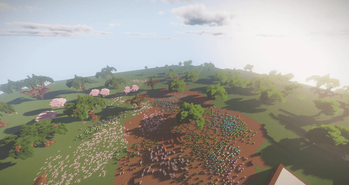
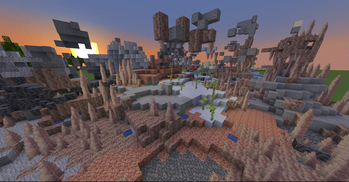
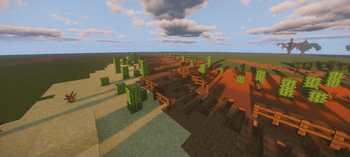
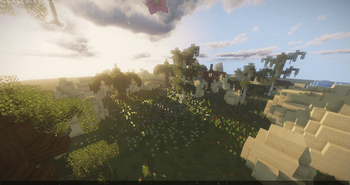

About this Mod
Mr_Chibi's World Painter 🖌️
The world is your canvas! Create, Place, & Color the world how you'd imagine it!
Why Should I install this into my world?
The pack is unique in its own way!
- You can basicly create pretty world from scratch.
- Who doesn't love keybinds with "no command" typing!
- I've included some of my custom models into schematic brush, such as "Trees", "Mud Road Patterns", & some "Vanilla Schematics"!
What features does it offer for players?
These tools can only be accessed by Server Operator or Given to player for preventions.
Varity of tools! Players can "paint", "select blocks, and "place" for example, "trees", "flowers", "biome painting", & much more etc.
Tools that have keybind hotkeys example, pressing "F" key prompts tools.
Tools that change "paint brush" sizes from "small", "medium" & "big"!
Commands such as, "paint_outline", "paint_fill", "paint_cube", & "paint_hollow" have a min of 2" & max "23" example, "/trigger paint_fill set 23". Automaticly generates size player requests.
Players can create mountains, hills, or simple smoothen the surface using "sphere brush" & "smooth brush".
If you like to read more information about the keybinds [Click here]
How it was written in:
- Json
- Mcfunction
Available Versions
How to Install worldpainter on Your Server
Order Server
Order a Minecraft Java server with at least 3 GB RAM (4 GB recommended).
Set datapack Loader
In the panel under "Egg", select the datapack loader and matching Minecraft version (26.1.2).
Install Mod
Open the mod browser in the dashboard and search for "worldpainter". Click "Install" – done! Alternatively, upload the .jar via SFTP to the /mods folder.
Compatibility
Mod Loaders
Minecraft Versions
26.1.2, 26.1.1, 26.1 (+10 more)
Server-side
✓ RequiredRecommended RAM
4 GB(min. 3 GB)Frequently Asked Questions
worldpainter server crashes on startup – what to do?
Most common cause: wrong datapack version or insufficient RAM. Check the server log (latest.log) for "OutOfMemoryError" or "Mixin" errors. With Mado Hosting: ensure at least 3 GB RAM is allocated and the loader matches the mod version (26.1.2). You can switch loaders with one click in the panel.
Is worldpainter compatible with datapack and fabric and forge and neoforge and quilt?
worldpainter officially supports datapack, fabric, forge, neoforge, quilt for Minecraft 26.1.2, 26.1.1, 26.1. Note: Forge and Fabric mods are NOT cross-compatible – pick one loader and stick with it. The Mado dashboard automatically detects incompatible loader combinations.
Server lagging with worldpainter – how to optimize performance?
Recommended RAM: 4 GB (per 8 players). Use /spark profiler to check if worldpainter consumes the most tick time. Common fixes: reduce server view-distance to 8-10, install "performant" or "starlight" as supplementary mods on Forge. With Mado Hosting, your server runs on NVMe SSDs with dedicated CPU cores for minimal latency.
Similar Mods




Rent Modded Server
Install worldpainter with just one click on your server.