
WorldPreview
Speedrunning mod that renders a preview of the world while it's generating.
Screenshots
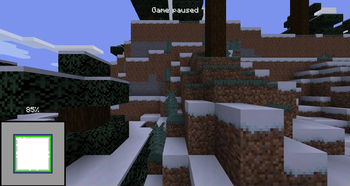
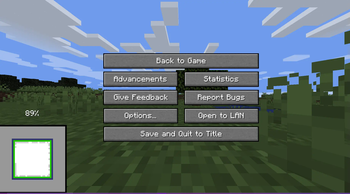
About this Mod
World Preview

Minecraft mod that draws a preview of the world on the loading screen during chunk generation.
- Legal for the minecraft java edition leaderboards
- The full chunk map must be shown in the recording to get a run verified
- Switching to the F3 + Esc menu will make your run count as f3
- Compatible with all allowed mods
- Compatible with the newest releases of specnr's multi-instance macros and with FinestPigeon's spawn reset macro for ssg
**For macro - World preview doesn't modify world generation in any way. It simply takes already completed chunks, converts them to client chunks (Chunks minecraft can render) and then draws these chunks on the loading screen.
- There are no server side modifications besides minecraft getting the random value for the player spawn earlier (Random is Random so it doesn't change anything)
- You will not be able to reset after ~ when the chunk map reaches 100%. This is intentional
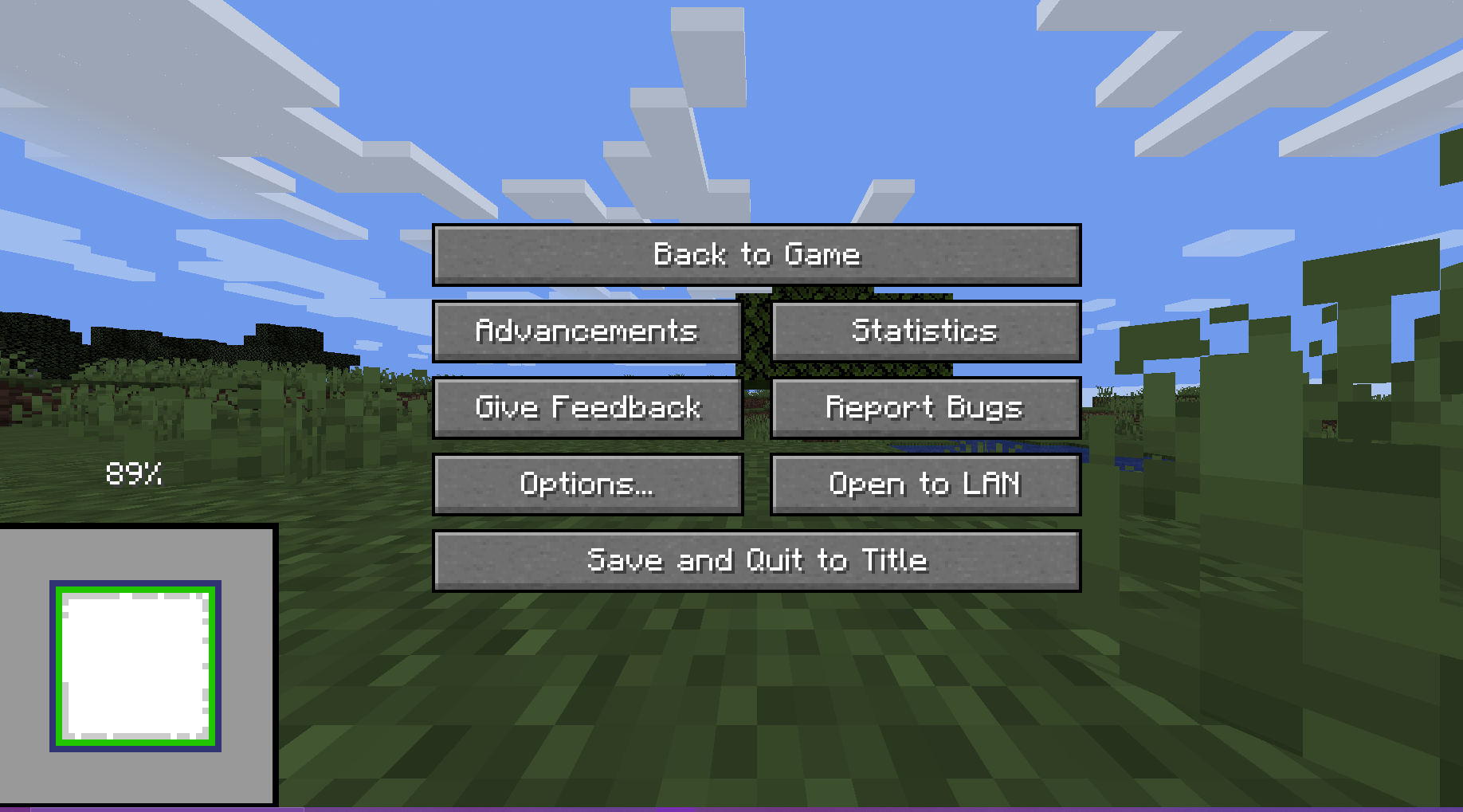
Usage
The preview will always render when you create a world.
There are 5 ways the player can interact with the preview:
Direct Inputs
- Leave World Generation and Reset: Press the "Save and Quit to Title" button to instantly leave the World Generation to the title screen
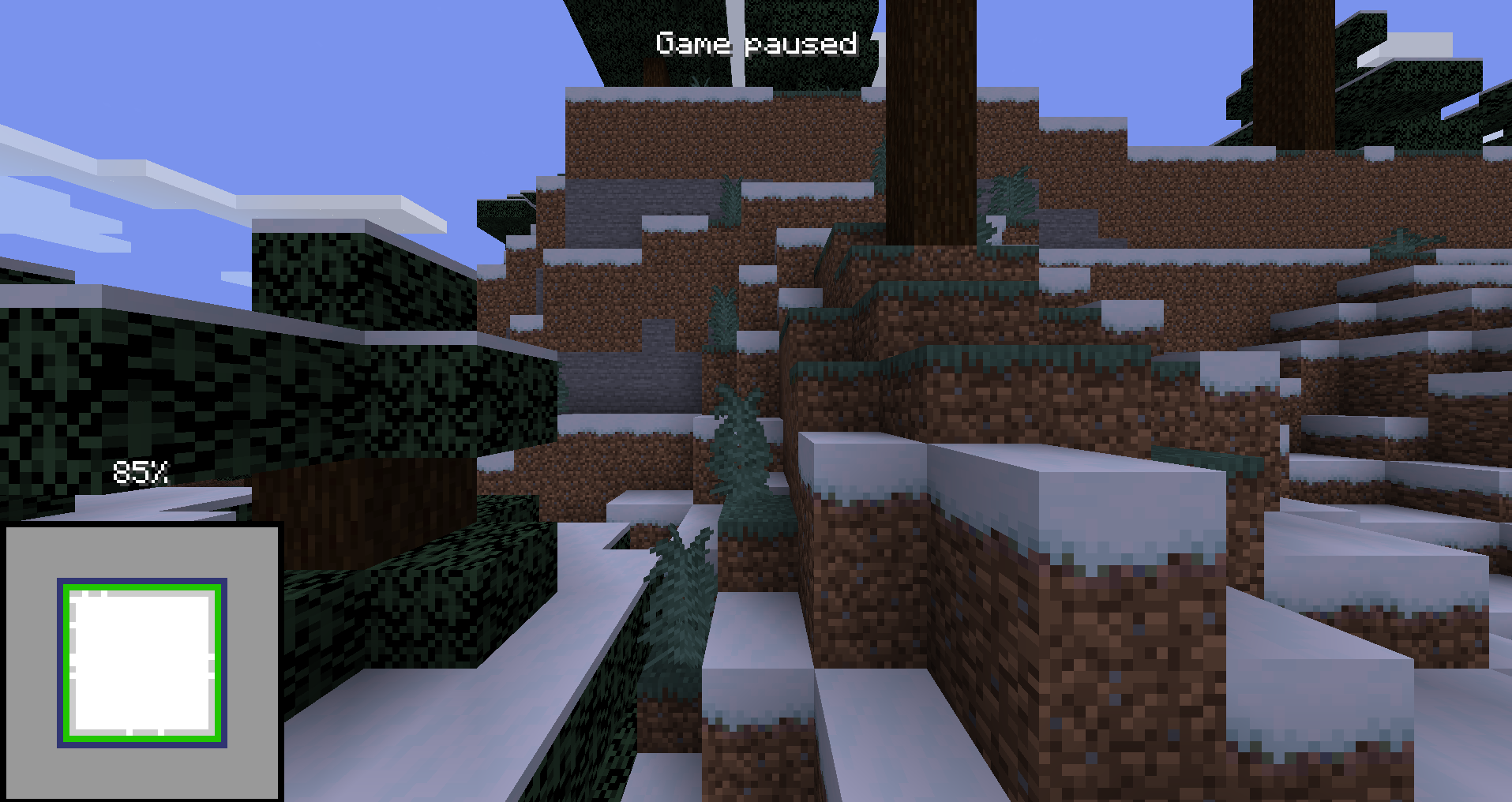
- F3 + Esc: Press F3 and Esc at the same time to switch the pause menu to the F3+Esc pause menu (shown below) and press Esc to switch back. This will make your run count as f3.
Hotkeys
(These can be changed in the Controls Screen)
- Leave World Generation and Reset with Hotkey, default button "g" (English keyboard): Press the hotkey button to instantly leave the World Generation to the title screen
- Cycle Chunk Map, default button "h" (English keyboard): Cycle through the 4 positions of the chunk map
- Freeze Preview, default button "j" (English keyboard): Freezes the preview (helps with CPU performance)
For Macro Makers
The mod prints 3 different log lines:
- "Starting preview at (x, y, z)" at the start of the preview (Reset buttons unlocked)
- "Leaving world generation" when leaving world generation (Reset buttons locked)
- "Freezing Preview / Unfreezing Preview" when the freezing / unfreezing the preview
You will not be able to reset after ~ when the chunk map reaches 100%. This is intentional.
Authors
Available Versions
How to Install WorldPreview on Your Server
Order Server
Order a Minecraft Java server with at least 4 GB RAM (6 GB recommended).
Set fabric Loader
In the panel under "Egg", select the fabric loader and matching Minecraft version (1.17.1).
Install Mod
Open the mod browser in the dashboard and search for "WorldPreview". Click "Install" – done! Alternatively, upload the .jar via SFTP to the /mods folder.
Compatibility
Mod Loaders
Minecraft Versions
1.17.1, 1.16.5, 1.16.1 (+3 more)
Server-side
✗ UnsupportedRecommended RAM
6 GB(min. 4 GB)Frequently Asked Questions
WorldPreview server crashes on startup – what to do?
Most common cause: wrong fabric version or insufficient RAM. Check the server log (latest.log) for "OutOfMemoryError" or "Mixin" errors. With Mado Hosting: ensure at least 4 GB RAM is allocated and the loader matches the mod version (1.17.1). You can switch loaders with one click in the panel.
Is WorldPreview compatible with fabric?
WorldPreview officially supports fabric for Minecraft 1.17.1, 1.16.5, 1.16.1. The Mado dashboard automatically detects incompatible loader combinations.
Server lagging with WorldPreview – how to optimize performance?
Recommended RAM: 6 GB (per 5 players). Use /spark profiler to check if WorldPreview consumes the most tick time. Common fixes: reduce server view-distance to 8-10, install "performant" or "starlight" as supplementary mods on Forge. With Mado Hosting, your server runs on NVMe SSDs with dedicated CPU cores for minimal latency.
Similar Mods



Rent Modded Server
Install WorldPreview with just one click on your server.