
WynnHandScale
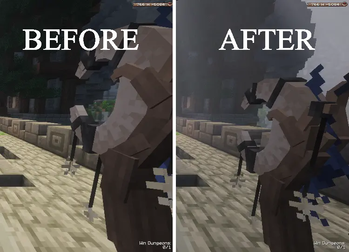
Customize the size, position, and rotation of your Wynncraft weapons in first-person.
Screenshots


About this Mod
Wynn Hand Scale
Wynn Hand Scale is a small client-side Fabric mod made for Wynncraft players who want more control over how their weapons look in first-person.
The mod lets you adjust the held item viewmodel so your weapons can look cleaner, smaller, larger, or better positioned in your hand.

Features
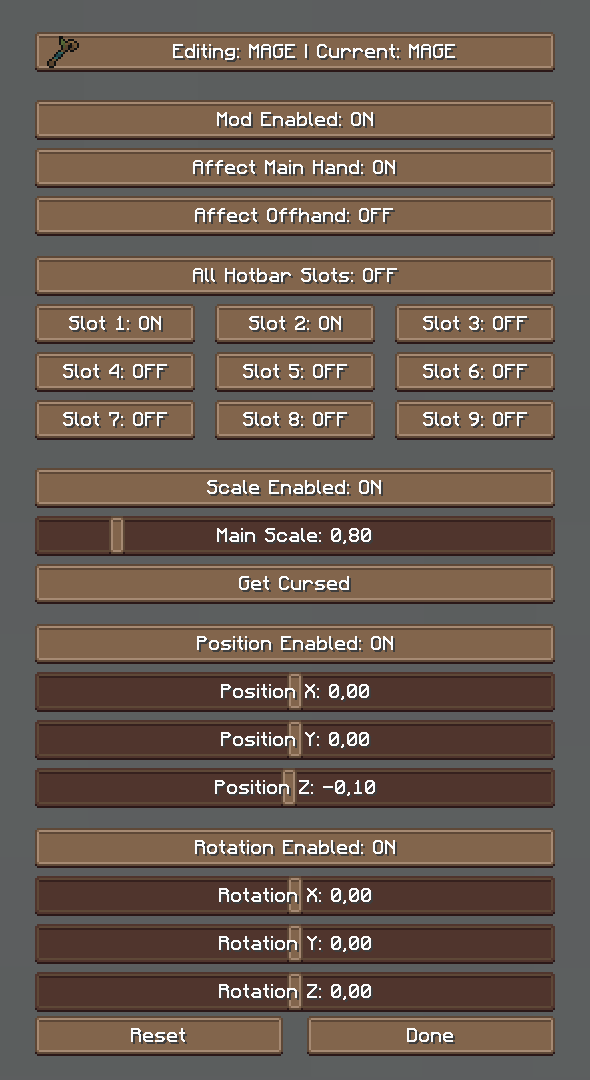
- Scale your held weapon in first-person
- Adjust X, Y, and Z scale individually
- Change the overall item size
- Move the item position on the X, Y, and Z axis
- Rotate the item on the X, Y, and Z axis
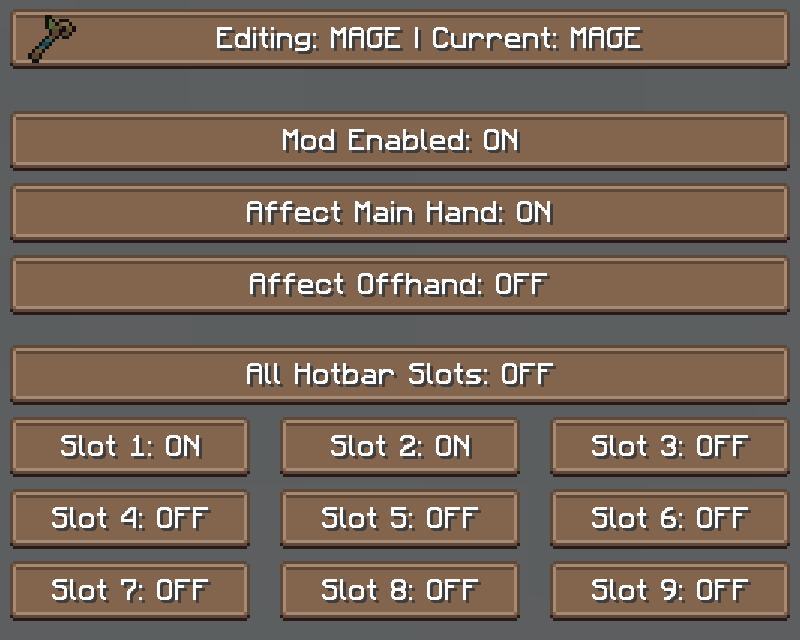
- Choose specific hotbar slots where the scaling should apply
- Configure hotbar slots per Wynncraft class
- Create different viewmodel settings for different Wynncraft classes
- Optional Wynntils support for automatic class detection
- Live config changes
- Scrollable ModMenu config screen
- Client-side only
Optional Wynntils Support
Wynntils is optional and not required.
If Wynntils is installed, Wynn Hand Scale can detect your current Wynncraft class by using the class type, such as:
- Mage, Archer, Warrior, Assassin and Shaman
This allows you to use different scaling, position, rotation, and hotbar-slot settings for each class.
For example, you can have one setup for Warrior and another setup for Mage.
If Wynntils is not installed or no Wynncraft class is detected, the mod will still work normally using the default configuration.
Why?
Wynncraft weapons can sometimes look too large, too small, or awkward in first-person.
This mod allows you to customize the weapon position and size so it fits your personal preference and looks better while playing.
With optional Wynntils support, you can also automatically use different settings depending on the class you are currently playing.
Commands
/wynnhandscale <config/version>
Requirements
Optional
*Wynntils is only used for automatic Wynncraft class detection. The mod works without it.
Available Versions
How to Install WynnHandScale on Your Server
Order Server
Order a Minecraft Java server with at least 3 GB RAM (4 GB recommended).
Set fabric Loader
In the panel under "Egg", select the fabric loader and matching Minecraft version (1.21.11).
Install Mod
Open the mod browser in the dashboard and search for "WynnHandScale". Click "Install" – done! Alternatively, upload the .jar via SFTP to the /mods folder.
Compatibility
Mod Loaders
Minecraft Versions
1.21.11
Server-side
✗ UnsupportedRecommended RAM
4 GB(min. 3 GB)Frequently Asked Questions
WynnHandScale server crashes on startup – what to do?
Most common cause: wrong fabric version or insufficient RAM. Check the server log (latest.log) for "OutOfMemoryError" or "Mixin" errors. With Mado Hosting: ensure at least 3 GB RAM is allocated and the loader matches the mod version (1.21.11). You can switch loaders with one click in the panel.
Is WynnHandScale compatible with fabric?
WynnHandScale officially supports fabric for Minecraft 1.21.11. The Mado dashboard automatically detects incompatible loader combinations.
Server lagging with WynnHandScale – how to optimize performance?
Recommended RAM: 4 GB (per 8 players). Use /spark profiler to check if WynnHandScale consumes the most tick time. Common fixes: reduce server view-distance to 8-10, install "performant" or "starlight" as supplementary mods on Forge. With Mado Hosting, your server runs on NVMe SSDs with dedicated CPU cores for minimal latency.
Similar Mods




![[ETF] Entity Texture Features](https://cdn.modrinth.com/data/BVzZfTc1/af683d206d50b05258d865b0d6e4aa2f2cee12f2_96.webp)
![[EMF] Entity Model Features](https://cdn.modrinth.com/data/4I1XuqiY/6e5bbd0d06b1741bfdab6c0cfab6de8fdaf0064c_96.webp)
Rent Modded Server
Install WynnHandScale with just one click on your server.