
WynnMarketSearch
Enhanced trade market search for Wynncraft
Screenshots

About this Mod
WynnMarketSearch
A fast, searchable GUI for the Wynncraft marketplace — favorites, pinned slots, and search history baked in.
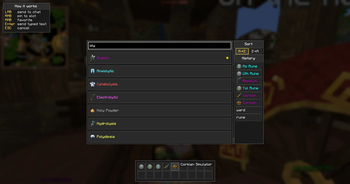
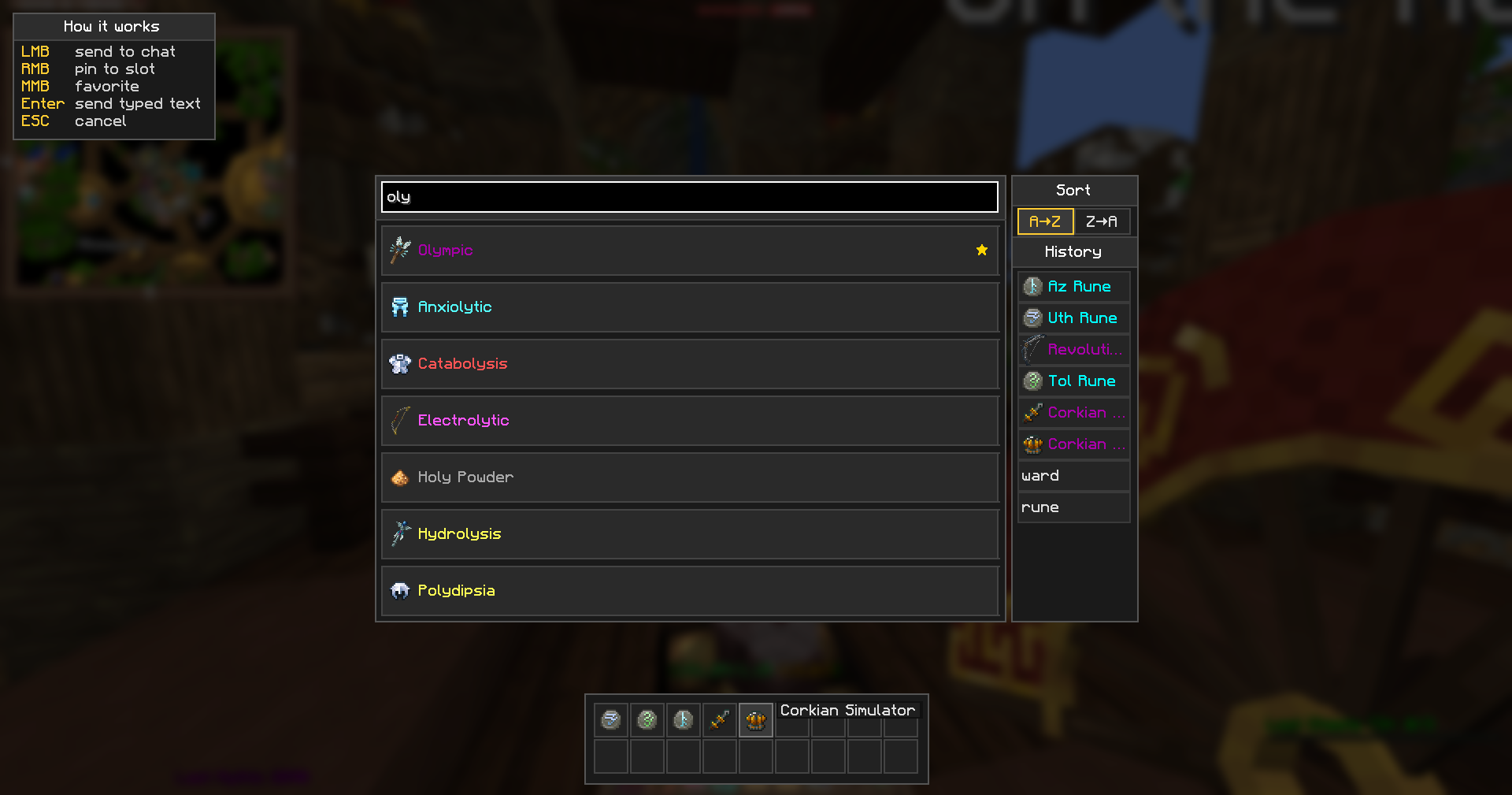
When the market asks Type the item name or type 'cancel' to cancel:, this mod replaces the awkward chat-typing with a real search panel. Find an item, click, done.
✨ Features
- 🔍 Live fuzzy search — start typing, results appear instantly with the proper Wynncraft icons and rarity colors.
- ⭐ Favorites — middle-click to star an item. Starred items always float to the top of the list.
- 📌 Pinned slots — right-click to pin an item to a hotbar-style strip at the bottom of the screen. Up to 18 slots, two rows. One click on a slot sends the item to chat.
- 🕘 Search history — last 20 sent queries with their icons in the side panel. Click to re-send, never re-type the same name twice.
- ↕️ Sort — A→Z or Z→A, your choice; favorites still go first.
- 💡 Built-in help — toggleable hints box in the corner explains every click.
- 🌐 No API key required — items load from a daily-refreshed backend. The Wynncraft API key is server-side, you never see it.
- 🌍 Localized — English and Russian config translations included.
🎮 Controls
| Action | Effect |
|---|---|
| LMB on item | send name to chat |
| RMB on item | pin to bottom slot |
| MMB on item | toggle favorite (★ marker) |
| LMB on slot / history row | re-send to chat |
| RMB on slot / history row | remove |
| Enter | send the typed text as-is |
| ESC | cancel |
⚙️ Commands
| Command | What |
|---|---|
/wms |
open the GUI manually |
/wms add <name> |
add a personal custom item (local) |
/wms del <name> |
remove a personal custom item |
/wms list |
list personal customs |
/wms reload |
force a fresh fetch from the backend |
📦 Requirements
- Minecraft 1.21.11 (Fabric)
- Fabric API
- Cloth Config
- Mod Menu (optional, for the settings screen)
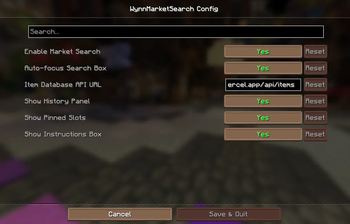
⚙️ Settings (Mod Menu → WynnMarketSearch)
| Option | Description |
|---|---|
| Enable Market Search | open the GUI on the market chat trigger |
| Auto-focus Search Box | focus the input on open |
| Item Database API URL | override the backend (self-host friendly) |
| Show History Panel | show / hide the history list |
| Show Pinned Slots | show / hide the bottom strip |
| Show Instructions Box | show / hide the corner hints |
💾 Where data is stored
All state lives in <runDir>/wms/:
items_cache.json— daily snapshot of the item databasefavorites.json— your starred itemspinned_slots.json— your pinned hotbarhistory.json— your last 20 queriescustom_items.json— your personal custom items (/wms add)
Nothing is sent anywhere except the daily request to fetch the item database.
❓ FAQ
Does it work with vanilla Wynncraft?
Yes — it's a client-side mod, no server install needed.
Will the icons of all items render correctly?
Yes, including ingredient/material heads with custom Wynncraft skin textures.
Can I self-host the item database?
Yes — set Item Database API URL in the config to your own deployment. The backend is open-source: wms-site.
Why 14 results max?
Just a soft cap to keep the GUI clean. Refining your search gets you what you need fast.
🐛 Bug reports & source
- Issues: https://github.com/a0gzy/WynnMarketSearch/issues
- Source: https://github.com/a0gzy/WynnMarketSearch
- Backend & landing: https://wms-site-api.vercel.app
Not affiliated with Wynncraft or Mojang.
Available Versions
How to Install WynnMarketSearch on Your Server
Order Server
Order a Minecraft Java server with at least 3 GB RAM (4 GB recommended).
Set fabric Loader
In the panel under "Egg", select the fabric loader and matching Minecraft version (1.21.11).
Install Mod
Open the mod browser in the dashboard and search for "WynnMarketSearch". Click "Install" – done! Alternatively, upload the .jar via SFTP to the /mods folder.
Compatibility
Mod Loaders
Minecraft Versions
1.21.11
Server-side
✗ UnsupportedRecommended RAM
4 GB(min. 3 GB)Frequently Asked Questions
WynnMarketSearch server crashes on startup – what to do?
Most common cause: wrong fabric version or insufficient RAM. Check the server log (latest.log) for "OutOfMemoryError" or "Mixin" errors. With Mado Hosting: ensure at least 3 GB RAM is allocated and the loader matches the mod version (1.21.11). You can switch loaders with one click in the panel.
Is WynnMarketSearch compatible with fabric?
WynnMarketSearch officially supports fabric for Minecraft 1.21.11. The Mado dashboard automatically detects incompatible loader combinations.
Server lagging with WynnMarketSearch – how to optimize performance?
Recommended RAM: 4 GB (per 8 players). Use /spark profiler to check if WynnMarketSearch consumes the most tick time. Common fixes: reduce server view-distance to 8-10, install "performant" or "starlight" as supplementary mods on Forge. With Mado Hosting, your server runs on NVMe SSDs with dedicated CPU cores for minimal latency.
Similar Mods




![[ETF] Entity Texture Features](https://cdn.modrinth.com/data/BVzZfTc1/af683d206d50b05258d865b0d6e4aa2f2cee12f2_96.webp)
![[EMF] Entity Model Features](https://cdn.modrinth.com/data/4I1XuqiY/6e5bbd0d06b1741bfdab6c0cfab6de8fdaf0064c_96.webp)
Rent Modded Server
Install WynnMarketSearch with just one click on your server.