
WynnToolZ
WynnToolZ is a client-side Fabric mod that adds practical Wynncraft utilities for mounts and some other optional quality of life additions.
Screenshots

About this Mod
WynnToolZ
This mod provides features and quality of life improvements for Wynncraft.
For more information about the server, visit https://wynncraft.com/
Mounts
- Mount Helper: Highlights nearby powerups in the world with name labels and other relevant info.
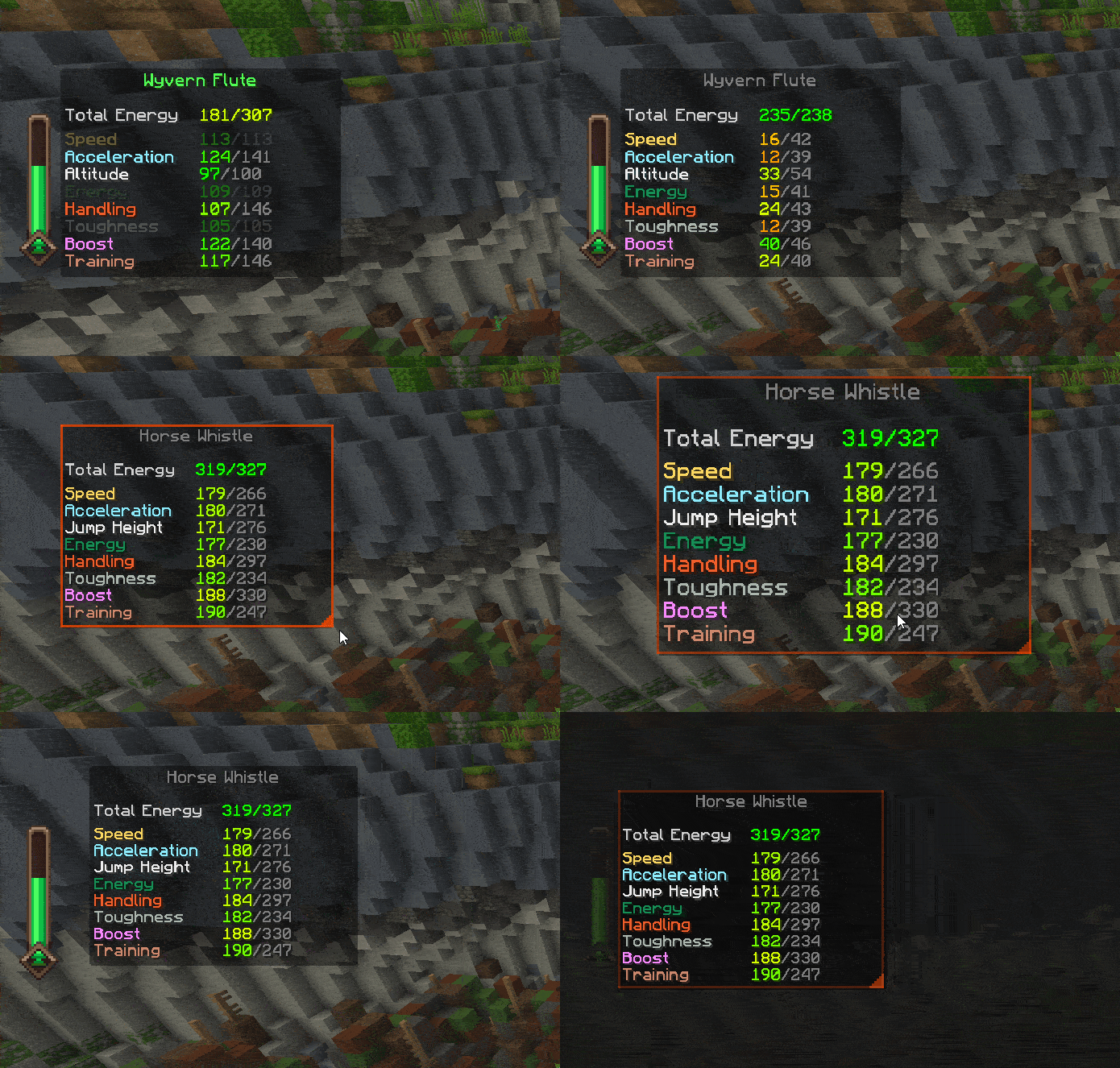
- Mount Stats Overlay: A draggable, resizable, and lockable HUD showing your mount's stats, limits, level, and total energy. Includes auto-updating for real-time tracking.
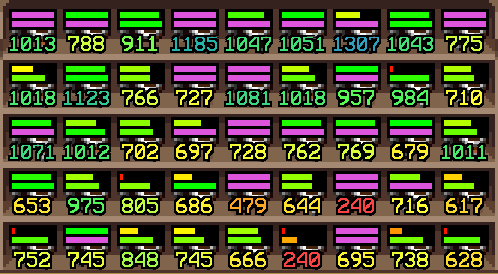
- Mount Item Overlay: Adds potential info and stat bars on top of mount items (including Mount Potential and Level/Limit visualization), perfect for browsing the Trade Market.
- Mount Camera: Automatically switches perspective when you mount and dismount, with scroll zoom, offset controls, and a hold-to-look-around mode.
- Mount Skin Reporting: Collects the skin of every mount you purchase from an NPC to send to the WTZ API if you have linked the mod.
Bank Filters
- Adds mount-specific filters to Wynntils bank search — search by mount type, primary color, or secondary color.
Shopping & Trade Market
- Shopping List: A draggable in-game overlay with multiple lists, quantity tracking, and import/export functionality.
- Trade Market Search: Click any shopping list entry to instantly search for it in the Trade Market.
User Interface
- Look Line: Draws a configurable line from your camera toward the block you're looking at — great for use with shoulder-surfing style mods.
Quality of Life
- Quick Back Navigation: Right-click empty menu space to go back when available.
- Overlay Tweaks: Hide the Wynncraft UI while chat is open, or move it above the chat input (keeps NPC dialogue above the chat box).
Miscellaneous
- Shout TTS: Reads Wynncraft shouts aloud using TikTok TTS voices, with volume control, random voice mode, and previews.
Commands
/wtz link— Opens the WynnToolZ authentication page to enable Mount Skin Reporting and other features./wtz link status— Shows your current link and connection status./wtz unlink— Removes the saved token.
Support
Join The Mount Tryhards Discord for Support & Feedback
Available Versions
How to Install WynnToolZ on Your Server
Order Server
Order a Minecraft Java server with at least 3 GB RAM (4 GB recommended).
Set fabric Loader
In the panel under "Egg", select the fabric loader and matching Minecraft version (1.21.11).
Install Mod
Open the mod browser in the dashboard and search for "WynnToolZ". Click "Install" – done! Alternatively, upload the .jar via SFTP to the /mods folder.
Compatibility
Mod Loaders
Minecraft Versions
1.21.11
Server-side
✗ UnsupportedRecommended RAM
4 GB(min. 3 GB)Frequently Asked Questions
WynnToolZ server crashes on startup – what to do?
Most common cause: wrong fabric version or insufficient RAM. Check the server log (latest.log) for "OutOfMemoryError" or "Mixin" errors. With Mado Hosting: ensure at least 3 GB RAM is allocated and the loader matches the mod version (1.21.11). You can switch loaders with one click in the panel.
Is WynnToolZ compatible with fabric?
WynnToolZ officially supports fabric for Minecraft 1.21.11. The Mado dashboard automatically detects incompatible loader combinations.
Server lagging with WynnToolZ – how to optimize performance?
Recommended RAM: 4 GB (per 8 players). Use /spark profiler to check if WynnToolZ consumes the most tick time. Common fixes: reduce server view-distance to 8-10, install "performant" or "starlight" as supplementary mods on Forge. With Mado Hosting, your server runs on NVMe SSDs with dedicated CPU cores for minimal latency.
Similar Mods




![[ETF] Entity Texture Features](https://cdn.modrinth.com/data/BVzZfTc1/af683d206d50b05258d865b0d6e4aa2f2cee12f2_96.webp)

Rent Modded Server
Install WynnToolZ with just one click on your server.