
XBB's hot air balloon fantasy
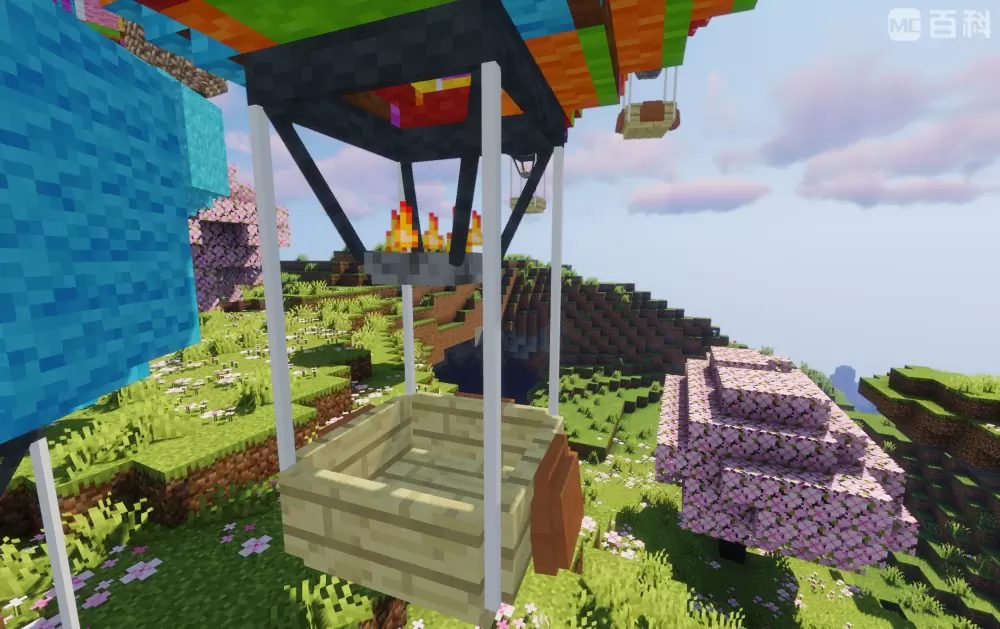
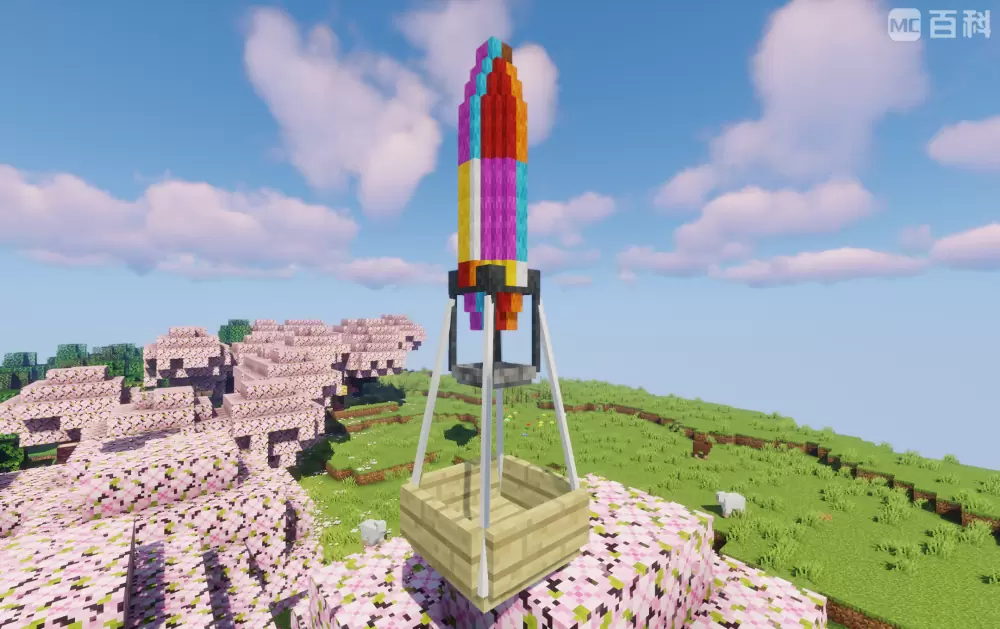
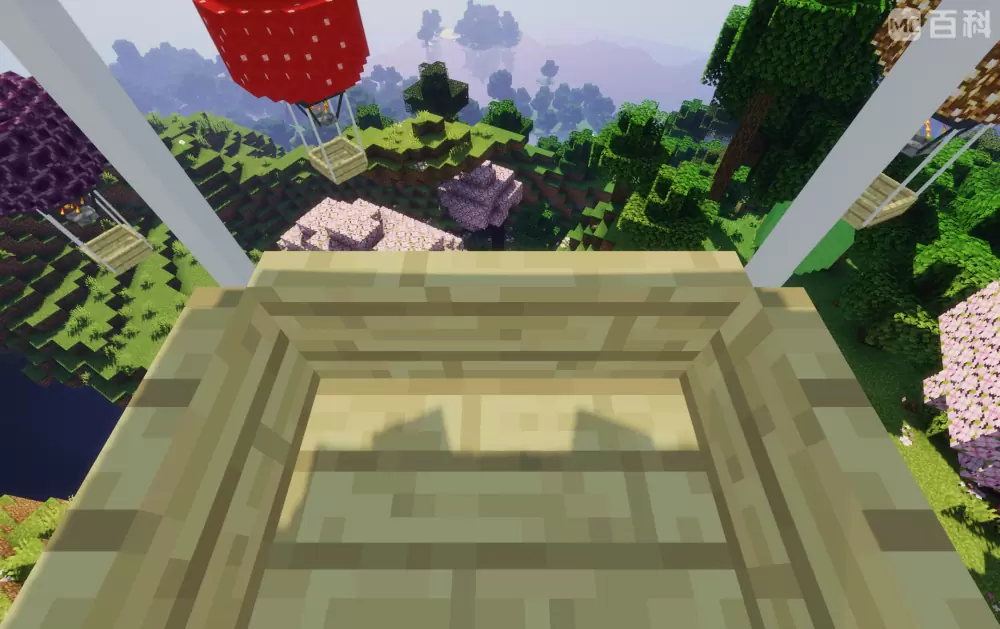
This mod adds a multifunctional hot air balloon entity.
Screenshots



About this Mod
Features:
● When sneaking, right-click on the hot air balloon with a chest to load it with a chest, giving it a UI slot with 27 slots for storing items;
● When sneaking, right-click a hot air balloon with a certain block to customize its balloon texture (including some MOD blocks), but some blocks cannot be customized and will display black and purple lost texture styles;
● Hot air balloons cannot be removed by conventional methods. To remove it,you should sneakand right-click on the hot air balloon with scissors to turn it into an item, and the items in its item column will fall out. Using items on the top of the block will release it, including its previous texture and fuel;
● The hot air balloon can only be controlled when there is fuel in it. The first slot of UI can be placed with coal, charcoal and lava bucket when you are riding it with E key pressed. Coal and charcoal can increase fuel by 2, lava bucket by 30, and the maximum fuel value is 500. Moving will consume its fuel value;
● w, a, s, d control horizontal movement; Y and U key controls up and down movement, and the up and down movement button can modify the key binding in the settings;
● The second slot in the UI can place a lower boundary alloy upgrade template to upgrade the hot air balloon, in order to slow down fuel consumption and increase movement speed;
● The third slot in the UI can place TNT, press the I key to air drop TNT, and modify the key binding in the settings;
● Increase in fuel value of coal, charcoal, and lava bucket, maximum fuel value, basic horizontal and upward/downward movement rates, upgraded horizontal and upward/downward movement rates, and basic and upgraded fuel consumption rates (The larger the value, the slower it becomes) can be modified in the configuration file.
others:
● As long as the author information(me,can be abbreviated as XBB) and mod original source(like modrinth) are marked, the module can be added to the integration package or server;
● After testing, the animation of hot air balloons may be incorrect due to loading shaders;
Available Versions
How to Install XBB's hot air balloon fantasy on Your Server
Order Server
Order a Minecraft Java server with at least 3 GB RAM (4 GB recommended).
Set forge Loader
In the panel under "Egg", select the forge loader and matching Minecraft version (1.20.1).
Install Mod
Open the mod browser in the dashboard and search for "XBB's hot air balloon fantasy". Click "Install" – done! Alternatively, upload the .jar via SFTP to the /mods folder.
Compatibility
Mod Loaders
Minecraft Versions
1.20.1
Server-side
✓ RequiredRecommended RAM
4 GB(min. 3 GB)Frequently Asked Questions
XBB's hot air balloon fantasy server crashes on startup – what to do?
Most common cause: wrong forge version or insufficient RAM. Check the server log (latest.log) for "OutOfMemoryError" or "Mixin" errors. With Mado Hosting: ensure at least 3 GB RAM is allocated and the loader matches the mod version (1.20.1). You can switch loaders with one click in the panel.
Is XBB's hot air balloon fantasy compatible with forge?
XBB's hot air balloon fantasy officially supports forge for Minecraft 1.20.1. The Mado dashboard automatically detects incompatible loader combinations.
Server lagging with XBB's hot air balloon fantasy – how to optimize performance?
Recommended RAM: 4 GB (per 8 players). Use /spark profiler to check if XBB's hot air balloon fantasy consumes the most tick time. Common fixes: reduce server view-distance to 8-10, install "performant" or "starlight" as supplementary mods on Forge. With Mado Hosting, your server runs on NVMe SSDs with dedicated CPU cores for minimal latency.
Similar Mods

![[ETF] Entity Texture Features](https://cdn.modrinth.com/data/BVzZfTc1/af683d206d50b05258d865b0d6e4aa2f2cee12f2_96.webp)
![[EMF] Entity Model Features](https://cdn.modrinth.com/data/4I1XuqiY/6e5bbd0d06b1741bfdab6c0cfab6de8fdaf0064c_96.webp)



Rent Modded Server
Install XBB's hot air balloon fantasy with just one click on your server.